







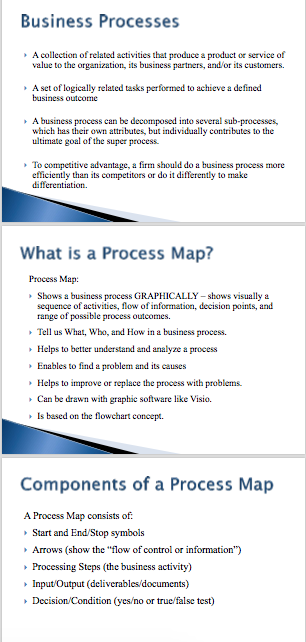
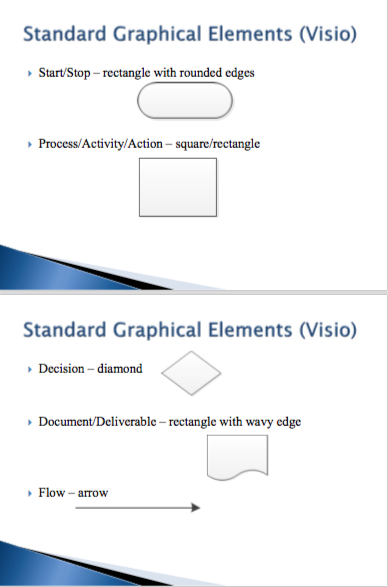
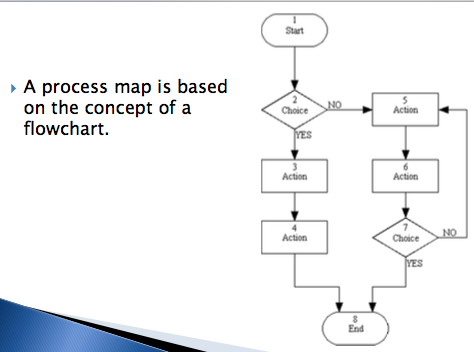
Question: By using all information on other slides use the program Visio to make a process map for the processes involved in taking a pre-requisite course.
By using all information on other slides use the program Visio to make a process map for the processes involved in taking a pre-requisite course. The process should Start with Register course and Include main activities:
1) such as for Students: Attend class, class assignments,Take exams, Submit final project
2) for Professor: Final grading
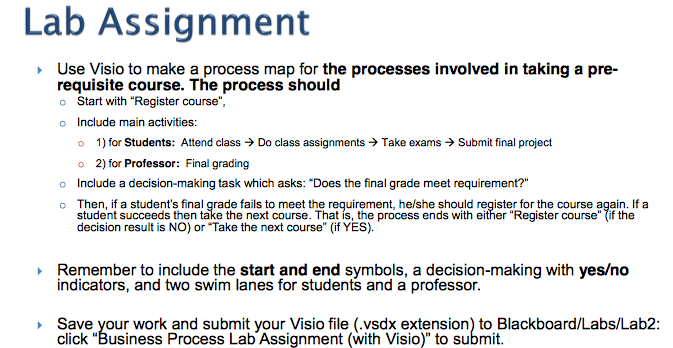
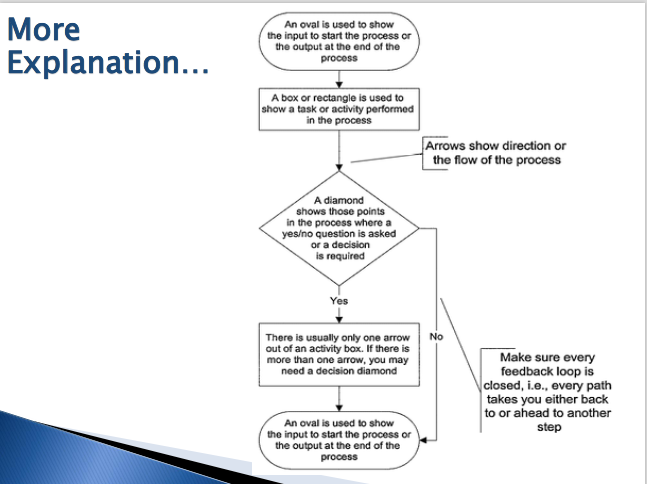
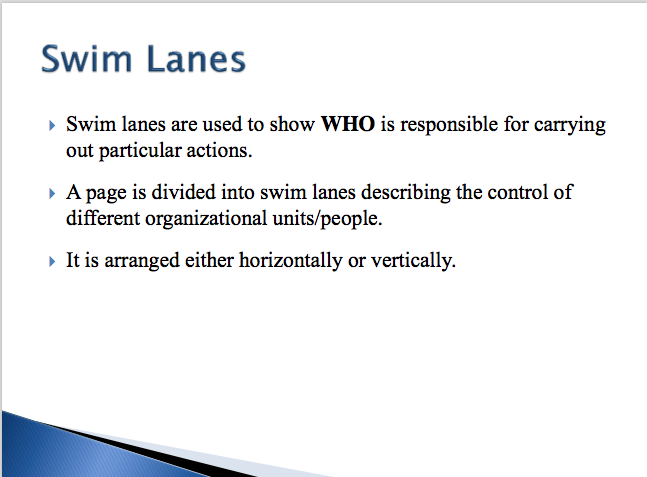
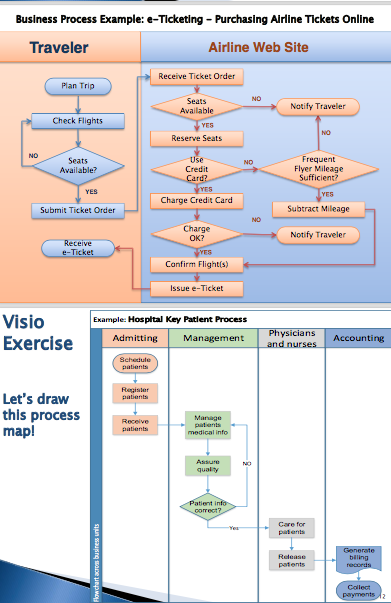
Lab Assignment se Visio to make a process map for the processes involved in taking a pre- requisite course. The process should o Start with "Register course o Include main activities: o 1) for Students: Attend class Do class assignments Take exams Submit final project o 2) for Professor: Final grading o nclude a decision-making task which asks: Does the final grade meet requirement?" a Then, if a student's final grade fails to meet the requirement he/she should register for the course again. If a student succeeds then take the next course. That process ends with either "Register course" (if the decision result is NO) or Take the next course" (if YES). Remember to include the start and end symbols, a decision-making with yeso indicators, and two swim lanes for students and a professor. Save your work and submit your Visio file (.vsdx extension) to Blackboard/Labs/Lab2: click "Business Process Lab Assignment (with Visio)" to submit
Step by Step Solution
There are 3 Steps involved in it

Get step-by-step solutions from verified subject matter experts
 Study Help