







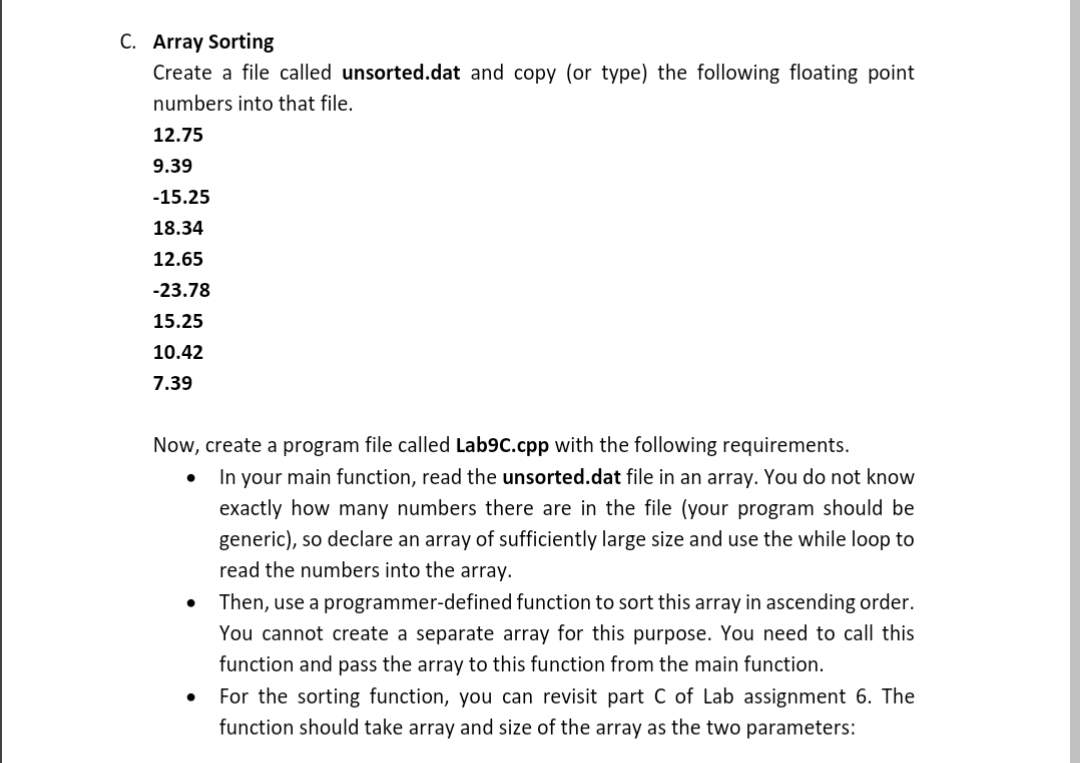
Question: C . Array Sorting Create a file called unsorted.dat and copy ( or type ) the following floating point numbers into that file. 1 2
C Array Sorting
Create a file called unsorted.dat and copy or type the following floating point
numbers into that file.
Now, create a program file called LabCcpp with the following requirements.
In your main function, read the unsorted.dat file in an array. You do not know
exactly how many numbers there are in the file your program should be
generic so declare an array of sufficiently large size and use the while loop to
read the numbers into the array.
Then, use a programmerdefined function to sort this array in ascending order.
You cannot create a separate array for this purpose. You need to call this
function and pass the array to this function from the main function.
For the sorting function, you can revisit part C of Lab assignment The
function should take array and size of the array as the two parameters:
sort the array.
input array: array
size of the array: size
void mySortdouble array const int size
for int i ; i size; i
for irt j i; j size; j
if arrayi arrayj
write code here to:
swap the values between arrayi and arrayj
In your main function, write the sorted array to an output file named
sorted.dat.
Sample outputs:
$ aout
$ cat sorted.dat
Step by Step Solution
There are 3 Steps involved in it
1 Expert Approved Answer
Step: 1 Unlock

Question Has Been Solved by an Expert!
Get step-by-step solutions from verified subject matter experts
Step: 2 Unlock
Step: 3 Unlock
 Study Help