







Question: c++ can not edit Important Coding Guidelines: - Use comments, and whitespaces around operators and assignments - Use line breaks and indent your code. -
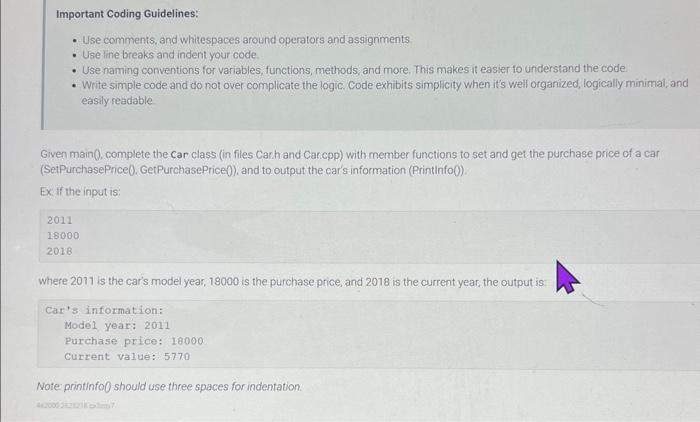
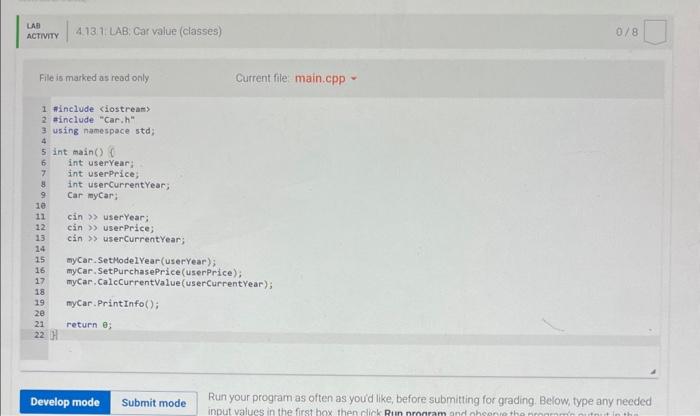
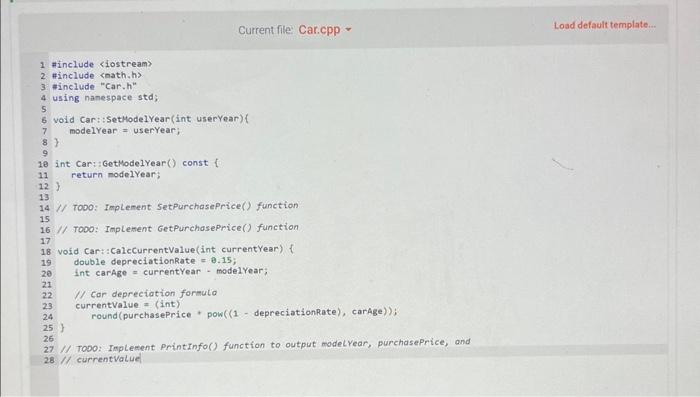
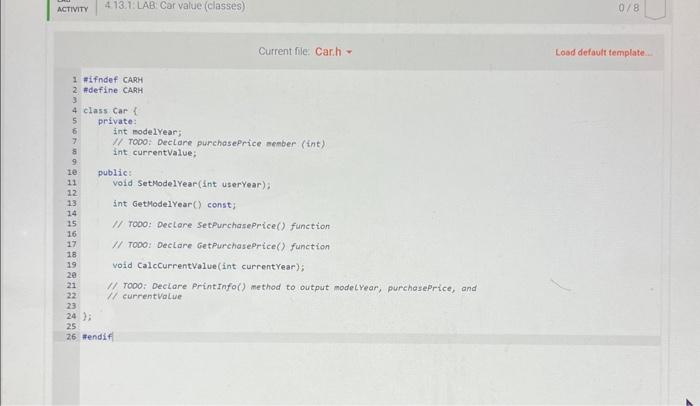
Important Coding Guidelines: - Use comments, and whitespaces around operators and assignments - Use line breaks and indent your code. - Use naming conventions for variables, functions, methods, and more. This makes it easier to understand the code. - Write simple code and do not over complicate the logic. Code exhibits simplicity when it's well organized, logically minimal, and easily readable Given main0, complete the Car class (in files Carh and Car cpp) with member functions to set and get the purchase price of a car (SetPurchasePrice0, GetPurchasePrice)), and to output the car's information (Printinfo0). Ex if the input is: 2011180002018 where 2011 is the car's model year, 18000 is the purchase price, and 2018 is the current year, the output is: Car' information: Model year: 2011 Purchase price: 18000 current value: 5770 Note printinfo0 should use three spaces for indentation. File is marked as read only Current file main.cpp - Run your program as often as youd like, before submitting for grading. Below, type any needed \} 1/ ToDoz Inplement Printinfo() function to output modelyear, purchasePrice, and 28. 1 currentvalue Current file. Car.h = Lood defautr template
Step by Step Solution
There are 3 Steps involved in it

Get step-by-step solutions from verified subject matter experts
 Study Help