







Question: (C++ Code in Microsoft Visual Studio) Declare a C++ class pertaining to a FilledCircle . An example display of a FilledCircle is in the pictures
(C++ Code in Microsoft Visual Studio)
Declare a C++ class pertaining to a FilledCircle. An example display of a FilledCircle is in the pictures below.
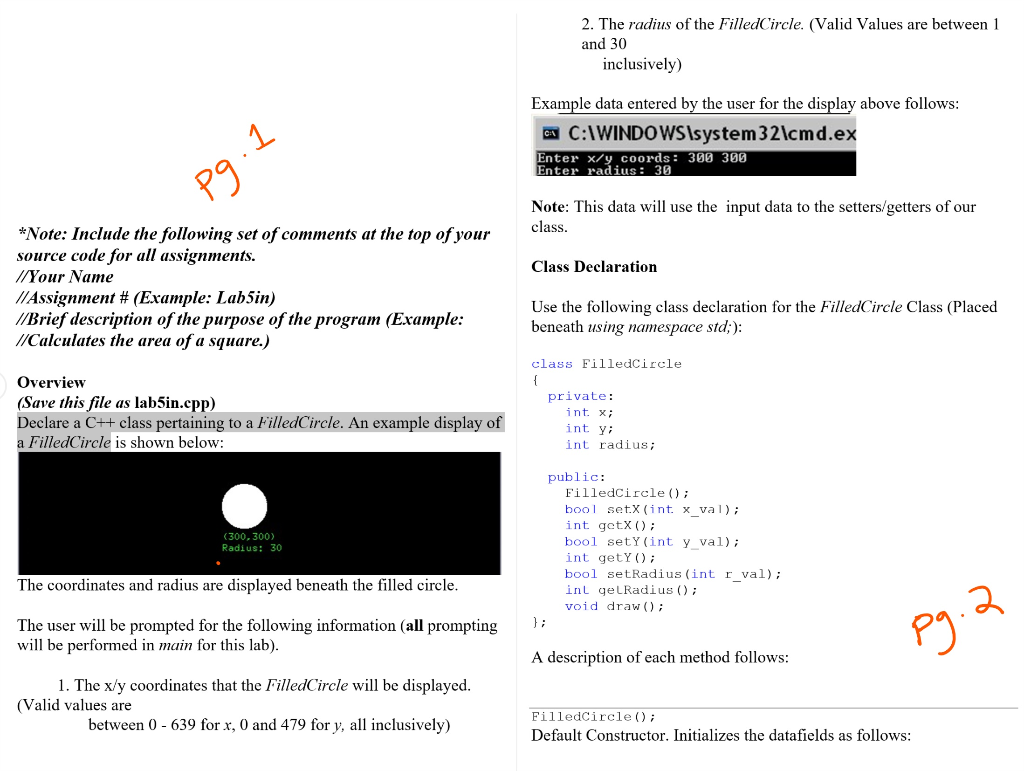
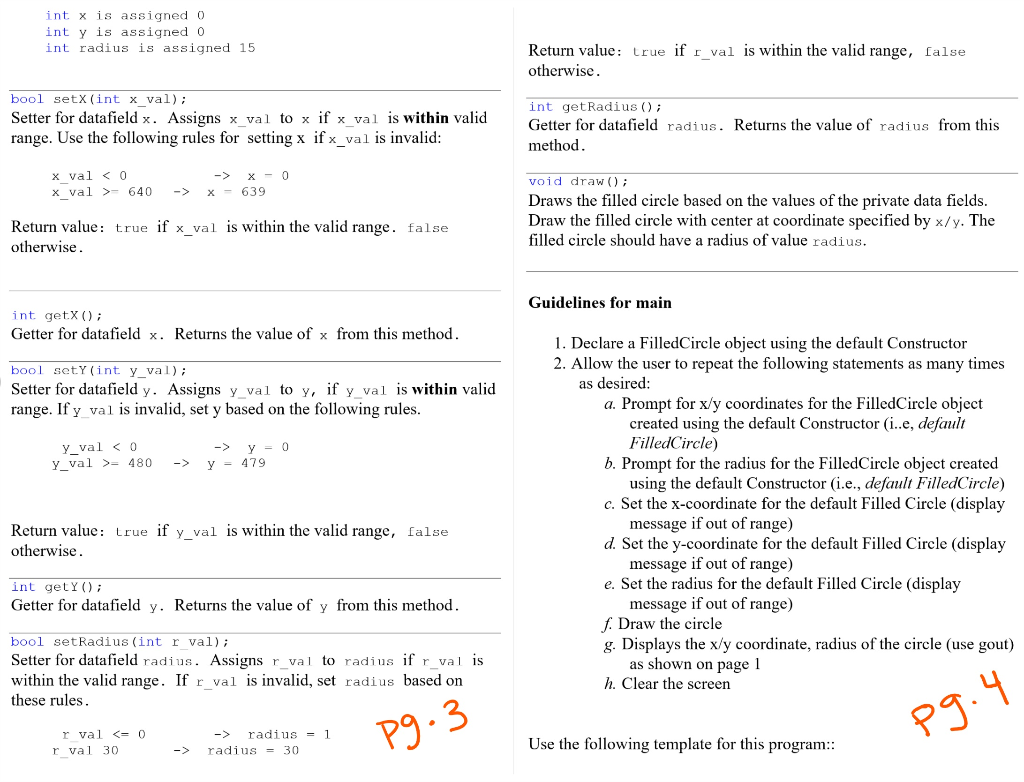
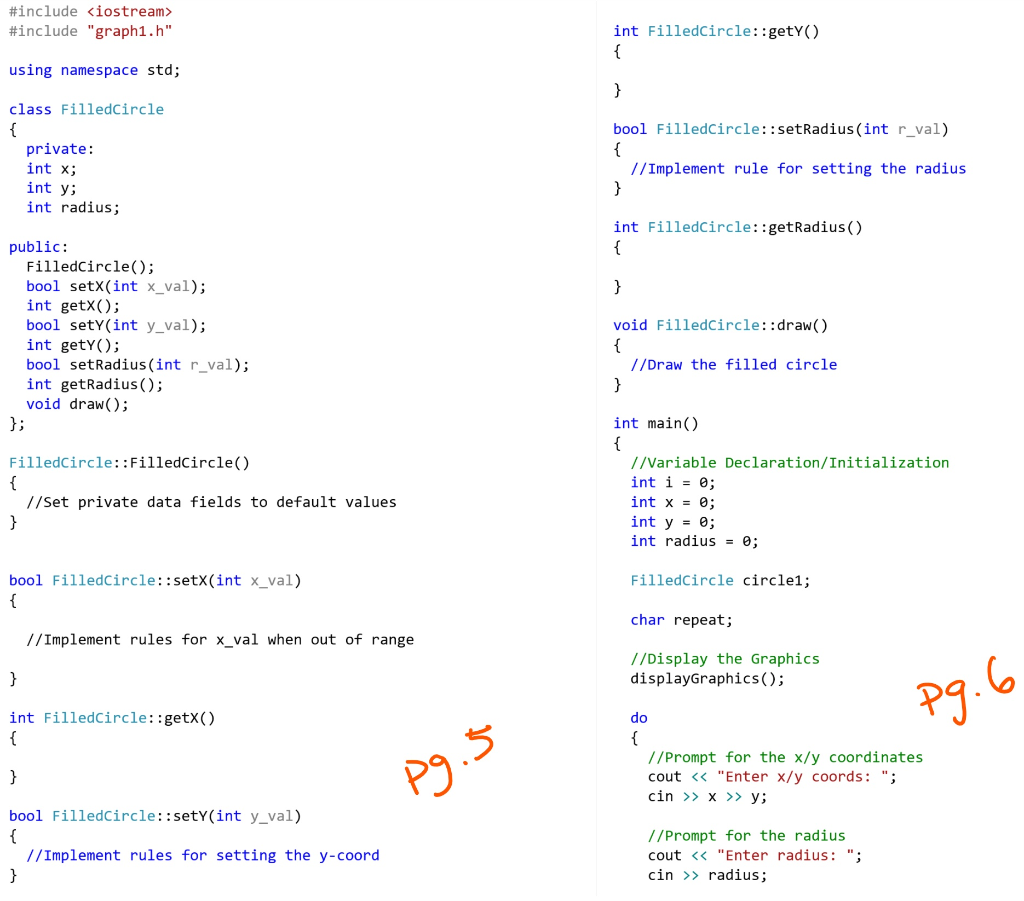
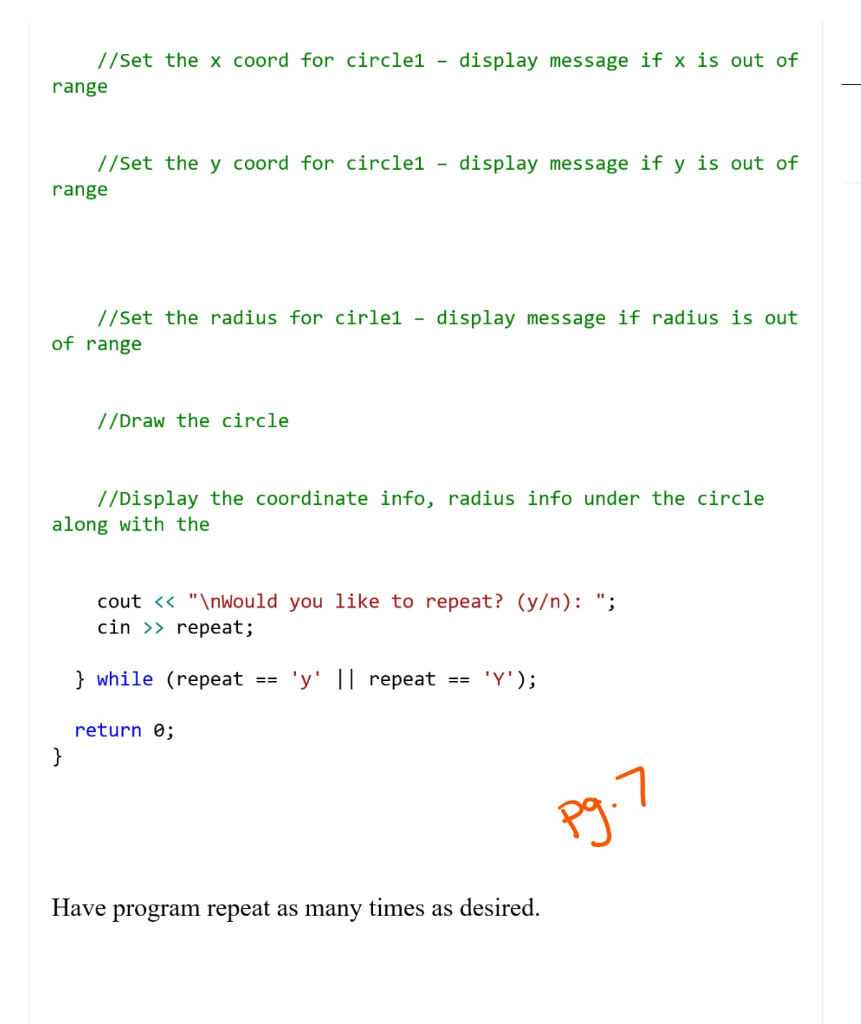
2. The radius of the FilledCircle. (Valid Values are between1 and 30 inclusively) Example data entered by the user for the display above follows: :\WINDOWSlsystem 321cmd.ex Enter x/y coords: 300 300 Enter radius 3 Note: This data will use the input data to the setters/getters of our class *Note: Include the following set of comments at the top ofyour source code for all assignments. //Your Name //Assignment # (Example: Labin) //Brief description of the purpose of the program (Example: //Calculates the area of a square.) Class Declaration Use the following class declaration for the FilledCircle Class (Placed beneath using namespace std;) class FilledCircle Overview (Save this file as lab5in.cpp) Declare a C++ class pertaining to a FilledCircle. An example display of a FilledCircle is shown below: private: int x; int y: int radius; public: FilledCircle ; bool setX (int. x val); int getX bool setY (int y va) int getY ; bool setRadius (int r val) nL qelkadius ( ) ; void draw); (300, 300) Radius: 30 he coordinates and radius are displayed beneath the filled circle The user will be prompted for the following information (all prompting1i will be performed in main for this lab) A description of each method follows: 1. The x/y coordinates that the FilledCircle will be displayed (Valid values are between 0 - 639 for x, 0 and 479 for y, all inclusively) FilledCircle ) Default Constructor. Initializes the datafields as follows: int x is assigned (0 int y is assigned 0 int radius is assigned 15 Return value: true if rval is within the valid range, alse otherwise bool setX (int x_val); Setter for datafield x. Assigns x val to x if x val is within valid range. Use the following rules for setting x if x_val is invalid int getRadius ); Getter for datafield radius. Returns the value of radius from this method x val 640 -> x -639 -> X-0 void draw); Draws the filled circle based on the values of the private data fields Draw the filled circle with center at coordinate specified by x/y. The filled circle should have a radius of value radius Return value: true if x_val is within the valid range. false otherwise Guidelines for main int getx ) Getter for datafield x. Returns the value of x from this method 1. Declare a FilledCircle object using the default Constructor 2. Allow the user to repeat the following statements as many times bool sotY (int y val) Setter for datafield y. Assigns y-va 1 to y, fyval 1s with invalid range. If y val is invalid, set y based on the following rules as desired: a. Prompt for x/y coordinates for the FilledCircle object created using the default Constructor (i..e, default y val0 y_val >-480 -y-479 FilledCircle) b. Prompt for the radius for the FilledCircle object created -> y=0 using the default Constructor (i.e., default FilledCircle) c. Set the x-coordinate for the default Filled Circle (display Return value: rue if y_val is within the valid range, false otherwise message if out of range) d. Set the y-coordinate for the default Filled Circle (display message if out of range) e. Set the radius for the default Filled Circle (display int getY) Getter for datafield y. Returns the value of y from this method message if out of range) f Draw the circle g. Displays the x/y coordinate, radius of the circle (use gout) bool setRadius (int r val); Setter for datafield radius. Assigns r val to radius if r_val is within the valid range. If r_val is invalid, set radius based on these rules as shown on page I h. Clear the screen 3 r val radius-1 Use the following template for this program -> radius-30 #include
Step by Step Solution
There are 3 Steps involved in it

Get step-by-step solutions from verified subject matter experts
 Study Help