







Question: --- C# --- Create a WPF application that uses Code First approach. It has a main dialog to show the information of the people (ID,
--- C# ---
Create a WPF application that uses Code First approach.
It has a main dialog to show the information of the people (ID, Name and Age).
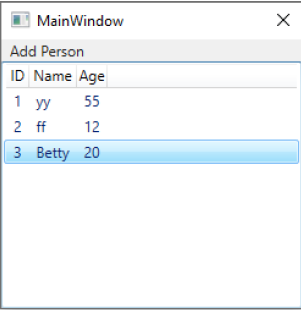
When the user clicks on "Add Person", the second dialog will be shown to enter name and age of the person.
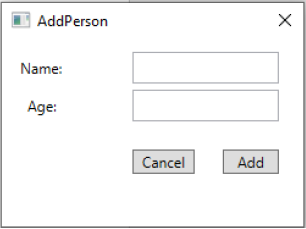
After clicking on Add, the name will be added to the listview. When we click on the listview to edit the information of the people, the 3rd dialog is shown to add the information of a Passport.
The name of the person, comes from the main window. The user enters the passport number that needs to be in specific format () e.g => AB1234567 or CF4444444. Also, user can save photo as another information for the passport. By clicking on the button/label, an openfiledialog will be shown that only accepts jpg, jpeg, png and picture formats.
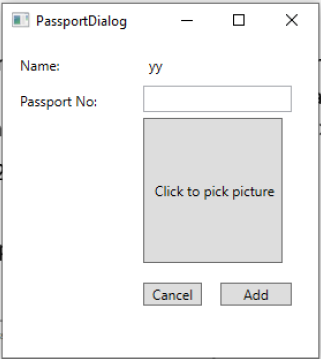
If User clicks on the grid, the information of the passport can be updated (passport number and photo) NO update or delete for person information is needed.
MainWindow Add Person ID Name Age 55 2 ff 12 3 Betty 20 1 AddPerson Name: Age: Cancel Add PassportDialog Name: yy Passport No: Click to pick picture Cancel Add
Step by Step Solution
There are 3 Steps involved in it

Get step-by-step solutions from verified subject matter experts
 Study Help