







Question: C. e. (3). In the diagram below: a There are three vlans, vlan 10, vlan 20 and the default vlan (vlan 0) b. Vlan 10
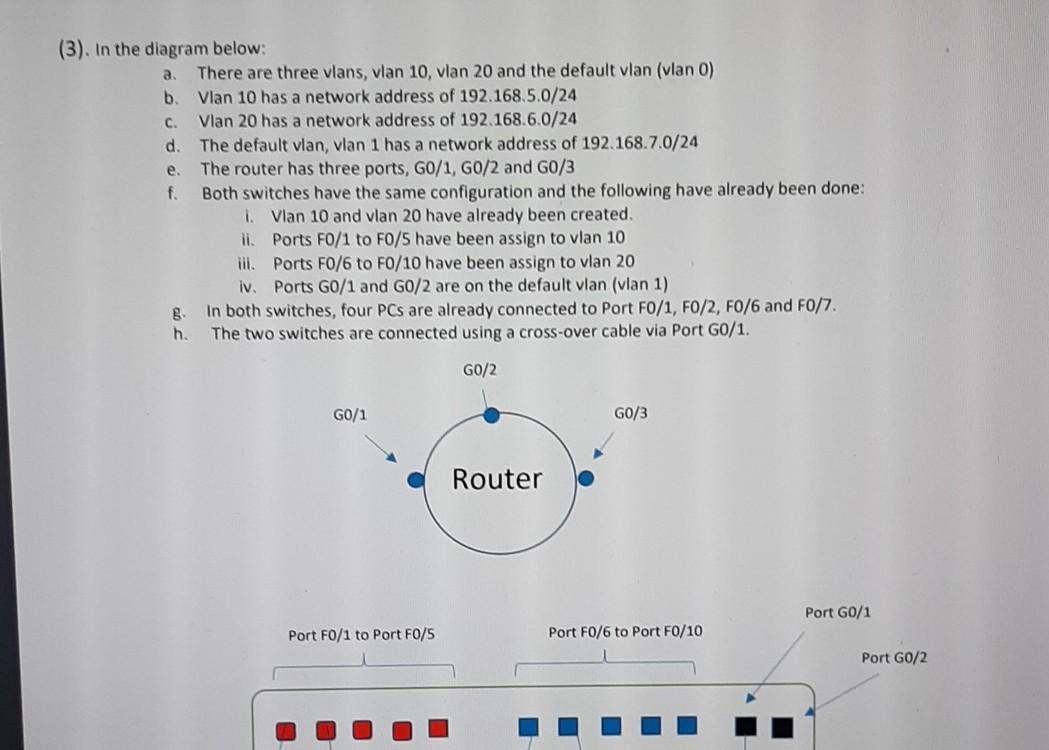
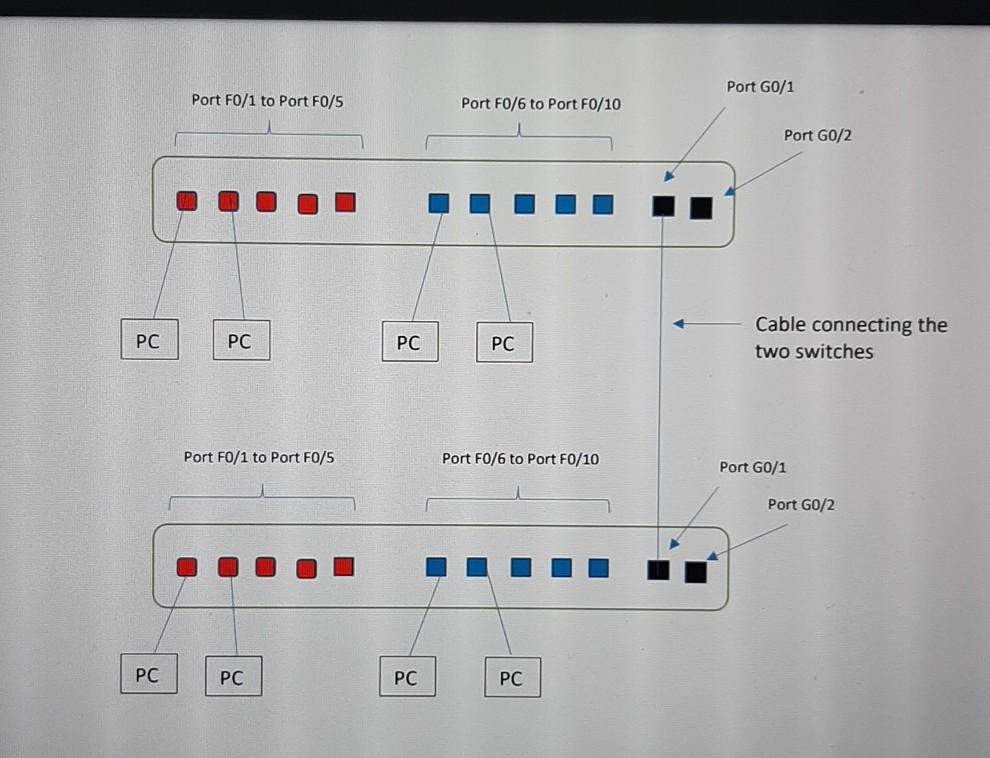
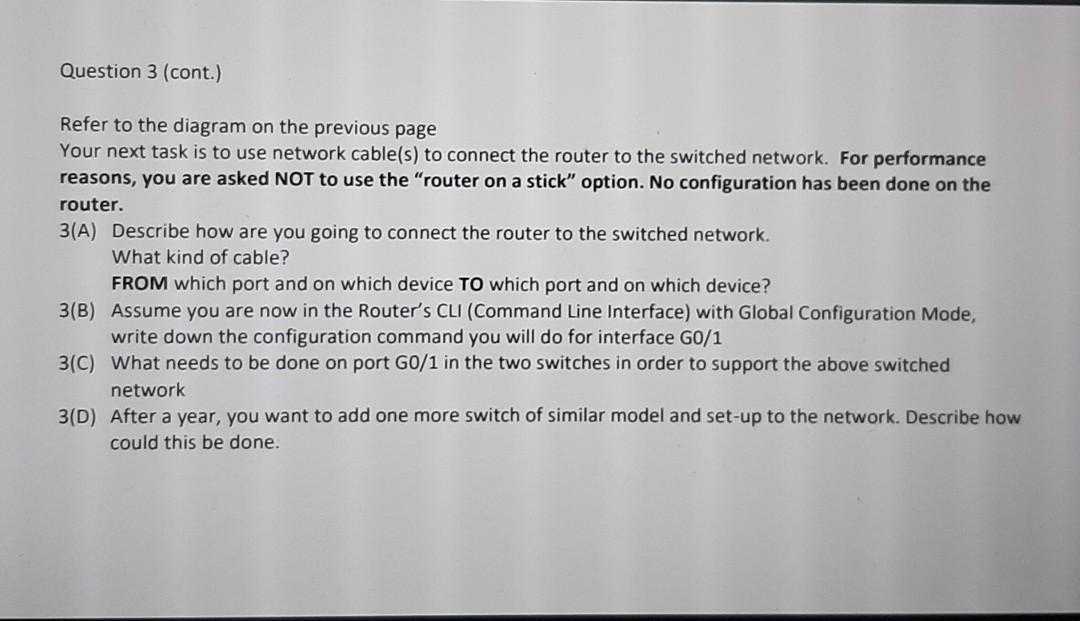
C. e. (3). In the diagram below: a There are three vlans, vlan 10, vlan 20 and the default vlan (vlan 0) b. Vlan 10 has a network address of 192.168.5.0/24 Vlan 20 has a network address of 192.168.6.0/24 d. The default vlan, vlan 1 has a network address of 192.168.7.0/24 The router has three ports, GO/1, G0/2 and G0/3 f. Both switches have the same configuration and the following have already been done: i Vlan 10 and vlan 20 have already been created ii. Ports F0/1 to FO/5 have been assign to vlan 10 ill. Ports FO/6 to FO/10 have been assign to vlan 20 lv Ports G0/1 and G0/2 are on the default vlan (vlan 1) In both switches, four PCs are already connected to Port FO/1, F0/2, F0/6 and F0/7. h. The two switches are connected using a cross-over cable via Port G0/1. G0/2 G0/1 G0/3 Router Port G0/1 Port F0/1 to Port F0/5 Port FO/6 to Port F0/10 Port G0/2 Port G0/1 Port FO/1 to Port FO/S Port F0/6 to Port FO/10 Port G0/2 PC PC PC PC Cable connecting the two switches Port FO/1 to Port FO/5 Port FO/6 to Port FO/10 Port G0/1 Port G0/2 PC PC PC PC Question 3 (cont.) Refer to the diagram on the previous page Your next task is to use network cable(s) to connect the router to the switched network. For performance reasons, you are asked NOT to use the "router on a stick" option. No configuration has been done on the router. 3(A) Describe how are you going to connect the router to the switched network. What kind of cable? FROM which port and on which device TO which port and on which device? 3(B) Assume you are now in the Router's CLI (Command Line Interface) with Global Configuration Mode, write down the configuration command you will do for interface G0/1 3(C) What needs to be done on port G0/1 in the two switches in order to support the above switched network 3(D) After a year, you want to add one more switch of similar model and set-up to the network. Describe how could this be done. C. e. (3). In the diagram below: a There are three vlans, vlan 10, vlan 20 and the default vlan (vlan 0) b. Vlan 10 has a network address of 192.168.5.0/24 Vlan 20 has a network address of 192.168.6.0/24 d. The default vlan, vlan 1 has a network address of 192.168.7.0/24 The router has three ports, GO/1, G0/2 and G0/3 f. Both switches have the same configuration and the following have already been done: i Vlan 10 and vlan 20 have already been created ii. Ports F0/1 to FO/5 have been assign to vlan 10 ill. Ports FO/6 to FO/10 have been assign to vlan 20 lv Ports G0/1 and G0/2 are on the default vlan (vlan 1) In both switches, four PCs are already connected to Port FO/1, F0/2, F0/6 and F0/7. h. The two switches are connected using a cross-over cable via Port G0/1. G0/2 G0/1 G0/3 Router Port G0/1 Port F0/1 to Port F0/5 Port FO/6 to Port F0/10 Port G0/2 Port G0/1 Port FO/1 to Port FO/S Port F0/6 to Port FO/10 Port G0/2 PC PC PC PC Cable connecting the two switches Port FO/1 to Port FO/5 Port FO/6 to Port FO/10 Port G0/1 Port G0/2 PC PC PC PC Question 3 (cont.) Refer to the diagram on the previous page Your next task is to use network cable(s) to connect the router to the switched network. For performance reasons, you are asked NOT to use the "router on a stick" option. No configuration has been done on the router. 3(A) Describe how are you going to connect the router to the switched network. What kind of cable? FROM which port and on which device TO which port and on which device? 3(B) Assume you are now in the Router's CLI (Command Line Interface) with Global Configuration Mode, write down the configuration command you will do for interface G0/1 3(C) What needs to be done on port G0/1 in the two switches in order to support the above switched network 3(D) After a year, you want to add one more switch of similar model and set-up to the network. Describe how could this be done
Step by Step Solution
There are 3 Steps involved in it

Get step-by-step solutions from verified subject matter experts
 Study Help