







Question: C ODE IN C++ Using namespace std; Once an array is created, its size is fixed. Occasionally, you need to add more values to an
CODE IN C++ Using namespace std;
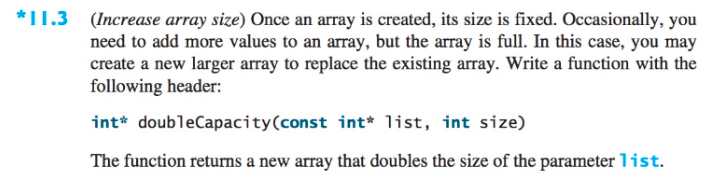
Once an array is created, its size is fixed. Occasionally, you need to add more values to an array, but the array is full. In this case, you may create a new larger array to replace the existing array. Write a function with the following header:
int* doubleCapacity(const int *list, int size)
The function returns a new array that doubles the size of the parameter 'list'
NOTES:
- The code has to be using only Pointers no array notation
- The function allocates an array that is double the size, note that the return value is a pointer with the address to this larger array
- In the main function, deallocate the smaller array before assigning to the larger array created by doubleCapacity
- Create a dynamically allocated array, and populate it with contents:1, 2, 3, 4, 5
- After calling doubleCapacity, the array should contain:1, 2, 3, 4, 5, 0, 0, 0, 0, 0
*11.3 (Increase array size) Once an array is created, its size is fixed. Occasionally, you need to add more values to an array, but the array is full. In this case, you may create a new larger array to replace the existing array. Write a function with the following header: int doubleCapacity(const int* list, int size) The function returns a new array that doubles the size of the parameter list
Step by Step Solution
There are 3 Steps involved in it

Get step-by-step solutions from verified subject matter experts
 Study Help