







Question: C++ on zybooks NOTE: There are two due dates for the assignment to allow for late submissions. The earliest due date on all Projects in
C++ on zybooks
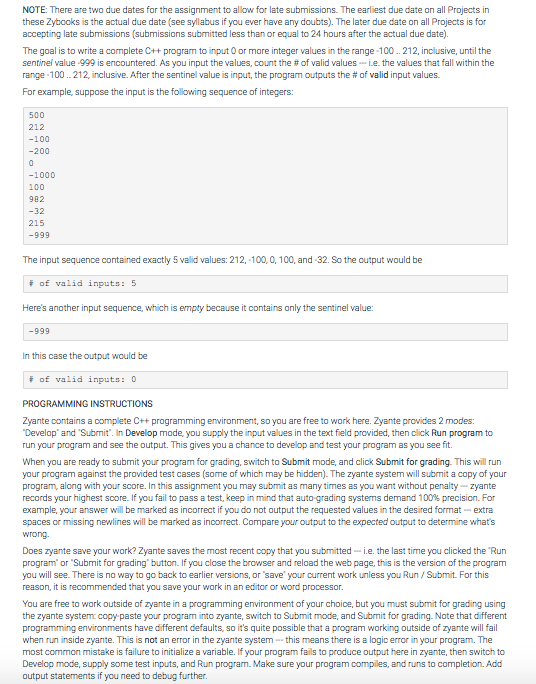
NOTE: There are two due dates for the assignment to allow for late submissions. The earliest due date on all Projects in these Zybaoks is the actual due date (see syllabus if you ever have any doubts). The later due date on all Projects is for accepting late submissions (submissions submitted less than or equal to 24 hours after the actual due date). The goal is to write a complete C++ program to input 0 or more integer values in the range-100.. 212, inclusive, until the sentinel value-999 is encountered. As you input the values, count the # of valid values--ie. the values that fall within the range-100 .. 212, inclusive. After the sentinel value is input, the program outputs the # of valid input values. For example, suppose the input is the following sequence of integers 500 212 -100 -200 -1000 100 992 -32 215 -999 The input sequence contained exactly 5 valid values: 212,-100, 0,100, and-32. So the output would be # of valid inputs: 5 Here's another input sequence, which is empty because it contains only the sentinel value -999 In this case the output would be # of valid inputs : 0 PROGRAMMING INSTRUCTIONS Zyante contains a complete C++programming environment, so you are free to work here. Zyante provides 2 modes Develop" and Submit". In Develop mode, you supply the input values in the text field provided, then click Run program to run your program and see the output. This gives you a chance to develop and test your program as you see fit When you are ready to submit your program for grading, switch to Submit mode, and click Submit for grading. This will run your program against the provided test cases (some of which may be hidden). The zyante system will submit a copy of your program, along with your score. In this assignment you may submit as many times as you want without penaltyzyante records your highest score. If you fail to pass a test, keep in mind that auto-grading systems demand 100% precision. For example, your answer will be marked as incorrect if you do not output the requested values in the desired format extra spaces or missing newlines will be marked as incorrect. Compare your output to the expected output to determine whats wrong Does zyante save your work? Zyante saves the most recent copy that you submittedi.e. the last time you clicked the Run program or Submit for grading button. If you close the browser and reload the web page, this is the version of the program you will see. There is no way to go back to earlier versions, or save your current work unless you Run/Submit. For this reason, it is recommended that you save your work in an editor or word processor. You are free to work outside of zyante in a programming environment of your choioe, but you must submit for grading using the zyante system copy paste your program into zyante, switch to Submit mode, and Submit for grading. Note that different programming environments have different when run inside zyante. This is not an error in the zyante systemthis means there is a logic error in your program. The most common mistake is failure to initialize a variable. If your program fails to produce output here in zyante, then switch to Develop mode, supply some test inputs, and Run program. Make sure your program compiles, and runs to completion. Add output statements if you need to debug further default s, so it's quite possible that a m working outside of zyante will fail
Step by Step Solution
There are 3 Steps involved in it

Get step-by-step solutions from verified subject matter experts
 Study Help