







Question: 3.22 P03-01 Wing Design NOTE: There are two due dates for the assignment to allow for late submissions. The earliest due date on all Projects
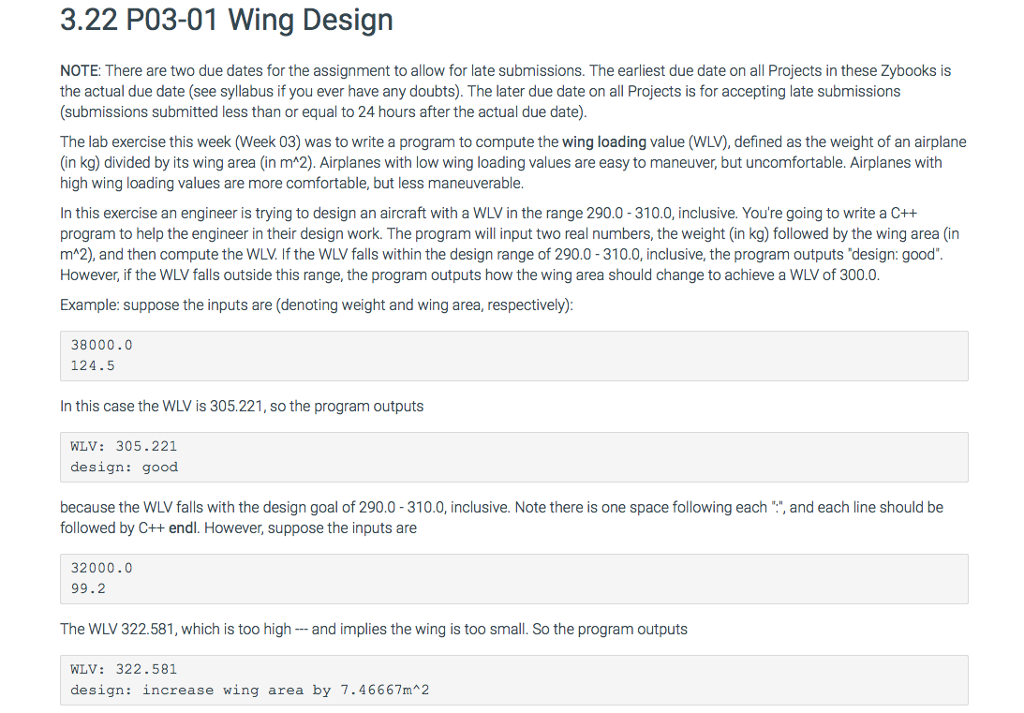
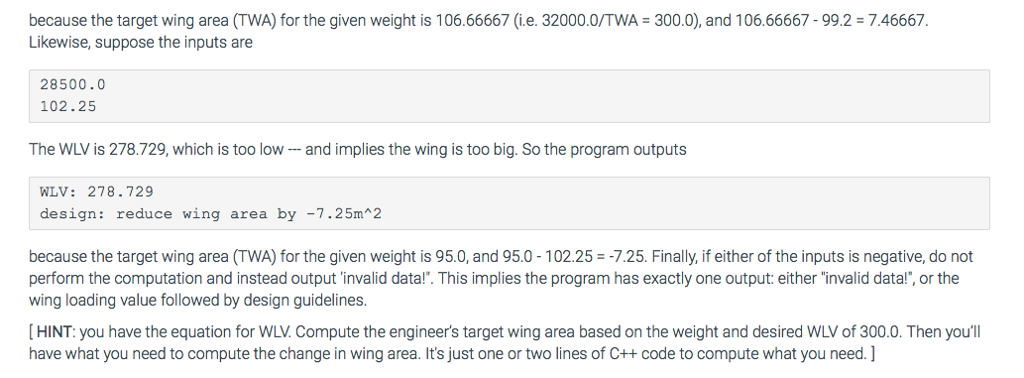
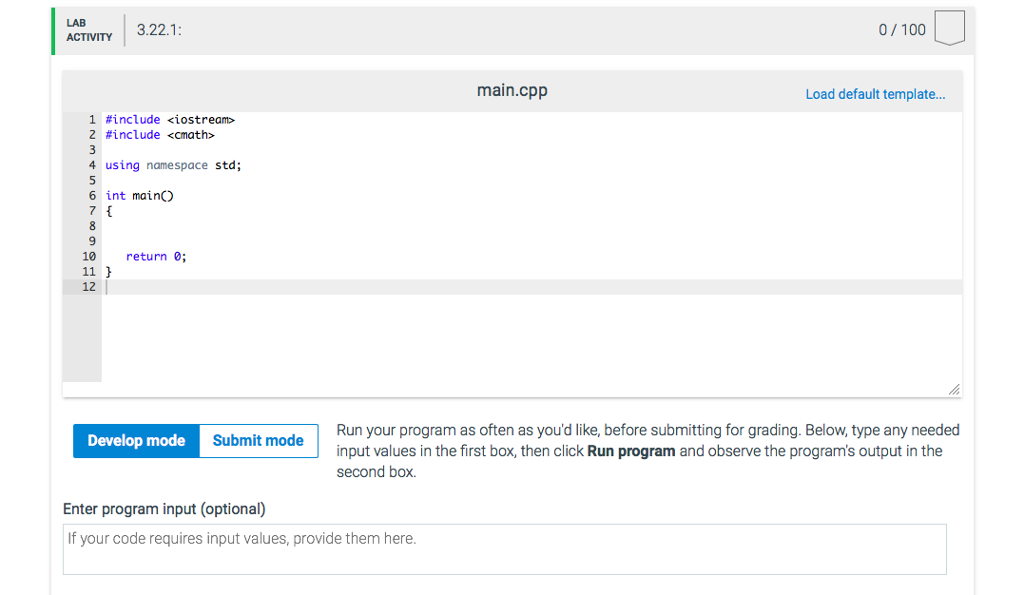
3.22 P03-01 Wing Design NOTE: There are two due dates for the assignment to allow for late submissions. The earliest due date on all Projects in these Zybooks is the actual due date (see syllabus if you ever have any doubts). The later due date on all Projects is for accepting late submissions (submissions submitted less than or equal to 24 hours after the actual due date) The lab exercise this week (Week 03) was to write a program to compute the wing loading value (WLV), defined as the weight of an airplane (in kg) divided by its wing area (in mA2). Airplanes with low wing loading values are easy to maneuver, but uncomfortable. Airplanes with high wing loading values are more comfortable, but less maneuverable In this exercise an engineer is trying to design an aircraft with a WLV in the range 290.0-310.0, inclusive. You're going to write a C++ program to help the engineer in their design work. The program will input two real numbers, the weight (in kg) followed by the wing area (in mA2), and then compute the WLV. If the WLV falls within the design range of 290.0-310.0, inclusive, the program outputs 'design: good" However, if the WLV falls outside this range, the program outputs how the wing area should change to achieve a WLV of 300.0 Example: suppose the inputs are (denoting weight and wing area, respectively) 38000.0 124.5 In this case the WLV is 305.221, so the program outputs WLV: 305.221 design: good because the WLV falls with the design goal of 290.0-310.0, inclusive. Note there is one space following each , and each line should be followed by C++ endl. However, suppose the inputs are 32000.0 99.2 The WLV 322.581, which is too high and implies the wing is too small. So the program outputs WLV: 322.581 design: increase wing area by 7.46667m 2
Step by Step Solution
There are 3 Steps involved in it

Get step-by-step solutions from verified subject matter experts
 Study Help