







Question: C++ Program. Need help on creating a FlexArray. Header file for this program. A Flex Array Unlike the statically allocated arrays from Chapters 14-16, the
C++ Program. Need help on creating a FlexArray.
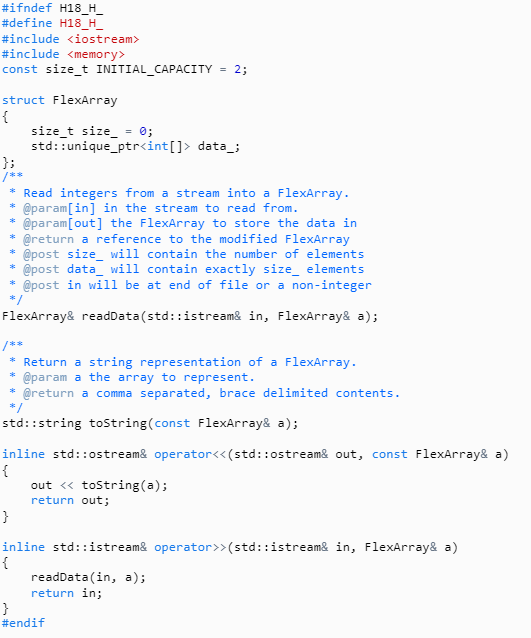
Header file for this program.
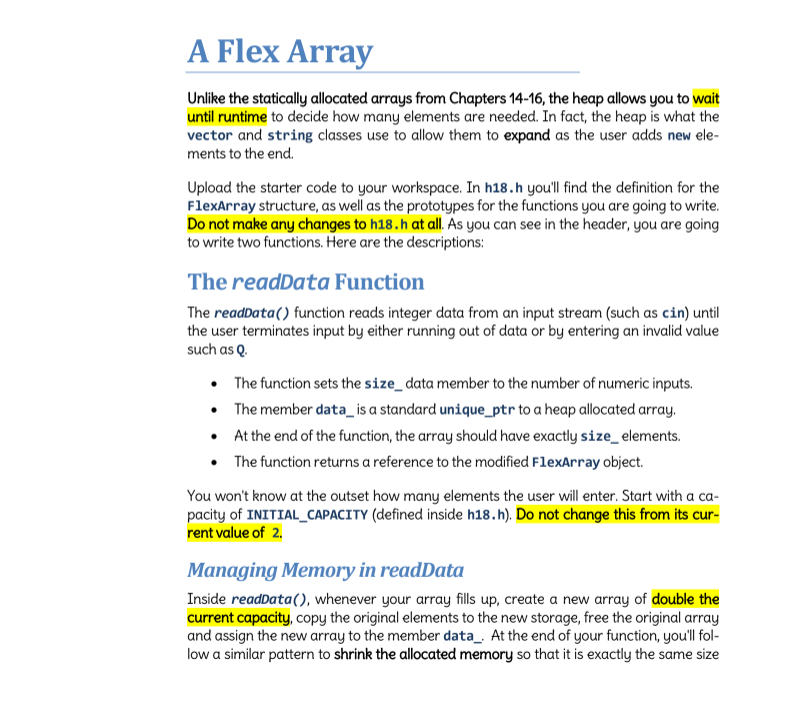
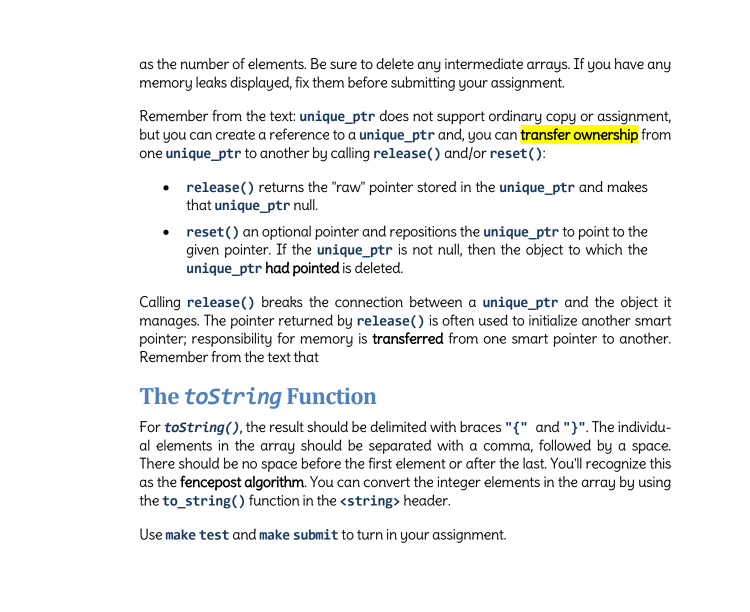
A Flex Array Unlike the statically allocated arrays from Chapters 14-16, the heap allows you to wait until runtime to decide how many elements are needed. In fact, the heap is what the vector and string classes use to allow them to expand as the user adds new ele- ments to the end Upload the starter code to your workspace. In h18.h youll find the definition for the FlexArray structure, as well as the prototypes for the functions you are going to write Do not make any changes to h18.h at all. As you can see in the header, you are going to write two functions. Here are the descriptions: The readData Function The readData() function reads integer data from an input stream (such as cin) until the user terminates input by either running out of data or by entering an invalid value such as Q The function sets the size_ data member to the number of numeric inputs. The member data_is a standard unique_ptr to a heap allocated array. At the end of the function, the array should have exactly size elements The function returns a reference to the modified FlexArray object. You won't know at the outset how many elements the user will enter. Start with a ca pacity of INITIAL_CAPACITY (defined inside h18.h). Do not change this from its cur- rent value of 2 Managing Memory in readData Inside readData(), whenever your array fills up, create a new array of double the current capacity, copy the original elements to the new storage, free the original array and assign the new array to the member data. At the end of your function, youll fol low a similar pattern to shrink the allocated memory so that it is exactly the same size
Step by Step Solution
There are 3 Steps involved in it

Get step-by-step solutions from verified subject matter experts
 Study Help