







Question: C# Programming. Add the following to the codes provided below. Make sure to comment your codes. 1.Declare two class-level variables: one that stores an instance
C# Programming. Add the following to the codes provided below. Make sure to comment your codes.
1.Declare two class-level variables: one that stores an instance of the DB context and one for an OrderOption object that will store the results of the query that retrieves the data from the OrderOptions table. 2.In the Load event handler for the form, code a LINQ query to get the data from the OrderOptions table. Because this table contains a single row, you can use the Single() or First() methods. Assign the result to the OrderOption object that you defined in the last step. Then, assign the properties of the OrderOption object to the text boxes on the form. 3. In the btnSave_Click() event handler, assign the current values in the text boxes to the properties of the OrderOption object. Then, save the changes to the database and display a message indicating that the order options have been updated. 4.In the btnSave_Click() event handler, move the existing code within a try clause and add a catch clause that handles the DbUpdateException
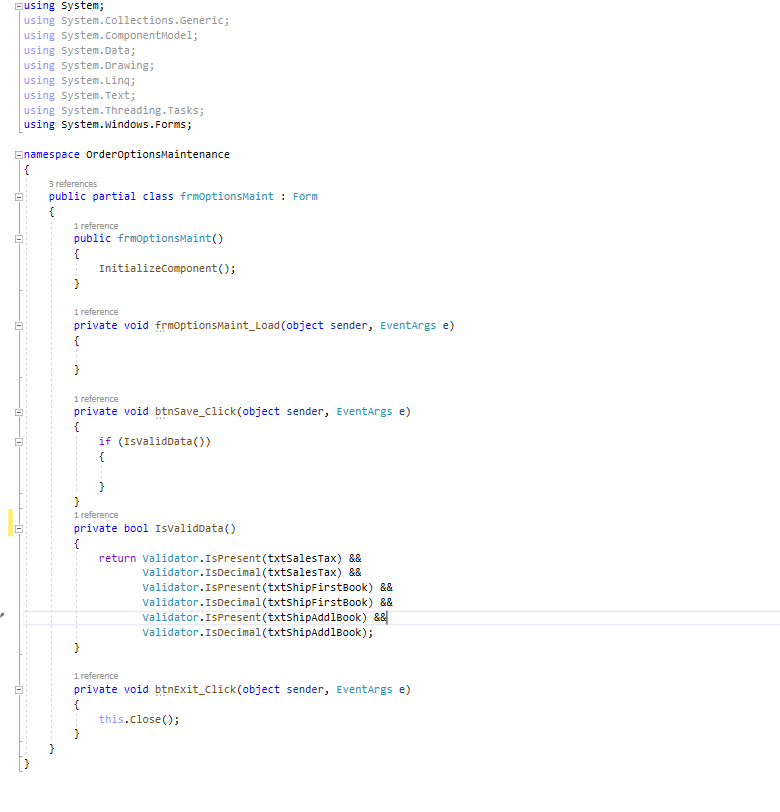
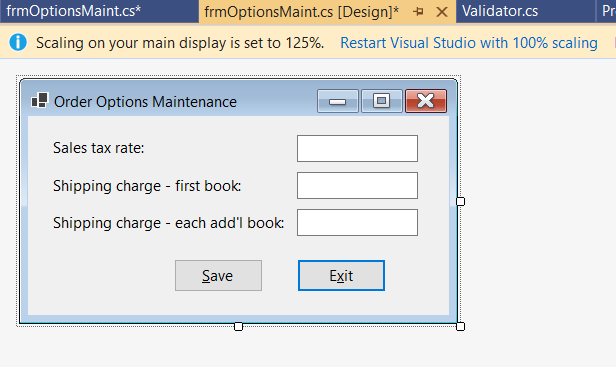
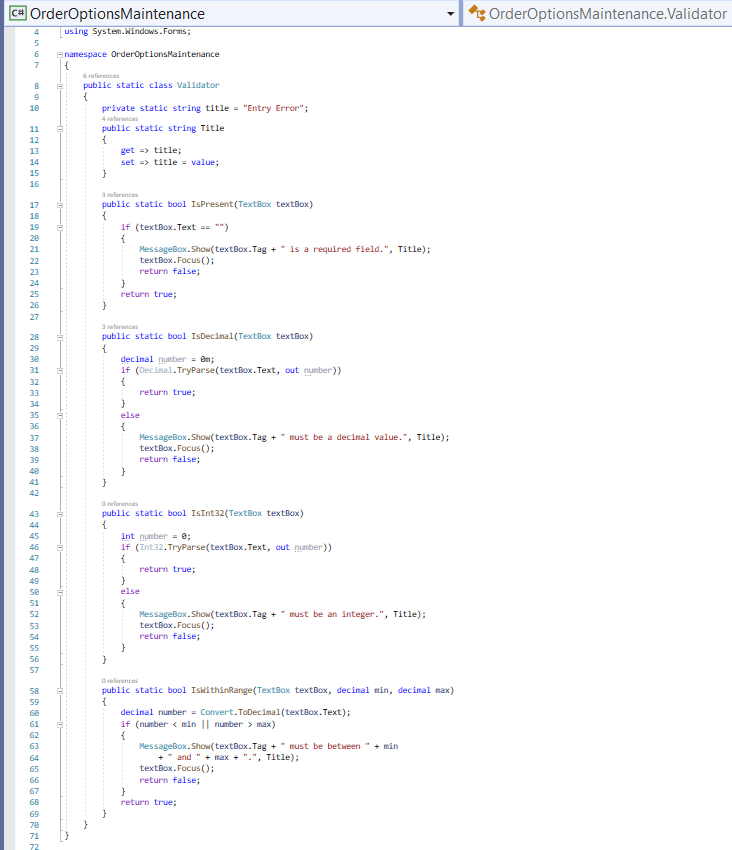
using System; using System.Collections.Generic; using System.ComponentModel; using System.Data; using System.Drawing; using System.Linq; using System.Text; using System.Threading.Tasks; using System.Windows.Forms; namespace OrderoptionsMaintenance { 3 references public partial class frmoptionsMaint : Form { 1 reference public frmoptionsMaint() { InitializeComponent(); } 1 reference private void frmoptionsMaint_Load(object sender, EventArgs e) { } 1 reference private void btnSave_Click(object sender, EventArgs e) { if (IsValidData() { } } 1 reference private bool IsvalidData() { return validator.IsPresent(txtsalesTax) && Validator.IsDecimal(txtsalesTax) && validator.IsPresent(txtshipFirstBook) && validator. IsDecimal(txtshipFirstBook) && Validator.IsPresent(txtshipAddlBook) && Validator. IsDecimal(txtShipAddiBook); 1 reference private void btnExit_Click(object sender, EventArgs e) { this.close(); } frmOptionsMaint.cs* frmOptionsMaint.cs (Design)* + x Validator.cs Pr Scaling on your main display is set to 125%. Restart Visual Studio with 100% scaling ! Order Options Maintenance x Sales tax rate: Shipping charge - first book: Shipping charge - each add'l book: Save Exit OrderOptions Maintenance.Validator 5 6 7 c# Order Options Maintenance using System.Windows.Forms; Enamespace Order Options Maintenance { 6 8 public static class Validator 9 { 10 private static string title = "Entry Error"; public static string Title { get > title; set => title = value; 4 orences 11 12 13 14 15 16 17 18 19 3 references public static bool IsPresent (TextBox textBox) { if (textBox.Text == "") { MessageBox.Show(textBox. Tag + is a required field.", Title); textBox.Focus(); return false; } return true; } 27 28 30 33 34 35 3 reference public static bool IsDecimal(textBox textBox) { decimal number - en it (Decimal.Tryparse(textBox.Text, out number)) 1 return true; } else { essageBox.Show(tex ox.Tag + must be a decimal value. textBox.Focus(); return false; itle); 37 38 By unumnBmmmmmm%n%B8%89% 40 42 Dralarames| 43 44 45 46 47 48 49 public static bool ISInt32(TextBox textBox) { int number = 0; if (Int32. TryParse(textBox.Text, out number)) 1 return true; } else { MessageBox.Show(textBox. Tag + must be an integer.", Title); textBox.Focus(); return false; 51 52 } O references 59 60 61 public static bool IswithinRange(TextBox textBox, decimal min, decimal max) { decimal number = Convert.ToDecimal(textBox.Text); if (number max) MessageBox.Show(textBox.Tag + must be between " + min +" and " + max - ".", Title); textBox.Focus(); return false; } return true; 65 71
Step by Step Solution
There are 3 Steps involved in it

Get step-by-step solutions from verified subject matter experts
 Study Help