





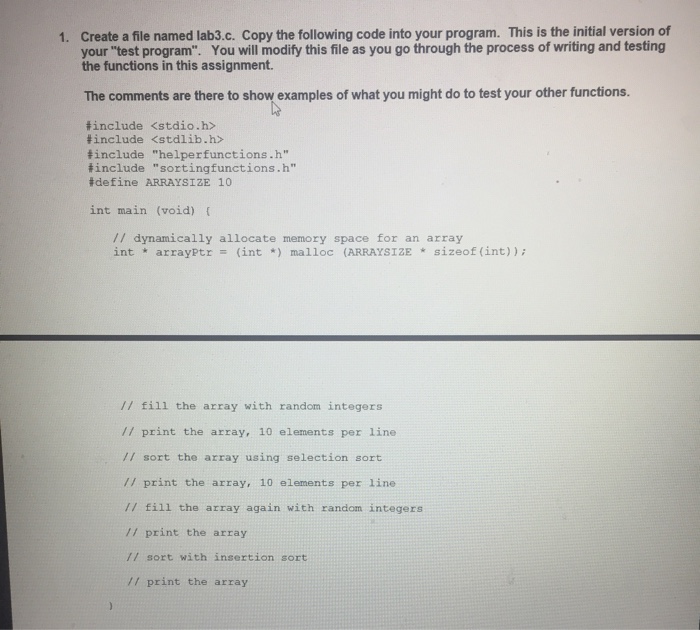
Question: C programming question. Use // to comment and explain each step 1. Create a file named lab3.c. Copy the following code into your program. This
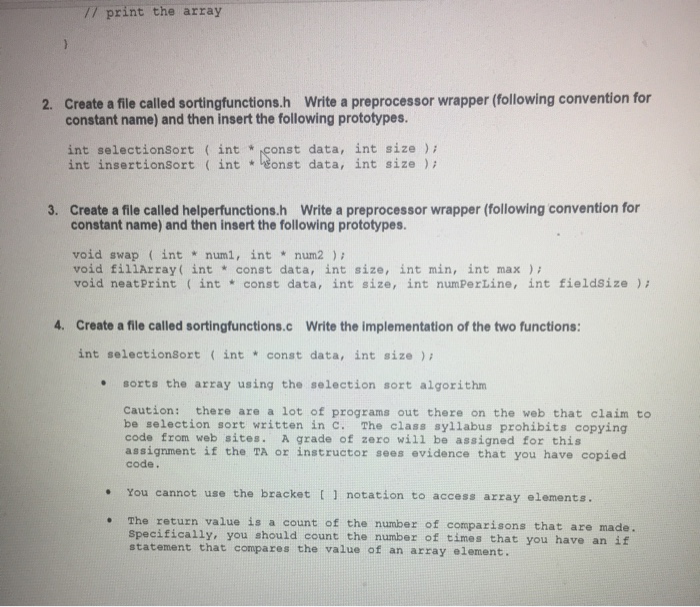
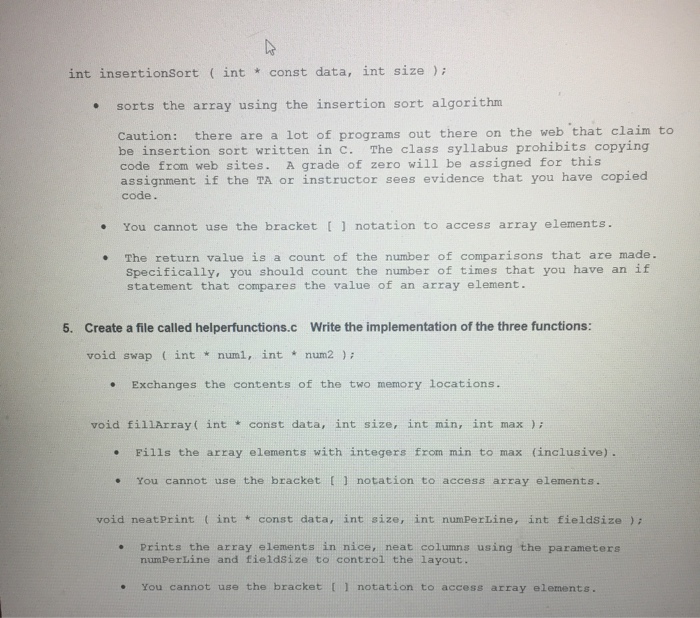
C programming question. Use // to comment and explain each step  C programming question. Use // to comment and explain each step
1. Create a file named lab3.c. Copy the following code into your
program. This is the initial version of You will modify this file
1. Create a file named lab3.c. Copy the following code into your program. This is the initial version of You will modify this file as you go through the process of writing and testing your "test program". the functions in this assignment. The comments are there to show examples of what you might do to test your other functions. #include #include #include "helperfunctions.h" include "sortingfunctions.h" idefine ARRAYSIZE 10 int main (void) t // dynamically allocate memory space for an array int arrayPtr (int) malloc (ARRAYSIZE sizeof (int)) // fill the array with random integers // print the array, 10 elements per line // sort the array using selection sort // print the array, 10 elements per line // fill the array again with random integers // print the array // sort with insertion sort // print the array 1. Create a file named lab3.c. Copy the following code into your program. This is the initial version of You will modify this file as you go through the process of writing and testing your "test program". the functions in this assignment. The comments are there to show examples of what you might do to test your other functions. #include #include #include "helperfunctions.h" include "sortingfunctions.h" idefine ARRAYSIZE 10 int main (void) t // dynamically allocate memory space for an array int arrayPtr (int) malloc (ARRAYSIZE sizeof (int)) // fill the array with random integers // print the array, 10 elements per line // sort the array using selection sort // print the array, 10 elements per line // fill the array again with random integers // print the array // sort with insertion sort // print the array

Step by Step Solution

There are 3 Steps involved in it

1 Expert Approved Answer
Step: 1 Unlock blur-text-image
Question Has Been Solved by an Expert!

Get step-by-step solutions from verified subject matter experts

Step: 2 Unlock
Step: 3 Unlock

Students Have Also Explored These Related Databases Questions!