



Question: C++ recursive function to merge any number of sorted vectorsinto one big sorted vector using divide and conquer. The function is meant to take in
C++ recursive function to merge any number of sorted vectorsinto one big sorted vector using divide and conquer.
The function is meant to take in a vector of vectors, in whichtheir elements are all sorted in ascending order, and it issupposed to merged those vectors into one big sorted vector.
Here is what the k merge function header looks like: voidKmerge(vector> sortedVecs, int left, int right, vector&res)
- sortedVecs is a vector of vectors where every vector is sortedin ascending order
- left, right are indices
- res is the vector where all the elements will be stored
What I have so far:
void Kmerge(vector> sortedVecs, int left, int right, vector&res){
if(left== right){
return;
}
int middle = (left+right)/2;
Kmerge(sortedVecs, sortedVecs[left], sortedVecs[middle],res);
Kmerge(sortedVecs, sortedVecs[middle+1], sortedVecs[right],res);
}
The approach is similar to merge sort, but here you need todivide the vector of vectors and merge together all of one half toget one big sorted vector, and then all of the other half to getanother sorted vector. You would then merge those two vectors intoone large sorted vector. I've gotten the dividing part down, butnot sure where to go with the merging.
Here's what main looks like:
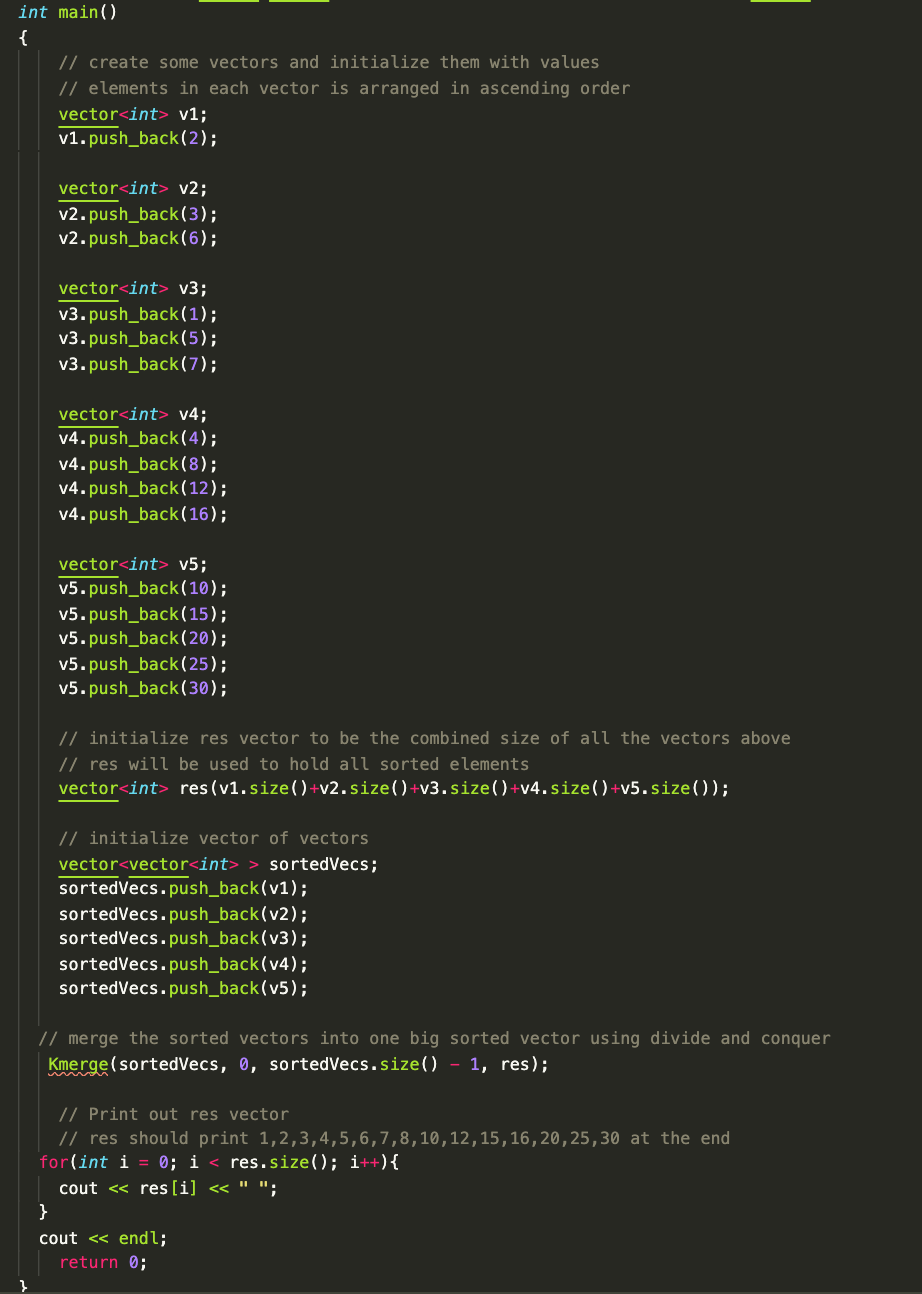
I already have a merge function that already works which takesin two sorted vectors as arguments, and another vector to hold themerged elements. It merges the vectors by comparing the values ateach index and then inserting them into the res vector in ascendingorder.
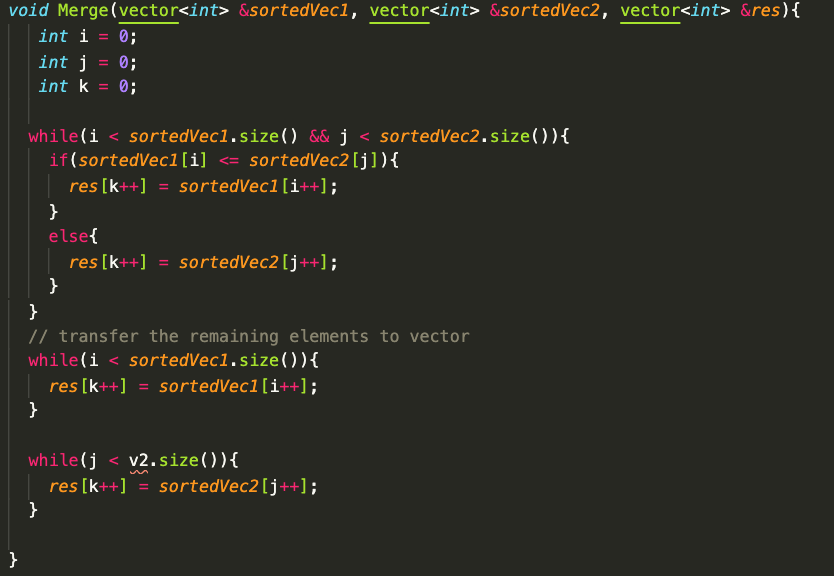
Not sure what I would pass into the merge function inside of kmerge, any help is appreciated. Thanks.
int main() { // create some vectors and initialize them with values // elements in each vector is arranged in ascending order vector v1; v1.push_back(2); vector v2; v2.push_back(3); v2.push_back(6); vector v3; v3.push_back(1); v3.push_back(5); v3.push_back(7); vector v4; v4.push_back(4); v4.push_back(8); v4.push_back (12); v4.push_back(16); vector v5; v5.push_back(10); v5.push_back(15); v5.push_back(20); v5.push_back(25); v5.push_back (30); // initialize res vector to be the combined size of all the vectors above // res will be used to hold all sorted elements vector res (v1.size()+v2.size()+v3.size()+v4.size()+v5.size()); // initialize vector of vectors vector sortedVecs; sortedVecs.push_back(v1); sortedVecs.push_back(v2); sortedVecs.push_back(v3); sortedVecs.push_back(v4); sortedVecs.push_back(v5); // merge the sorted vectors into one big sorted vector using divide and conquer Kmerge(sortedVecs, 0, sorted Vecs.size() - 1, res); // Print out res vector // res should print 1,2,3,4,5,6,7,8,10, 12, 15, 16, 20,25,30 at the end for(int i = 0; i < res.size(); i++){ cout < < res[i] < < ; } cout < < endl; return 0; void Merge(vector &sortedVecl, vector &sortedVec2, vector &res) { int i = 0; 0; int j int k 0; } = = while(i < sortedVecl.size() && j < sortedVec2.size()){ if(sortedVec1[i]
Step by Step Solution
3.48 Rating (164 Votes )
There are 3 Steps involved in it
There is one change in merge function ie for entering the value in the result you must use pushback ... View full answer

Get step-by-step solutions from verified subject matter experts