







Question: C with Linux Environment Variables LOOK AT MY CODE BELOW. WE ARE SUPPOSED TO BUILD ON THAT CODE Here is my code from previous task
C with Linux Environment Variables
LOOK AT MY CODE BELOW. WE ARE SUPPOSED TO BUILD ON THAT CODE

Here is my code from previous task that is mentioned. Please build upon it.
#include #include #include #include
void main(){
int main() { char *input;
int count = 0;
while ( count
return 0;
}
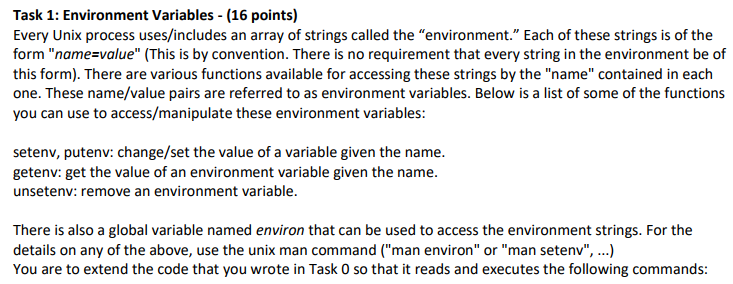
Task 1: Environment Variables (16 points) Every Unix process uses/includes an array of strings called the "environment." Each of these strings is of the form "name value" (This is by convention. There is no requirement that every string in the environment be of this form). There are various functions available for accessing these strings by the "name" contained in each one. These name/value pairs are referred to as environment variables. Below is a list of some of the functions you can use to access/manipulate these environment variables: setenv, putenv: change/set the value of a variable given the name getenv: get the value of an environment variable given the name. unsetenv: remove an environment variable. There is also a global variable named environ that can be used to access the environment strings. For the details on any of the above, use the unix man command ("man environ" or "man setenv", ...) You are to extend the code that you wrote in Task 0 so that it reads and executes the following commands
Step by Step Solution
There are 3 Steps involved in it

Get step-by-step solutions from verified subject matter experts
 Study Help