







Question: Calling a Macro in a TITLE Statement a. Following the steps outlined below, create a macro named FUTURE and use that macro to generate
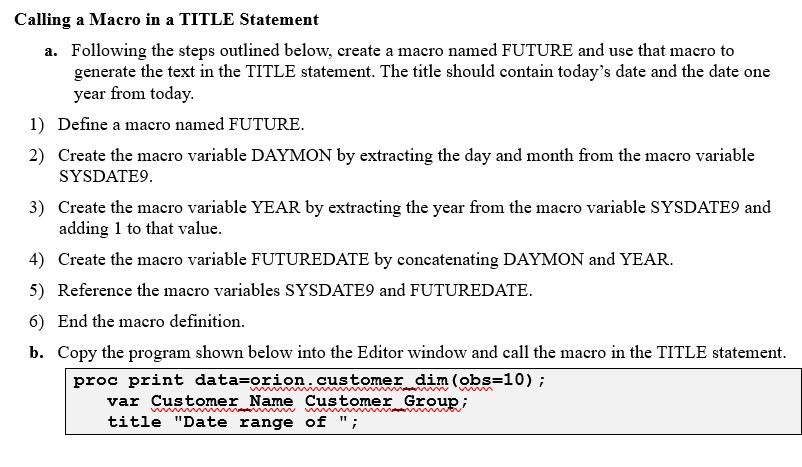
Calling a Macro in a TITLE Statement a. Following the steps outlined below, create a macro named FUTURE and use that macro to generate the text in the TITLE statement. The title should contain today's date and the date one year from today. 1) Define a macro named FUTURE. 2) Create the macro variable DAYMON by extracting the day and month from the macro variable SYSDATE9. 3) Create the macro variable YEAR by extracting the year from the macro variable SYSDATE9 and adding 1 to that value. 4) Create the macro variable FUTUREDATE by concatenating DAYMON and YEAR. 5) Reference the macro variables SYSDATE9 and FUTUREDATE. 6) End the macro definition. b. Copy the program shown below into the Editor window and call the macro in the TITLE statement. proc print data=orion.customer dim (obs=10); www mm var Customer Name Customer Group; wwwwww title "Date range of ";
Step by Step Solution
There are 3 Steps involved in it

Get step-by-step solutions from verified subject matter experts
 Study Help