





Question: Can I get step by step help on how to create this worksheet? Instructions 1. There is no data file to download this week. Open

Can I get step by step help on how to create this worksheet?
Can I get step by step help on how to create this

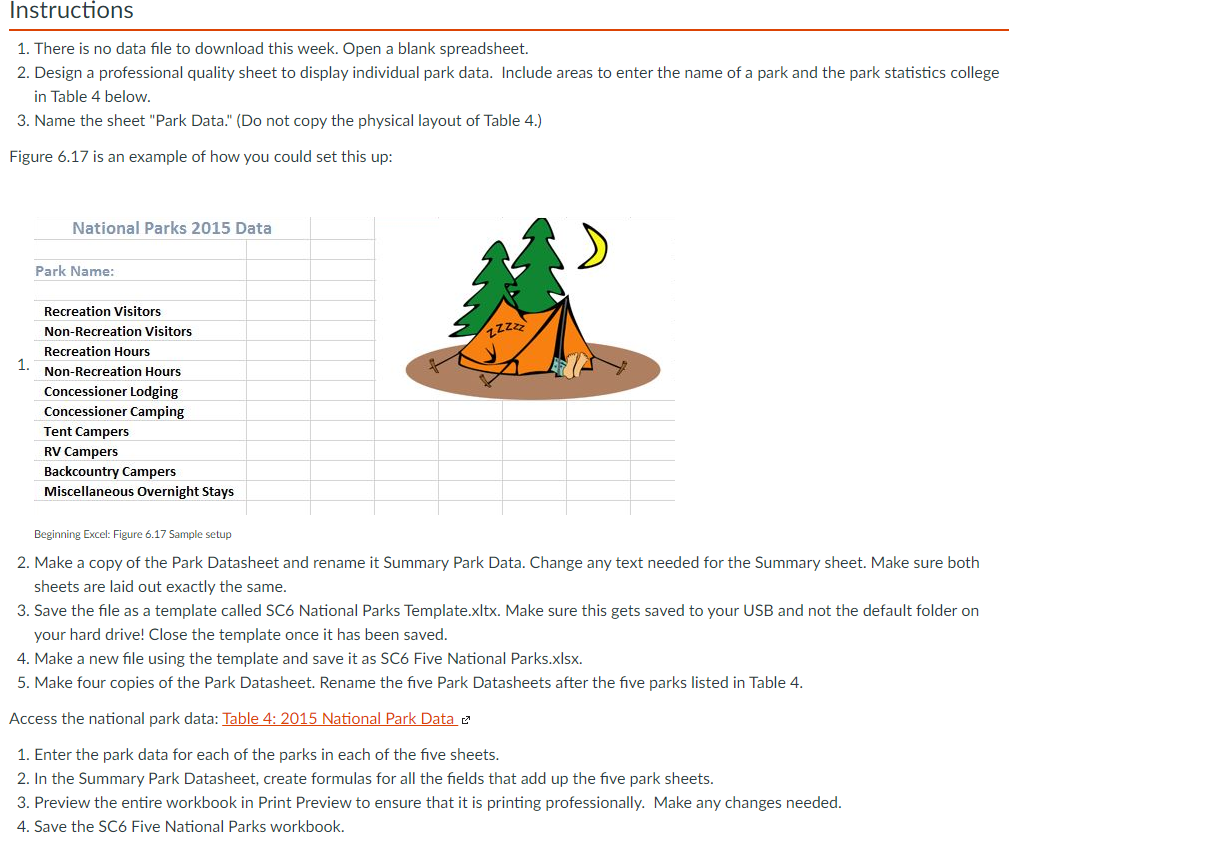
Instructions 1. There is no data file to download this week. Open a blank spreadsheet. 2. Design a professional quality sheet to display individual park data. Include areas to enter the name of a park and the park statistics college in Table 4 below. 3. Name the sheet "Park Data." (Do not copy the physical layout of Table 4.) Figure 6.17 is an example of how you could set this up: National Parks 2015 Data Park Name: 1ZZ 1. Recreation Visitors Non-Recreation Visitors Recreation Hours Non-Recreation Hours Concessioner Lodging Concessioner Camping Tent Campers RV Campers Backcountry Campers Miscellaneous Overnight stays Beginning Excel: Figure 6.17 Sample setup 2. Make a copy of the Park Datasheet and rename it Summary Park Data. Change any text needed for the Summary sheet. Make sure both sheets are laid out exactly the same. 3. Save the file as a template called SC6 National Parks Template.xltx. Make sure this gets saved to your USB and not the default folder on your hard drive! Close the template once it has been saved. 4. Make a new file using the template and save it as SC6 Five National Parks.xlsx. 5. Make four copies of the Park Datasheet. Rename the five Park Datasheets after the five parks listed in Table 4. Access the national park data: Table 4: 2015 National Park Data e 1. Enter the park data for each of the parks in each of the five sheets. 2. In the Summary Park Datasheet, create formulas for all the fields that add up the five park sheets. 3. Preview the entire workbook in Print Preview to ensure that it is printing professionally. Make any changes needed. 4. Save the SC6 Five National Parks Workbook

Step by Step Solution

There are 3 Steps involved in it

1 Expert Approved Answer
Step: 1 Unlock blur-text-image

Question Has Been Solved by an Expert!

Get step-by-step solutions from verified subject matter experts

Step: 2 Unlock
Step: 3 Unlock

Students Have Also Explored These Related General Management Questions!