







Question: Can I please get help with part 2 ______ Code part 1(aboutme) Just nee to add table About John Doe John Doe A brief description
Can I please get help with part 2
______
Code part 1(aboutme) Just nee to add table
John Doe
A brief description of who I am
I am a student of Computer Science at XYZ University. I am learning Web Development as of now. My hobbies are Travelling, Reading and Coding.
Qualifications
Qualification 1
Qualification 2
Qualification 3
Qualification 4
Qualification 5
Accomplishments
Accomplishment 1
Accomplishment 2
Accomplishment 3
Accomplishment 4
Accomplishment 5
public
________________________________________________________________________________________________________________________
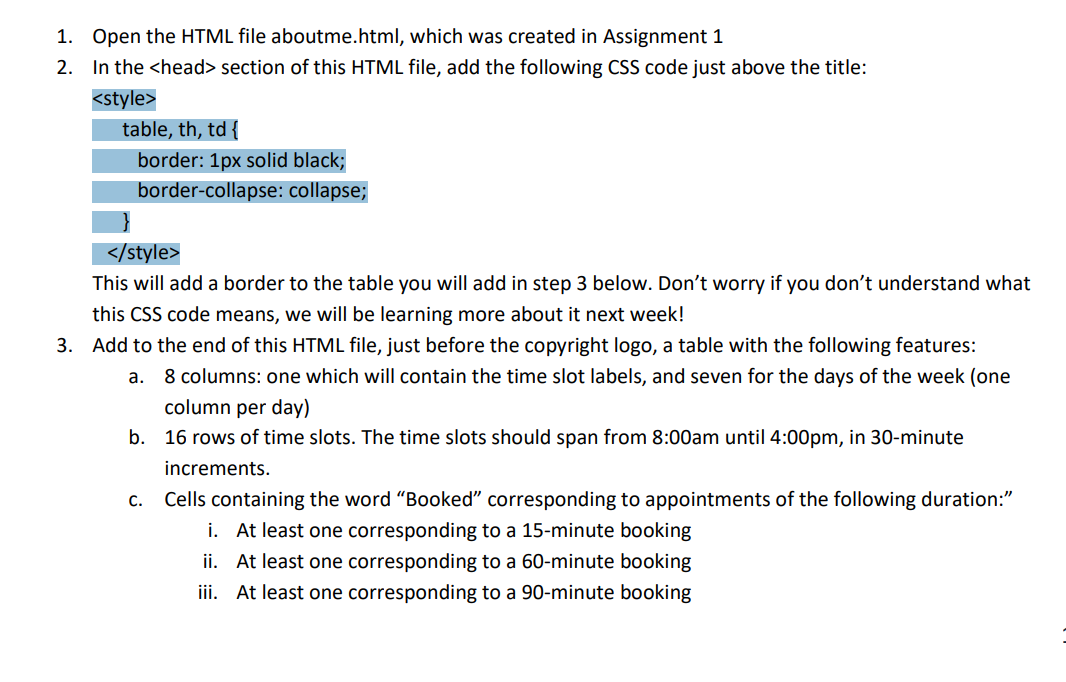
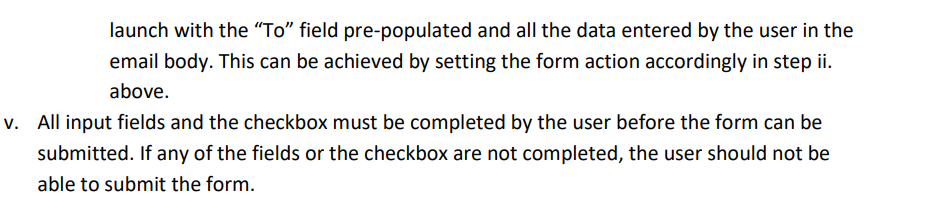
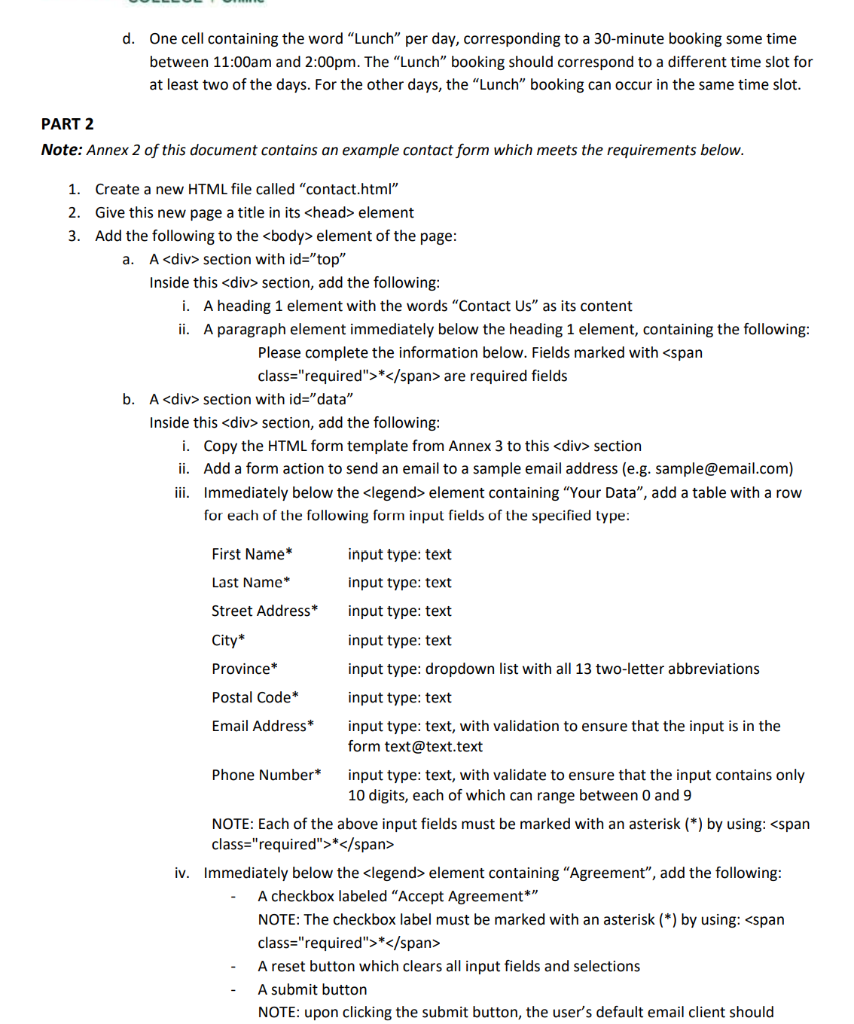
1. Open the HTML file aboutme.html, which was created in Assignment 1 2. In the section of this HTML file, add the following CSS code just above the title: This will add a border to the table you will add in step 3 below. Don't worry if you don't understand what this CSS code means, we will be learning more about it next week! 3. Add to the end of this HTML file, just before the copyright logo, a table with the following features: a. 8 columns: one which will contain the time slot labels, and seven for the days of the week (one column per day) b. 16 rows of time slots. The time slots should span from 8:00am until 4:00pm, in 30-minute increments. Cells containing the word Booked corresponding to appointments of the following duration: i. At least one corresponding to a 15-minute booking ii. At least one corresponding to a 60-minute booking iii. At least one corresponding to a 90-minute booking C. launch with the To field pre-populated and all the data entered by the user in the email body. This can be achieved by setting the form action accordingly in step ii. above. V. All input fields and the checkbox must be completed by the user before the form can be submitted. If any of the fields or the checkbox are not completed, the user should not be able to submit the form. launch with the To field pre-populated and all the data entered by the user in the email body. This can be achieved by setting the form action accordingly in step ii. above. V. All input fields and the checkbox must be completed by the user before the form can be submitted. If any of the fields or the checkbox are not completed, the user should not be able to submit the form. d. One cell containing the word "Lunch per day, corresponding to a 30-minute booking some time between 11:00am and 2:00pm. The "Lunch" booking should correspond to a different time slot for at least two of the days. For the other days, the "Lunch" booking can occur in the same time slot. PART 2 Note: Annex 2 of this document contains an example contact form which meets the requirements below. 1. Create a new HTML file called "contact.html" 2. Give this new page a title in its element 3. Add the following to the element of the page: a. A
Step by Step Solution
There are 3 Steps involved in it

Get step-by-step solutions from verified subject matter experts
 Study Help