







Question: Write the Code for a CNC machinein G code and M code for the letter J and the letter S Assignment objectives: - Using and
Write the Code for a CNC machinein G code and M code for the letter "J" and the letter "S"
Assignment objectives: - Using and practicing G codes (G00, G01,G02, G03, G90/91, G20/21, G43, G28, ?) -
Using and practicing M codes (M00, M01, M02, M03, M04, M05, M06,M08, M09, M30, ?) -
Tool change & length compensation (TXX M6, G43 HXX) -
Safety block -
Learning and applying technological parameters such as feed F,spindle speed S -
Simulating G code / testing / trouble shooting (PCNC simulator)-
Making SETUP SHEET -
Machine setup (Tormach / HAAS) -
Machining / operating / running programs on Tormach / HAAS CNCmill Assignment description: -
Engraving your initials -
Use ACAD template file to make your letters and save as?yourname_CNC#1.dwg? -
Write CNC program manually using Windows Notepad and save as?yourname_CNC#1.txt? -
Test with CNC simulator, trouble shoot if needed -
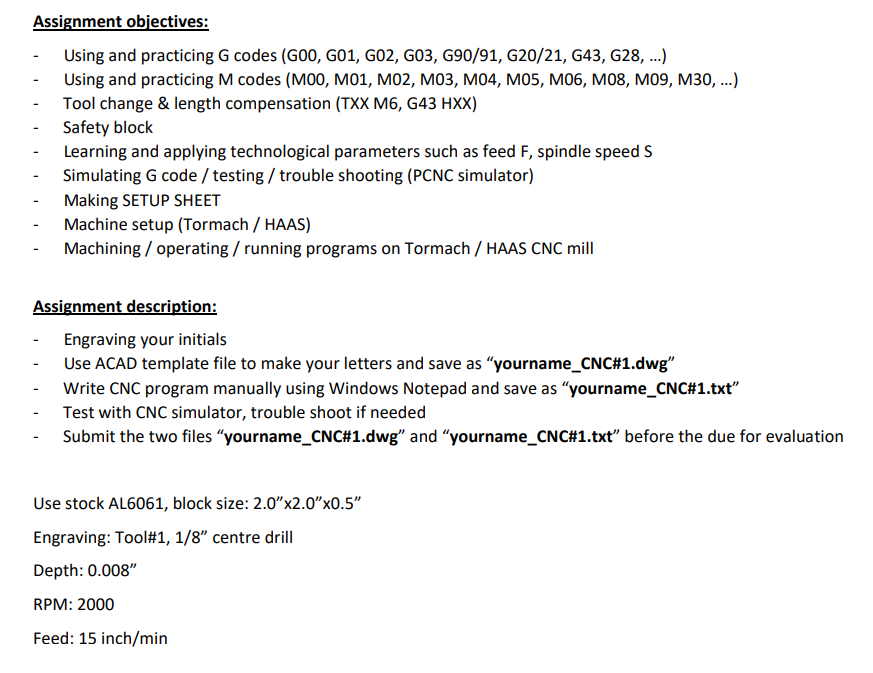 Submit the two files?yourname_CNC#1.dwg. and ?yourname_CNC#1.txt? before the due forevaluation
Use stock AL6061,
block size: 2.0?x2.0?x0.5?
Engraving: Tool#1, 1/8? centre drill
Depth: 0.008?
RPM: 2000
Feed: 15 inch/min
Assignment objectives: Using and practicing G codes (G00, G01, G02, G03, G90/91, G20/21, G43, G28, ...) Using and practicing M codes (M00, M01, M02, M03, M04, M05, M06, M08, 109, M30, ...) Tool change & length compensation (TXX M6, G43 HXX) Safety block Learning and applying technological parameters such as feed F, spindle speed S Simulating G code / testing / trouble shooting (PCNC simulator) Making SETUP SHEET Machine setup (Tormach / HAAS) Machining / operating/ running programs on Tormach / HAAS CNC mill Assignment description: Engraving your initials Use ACAD template file to make your letters and save as "yourname_CNC # 1.dwg" Write CNC program manually using Windows Notepad and save as "yourname_CNC#1.txt" Test with CNC simulator, trouble shoot if needed Submit the two files "yourname CNC#1.dwg" and "yourname_CNC# 1.txt" before the due for evaluation Use stock AL6061, block size: 2.0" x2.0" x0.5" Engraving: Tool# 1, 1/8" centre drill Depth: 0.008" RPM: 2000 Feed: 15 inch/min
Step by Step Solution
3.40 Rating (153 Votes )
There are 3 Steps involved in it

Get step-by-step solutions from verified subject matter experts
 Study Help