







Question: Can someone help me in writing matlap script Using strcmp() to do string comparison Using IF/ELSE to make decisions. Using a WHILE loop for repetition
Can someone help me in writing matlap script
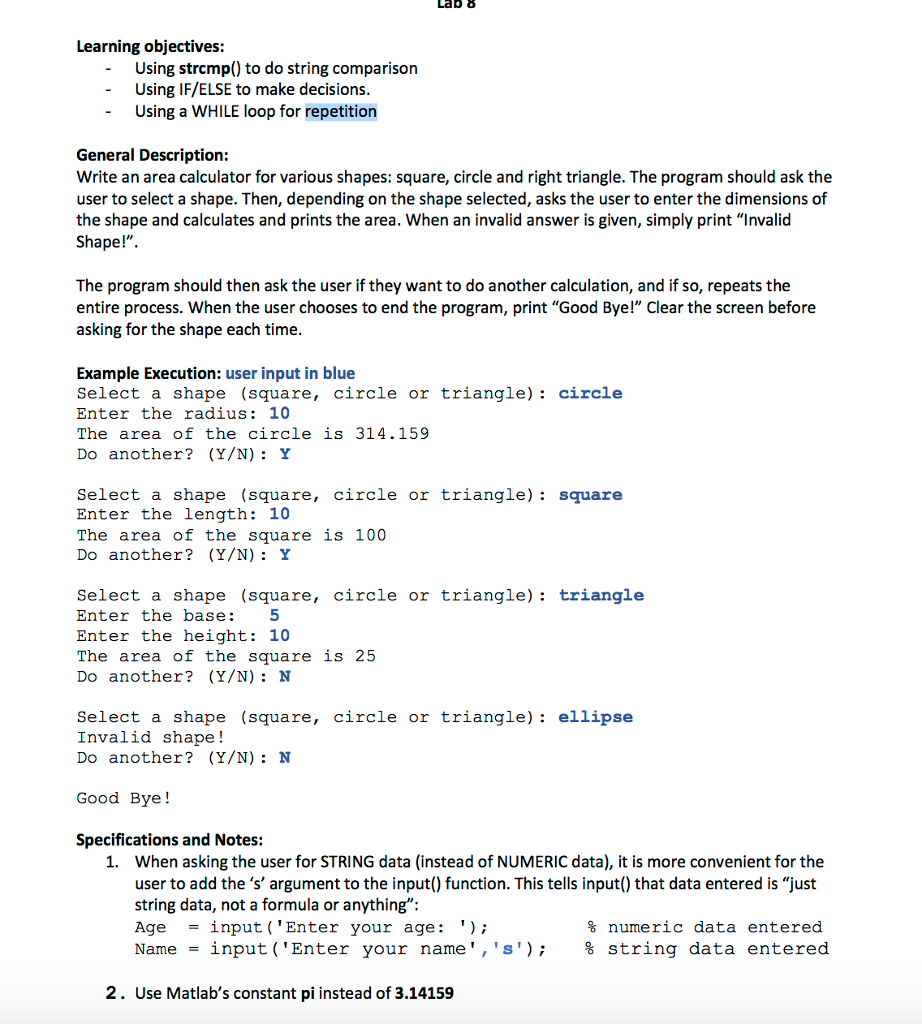
Using strcmp() to do string comparison Using IF/ELSE to make decisions. Using a WHILE loop for repetition Write an area calculator for various shapes: square, circle and right triangle. The program should ask the user to select a shape. Then, depending on the shape selected, asks the user to enter the dimensions of the shape and calculates and prints the area. When an invalid answer is given, simply print "Invalid Shape!" The program should then ask the user if they want to do another calculation, and if so, repeats the entire process. When the user chooses to end the program, print "Good Bye!" Clear the screen before asking for the shape each time. Select a shape (square, circle or triangle) circle Enter the radius: 10 The area of the circle is 314.159 Do another (Y/N) Y Select a shape (square circle or triangle) Square Enter the length: 10 The area of the square is 100 Do another? (Y/N): Y Select a shape (square circle or triangle): triangle Enter the base: 5 Enter the height: 10 The area of the square is 25 Do another? (Y/N): N Select a shape (square, circle or triangle): ellipse Invalid shape! Do another? (Y/N): N Good Bye! 1. When asking the user for STRING data (instead of NUMERIC data), it is more convenient for the user to add the 's' argument to the input() function. This tells input() that data entered is "just string data, not a formula or anything": Age = input ('Enter your age:') % numeric data entered Name = input ('Enter your name', 's') % string data entered 2. Use Matlab's constant pi instead of 3.14159
Step by Step Solution
There are 3 Steps involved in it

Get step-by-step solutions from verified subject matter experts
 Study Help