







Question: can someone help me with making these codes?using putty with C language and SSH Program Name cntwlc . . . Description The program will count
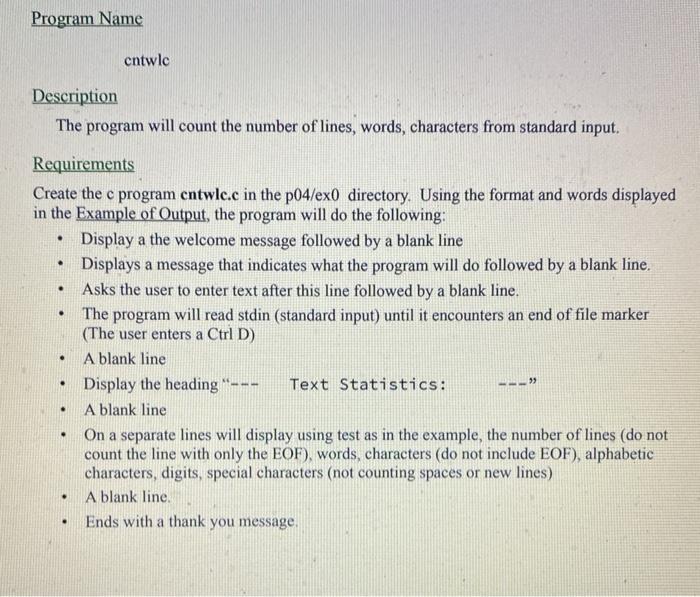
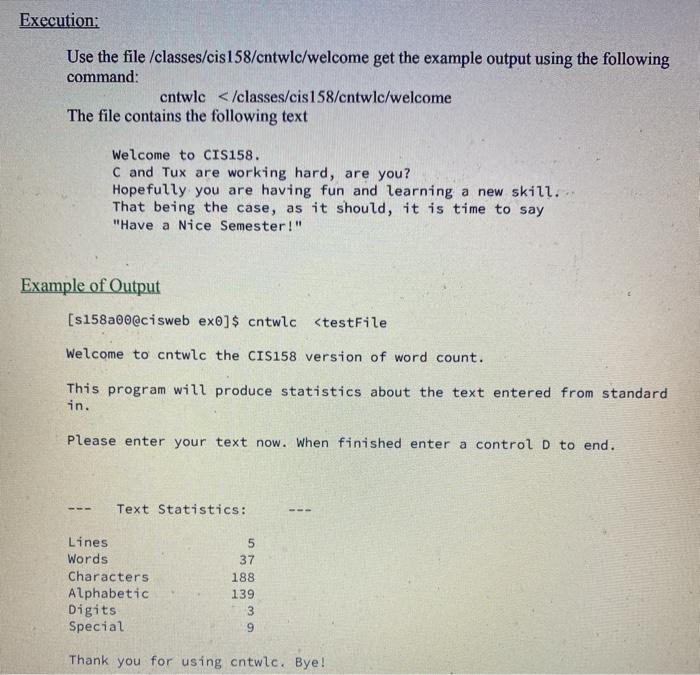
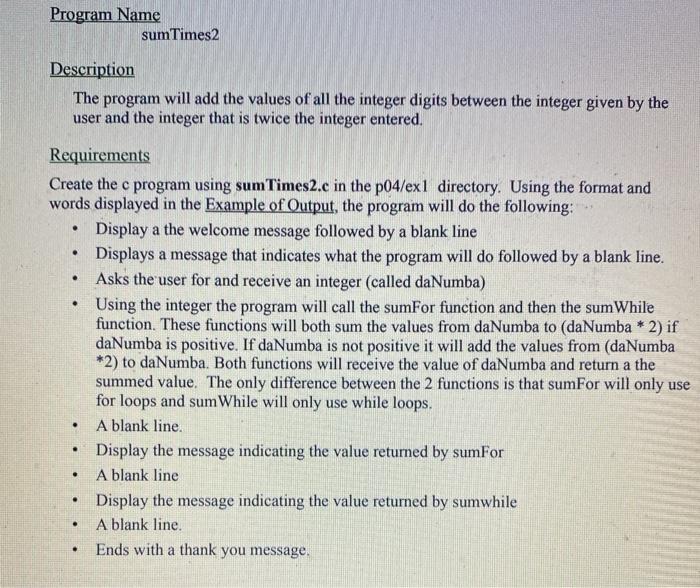
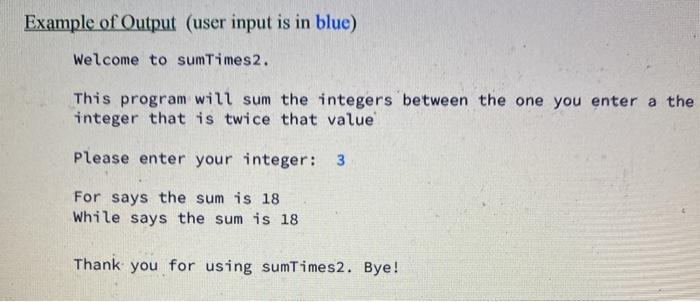
Program Name cntwlc . . . Description The program will count the number of lines, words, characters from standard input. Requirements Create the c program entwlc.c in the p04/exo directory. Using the format and words displayed in the Example of Output, the program will do the following: Display a the welcome message followed by a blank line Displays a message that indicates what the program will do followed by a blank line. Asks the user to enter text after this line followed by a blank line. The program will read stdin (standard input) until it encounters an end of file marker (The user enters a Ctrl D) A blank line Display the heading --- Text Statistics: A blank line On a separate lines will display using test as in the example, the number of lines (do not count the line with only the EOF), words, characters (do not include EOF), alphabetic characters, digits, special characters (not counting spaces or new lines) A blank line. Ends with a thank you message. . . . -) . . . . Execution; Use the file /classes/cis 158/cntwlc/welcome get the example output using the following command: cntwlc /cis 158/cntwlc/welcome The file contains the following text Welcome to CIS158. C and Tux are working hard, are you? Hopefully you are having fun and learning a new skill. That being the case, as it should, it is time to say "Have a Nice Semester!" Example of Output [s158a0o@cisweb exo]$ cntwlc
Step by Step Solution
There are 3 Steps involved in it

Get step-by-step solutions from verified subject matter experts
 Study Help