







Question: Can someone help me with this assignment?There are two other photos i need to add to this question. Project Description: Pansy Berger has a small
Can someone help me with this assignment?There are two other photos i need to add to this question.
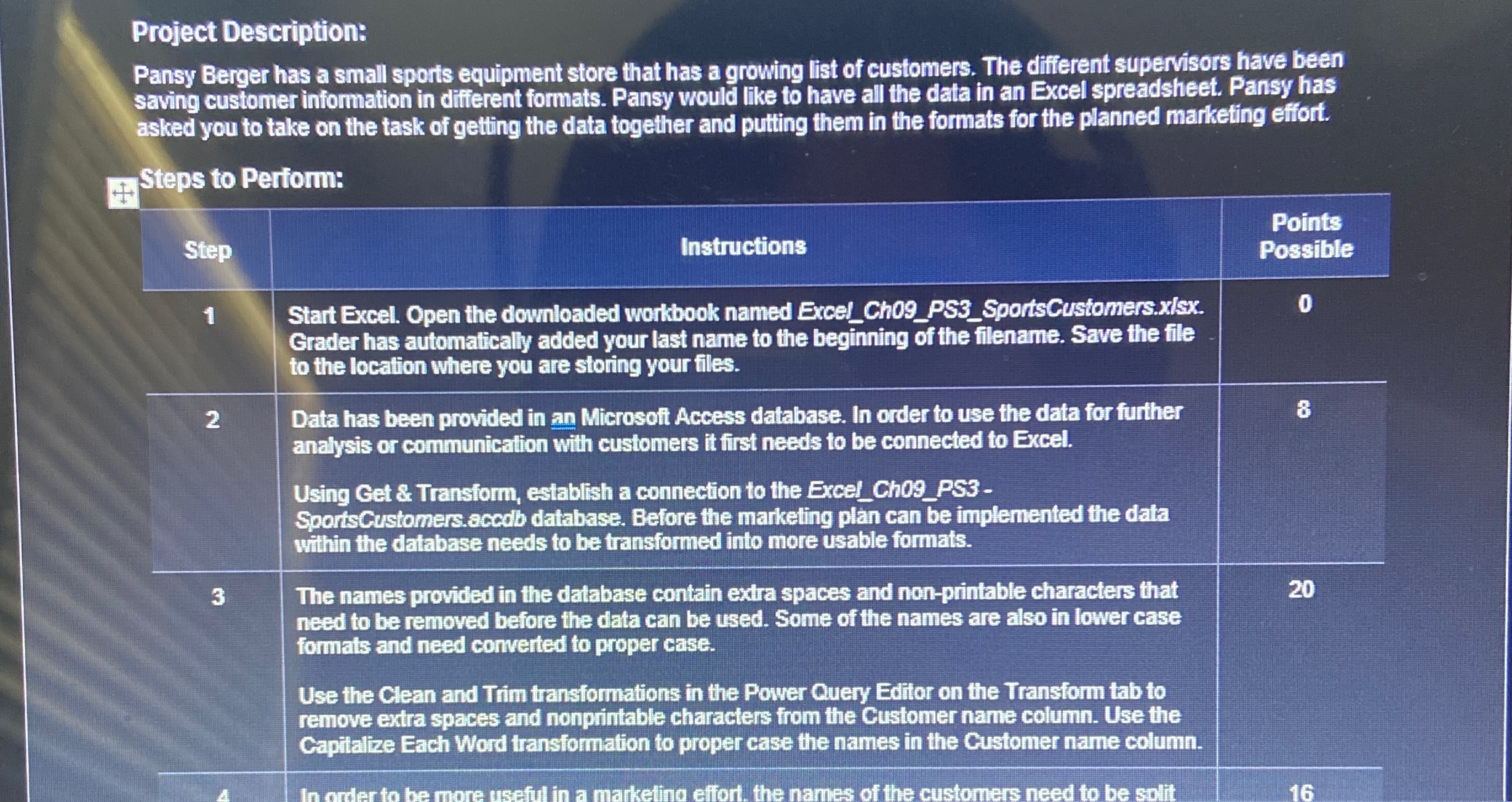
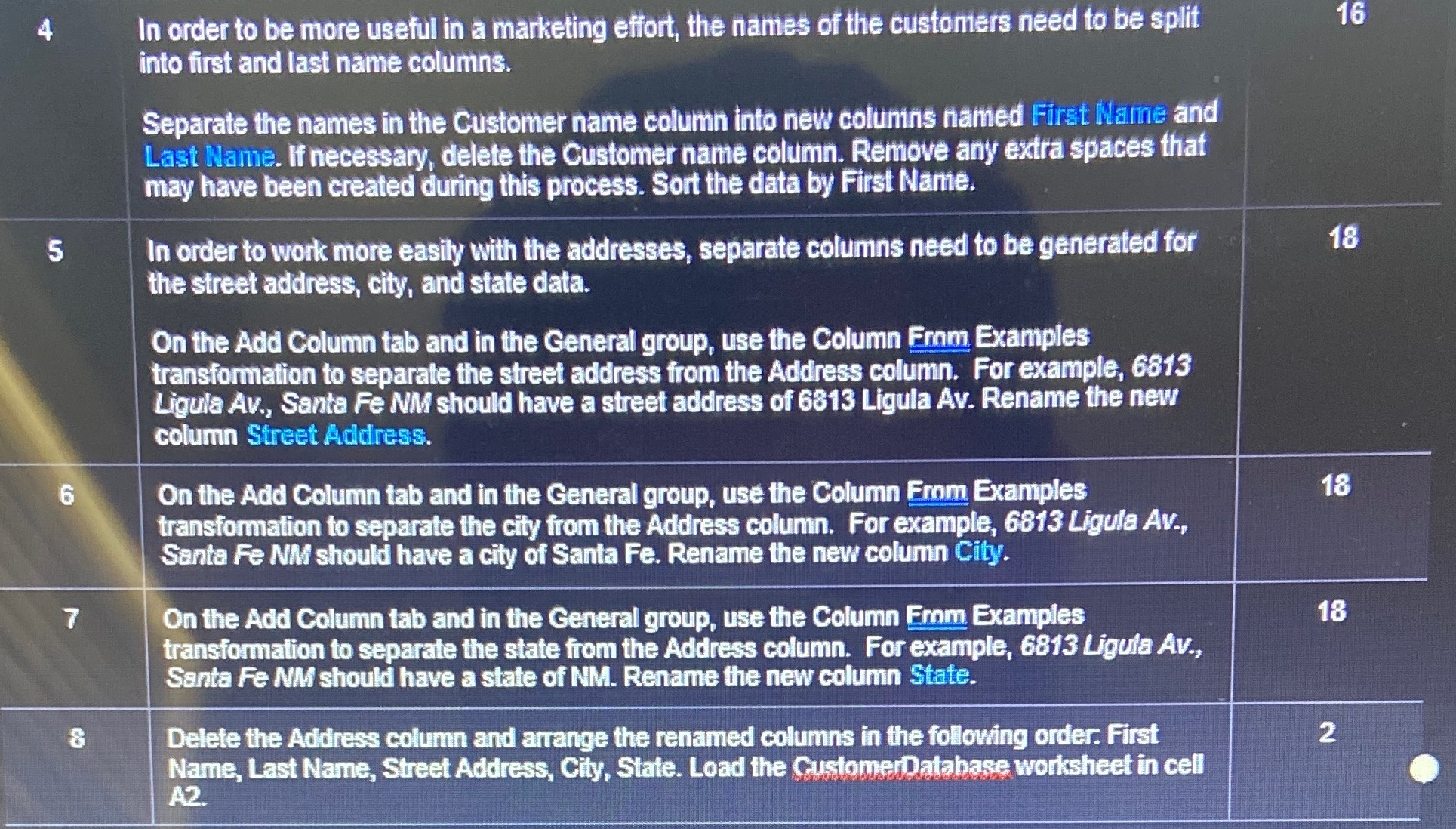
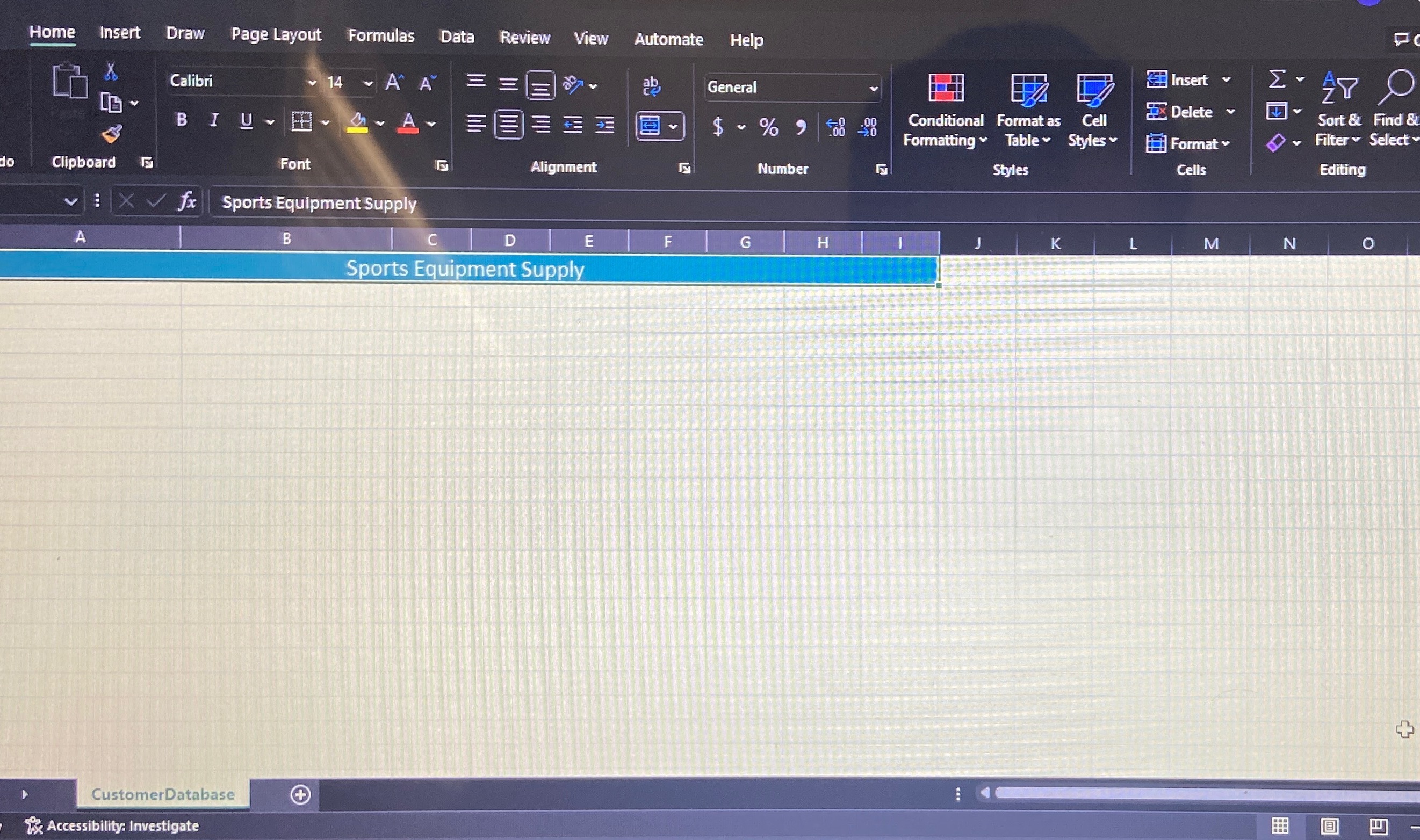
Project Description: Pansy Berger has a small sports equipment store that has a growing list of customers. The different supervisors have been saving customer information in different formats. Pansy would like to have all the data in an Excel spreadsheet. Pansy has asked you to take on the task of getting the data together and putting them in the formats for the planned marketing effort. Steps to Perform: Points Step Instructions Possible Start Excel. Open the downloaded workbook named Excel_Ch09_PS3_SportsCustomers.xisx. Grader has automatically added your last name to the beginning of the filename. Save the file to the location where you are storing your files. 2 Data has been provided in an Microsoft Access database. In order to use the data for further 8 analysis or communication with customers it first needs to be connected to Excel. Using Get & Transform, establish a connection to the Excel_Ch09_PS3 - SportsCustomers.accob database. Before the marketing plan can be implemented the data within the database needs to be transformed into more usable formats. 3 The names provided in the database contain extra spaces and non-printable characters that 20 need to be removed before the data can be used. Some of the names are also in lower case formats and need converted to proper case. Use the Clean and Trim transformations in the Power Query Editor on the Transform tab to remove extra spaces and nonprintable characters from the Customer name column. Use the Capitalize Each Word transformation to proper case the names in the Customer name column. rder to be more useful in a marketing effort. the names of the customers need to be sulit 164 In order to be more useful in a marketing effort, the names of the customers need to be split 16 into first and last name columns. Separate the names in the Customer name column into new columns named First Name and Last Name. If necessary, delete the Customer name column. Remove any extra spaces that may have been created during this process. Sort the data by First Name. 5 In order to work more easily with the addresses, separate columns need to be generated for 18 the street address, city, and state data. On the Add Column tab and in the General group, use the Column From Examples transformation to separate the street address from the Address column. For example, 6813 Ligula Av., Santa Fe NM should have a street address of 6813 Ligula Av. Rename the new column Street Address. 6 On the Add Column tab and in the General group, use the Column From Examples 18 transformation to separate the city from the Address column. For example, 6813 Ligula Av., Santa Fe NM should have a city of Santa Fe. Rename the new column City. 7 On the Add Column tab and in the General group, use the Column From Examples 18 transformation to separate the state from the Address column. For example, 6813 Ligula Av., Santa Fe NM should have a state of NM. Rename the new column State. 8 Delete the Address column and arrange the renamed columns in the following order. First 2 Name, Last Name, Street Address, City, State. Load the CustomerDatabase worksheet in cell A2.Home Insert Draw Page Layout Formulas Data Review View Automate Help Insert Calibri 14 A A General O Delete v BI U = $ ~ % " Conditional Format as Cell Sort & Find & Formatting Table ~ Styles Format Filter Select Clipboard G Font Alignment Number Styles Cells Editing v : XVf Sports Equipment Supply D F N A B C E G H K M O Sports Equipment Supply CustomerDatabase + x Accessibility: Investigate
Step by Step Solution
There are 3 Steps involved in it

Get step-by-step solutions from verified subject matter experts
 Study Help