



Question: can someone help with this please. Prepare the closing entries. (Credit account titles are automatically indented when amount is entered. Do not indent manually. If
can someone help with this please.
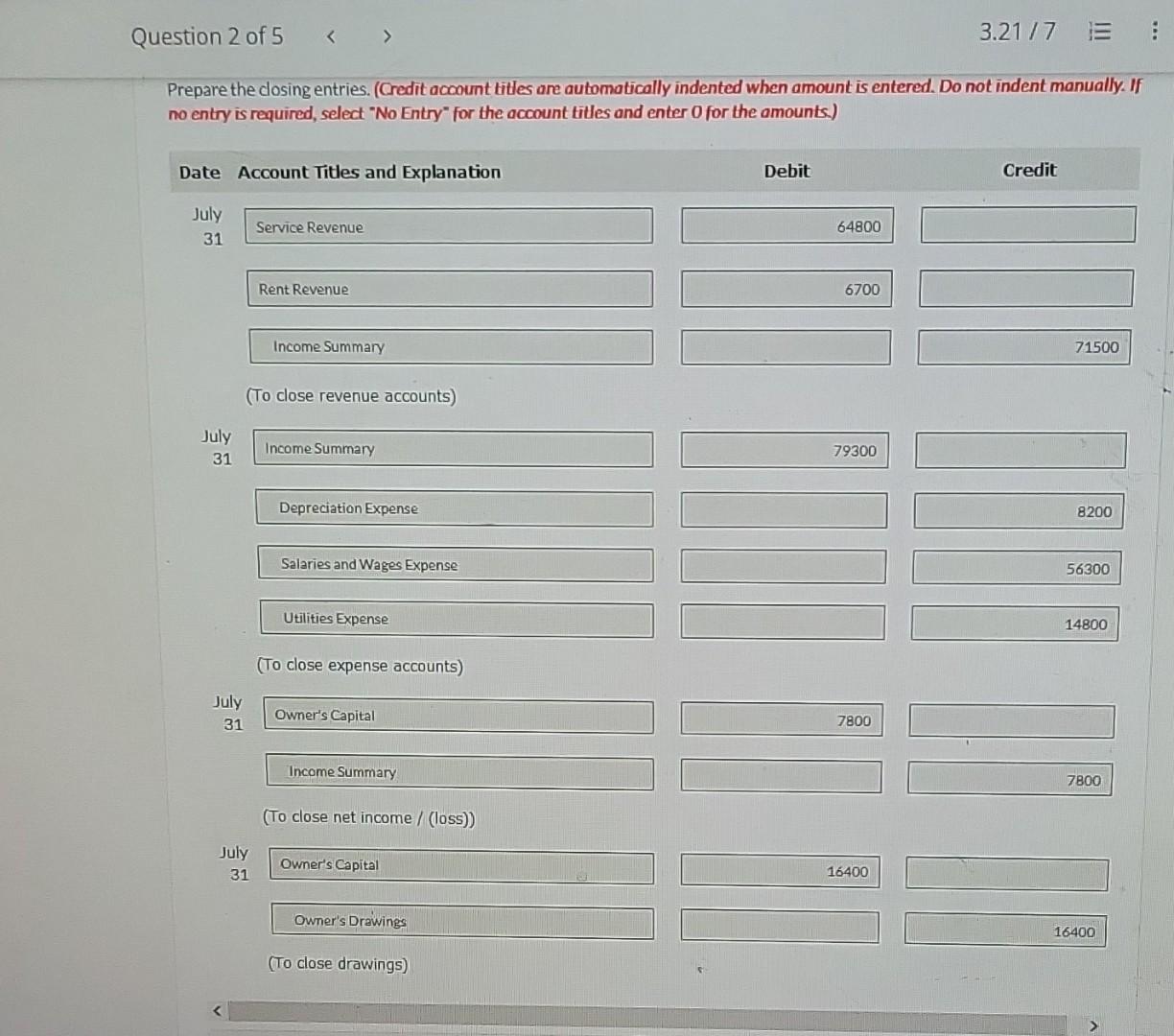
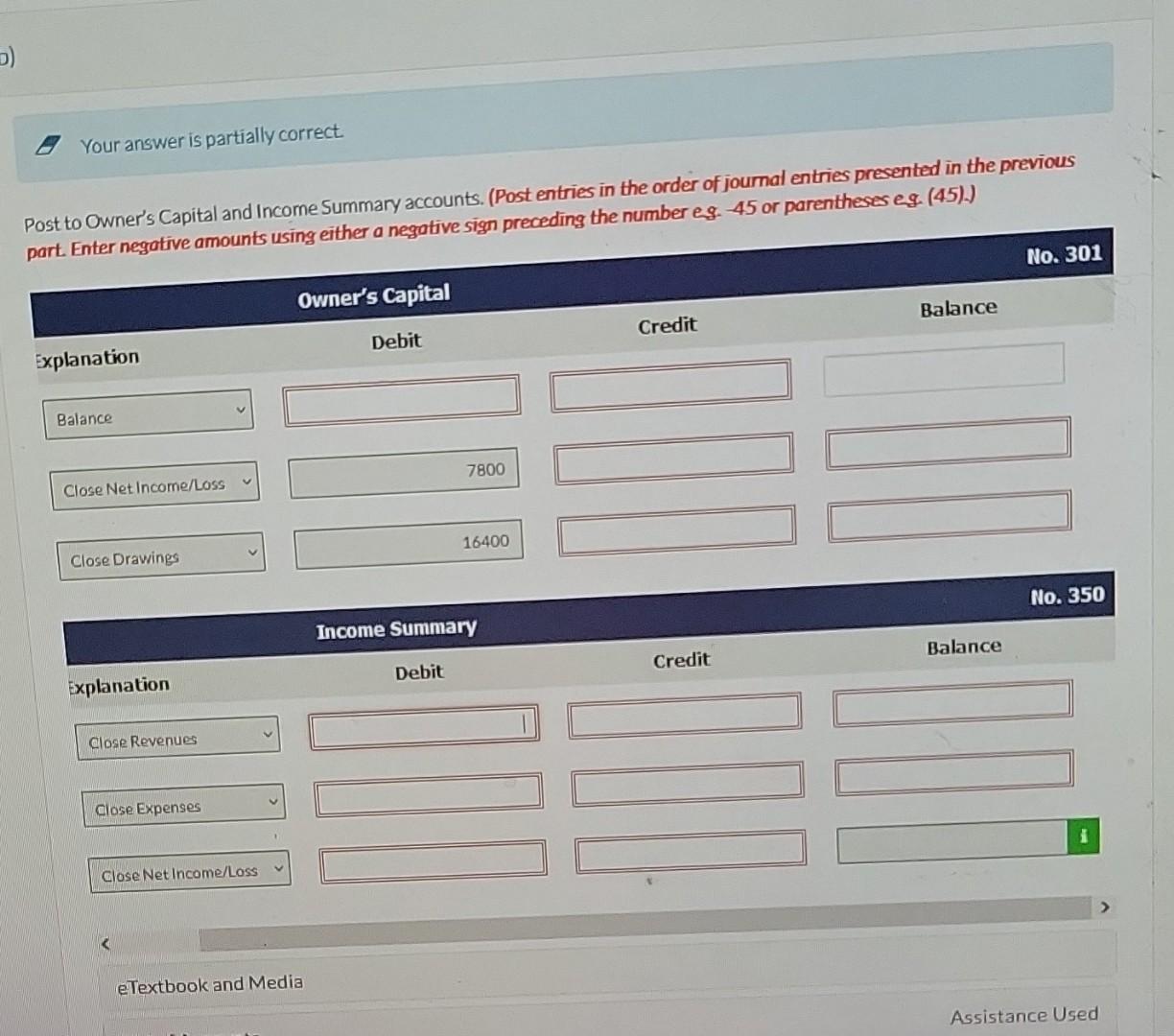
Prepare the closing entries. (Credit account titles are automatically indented when amount is entered. Do not indent manually. If no entry is required, select "No Entry" for the account titles and enter 0 for the amounts.) (To close revenue accounts) July 31 Income Summary Salaries and Wages Expense (To close expense accounts) July 31 Debit Credit Your answer is partially correct. Post to Owner's Capital and Income Summary accounts. (Post entries in the order of joumal entries presented in the previous part. Enter negative amounts using either a negative sign preceding the number eg. 45 or parentheses eg. (45).) Owner's Capital No. 301 Explanation Debit Credit Balance Income Summary No. 350 Debit Credit Balance Close Net Income/Loss eTextbook and Media Assistance Used Prepare the closing entries. (Credit account titles are automatically indented when amount is entered. Do not indent manually. If no entry is required, select "No Entry" for the account titles and enter 0 for the amounts.) (To close revenue accounts) July 31 Income Summary Salaries and Wages Expense (To close expense accounts) July 31 Debit Credit Your answer is partially correct. Post to Owner's Capital and Income Summary accounts. (Post entries in the order of joumal entries presented in the previous part. Enter negative amounts using either a negative sign preceding the number eg. 45 or parentheses eg. (45).) Owner's Capital No. 301 Explanation Debit Credit Balance Income Summary No. 350 Debit Credit Balance Close Net Income/Loss eTextbook and Media Assistance Used
Step by Step Solution
There are 3 Steps involved in it

Get step-by-step solutions from verified subject matter experts