







Question: Can someone please help me find the errors in this code? Also please explain the errors and the line it was found in and what
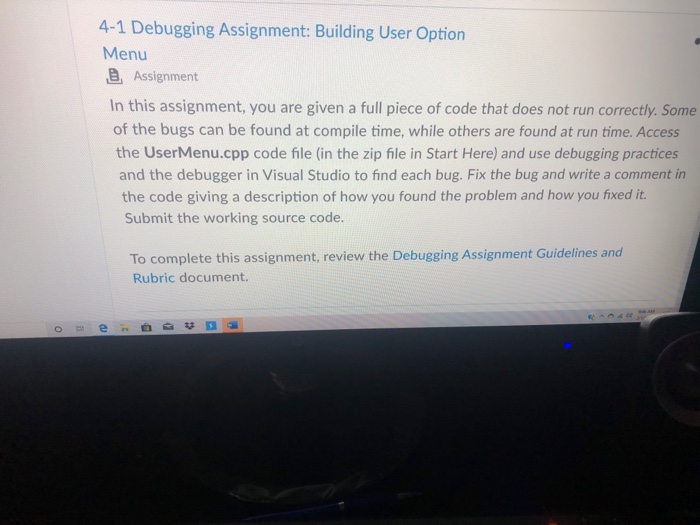
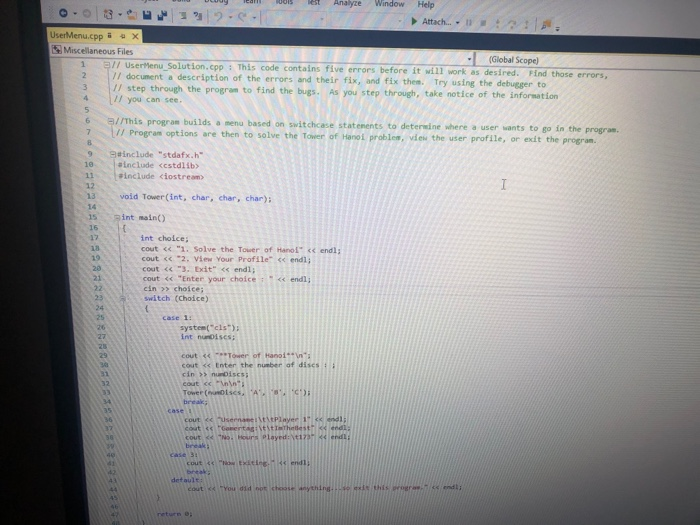
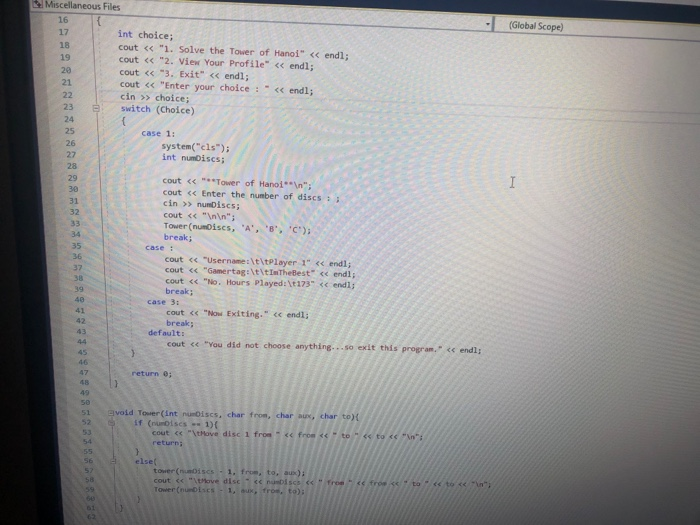
4-1 Debugging Assignment: Building User Option Menu @ Assignment In this assignment, you are given a full piece of code that does not run correctly. Some of the bugs can be found at compile time, while others are found at run time. Access the User Menu.cpp code file (in the zip file in Start Here) and use debugging practices and the debugger in Visual Studio to find each bug. Fix the bug and write a comment in the code giving a description of how you found the problem and how you fixed it. Submit the working source code. To complete this assignment, review the Debugging Assignment Guidelines and Rubric document. Otev D uloy ni Diet Analyze Window Help - Attach... . User Menu.cpp 3 = x Miscellaneous Files (Global Scope) 1 // User Menu_Solution.cpp: This code contains five errors before it will work as desired. Find those errors, 2 7 / document a description of the errors and their fix, and fix then. Try using the debugger to 3 1/ step through the program to find the bugs. As you step through, take notice of the information 4 // you can see. 6 7 //This program builds a menu based on switchcase statements to determine where a user wants to go in the program // Program options are then to solve the Tower of Hanoi problem, view the user profile, or exit the program include "stdafx.h" include
Step by Step Solution
There are 3 Steps involved in it

Get step-by-step solutions from verified subject matter experts
 Study Help