







Question: Can someone please help me with my assignment? Im creating web server. For that Im using Java language. Im struggling to complete the httpd.conf. Im
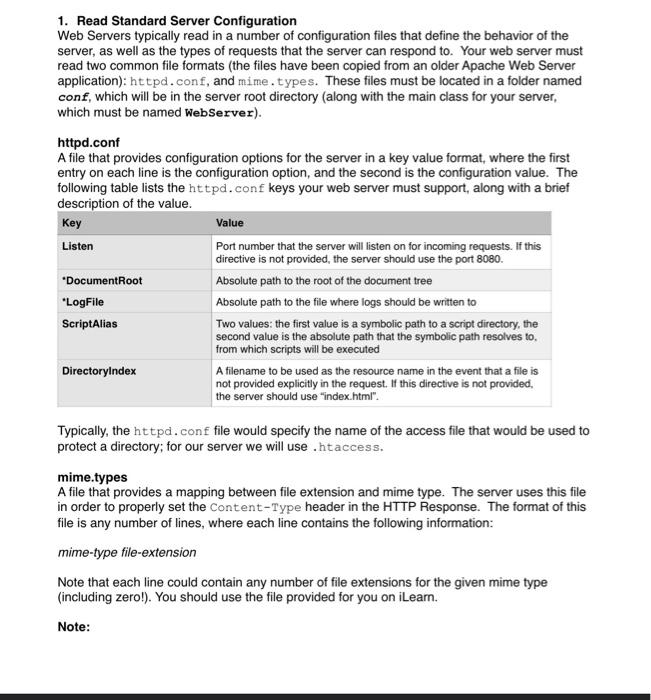
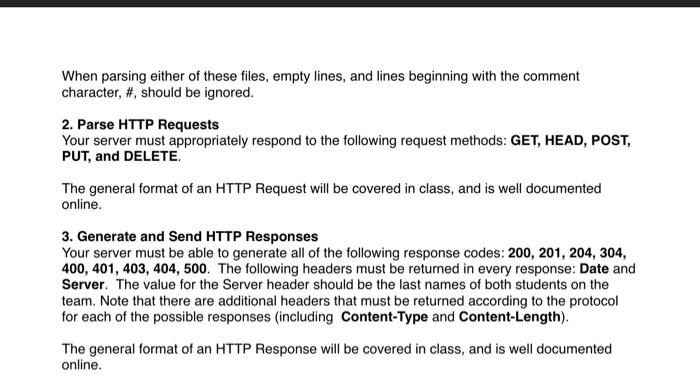
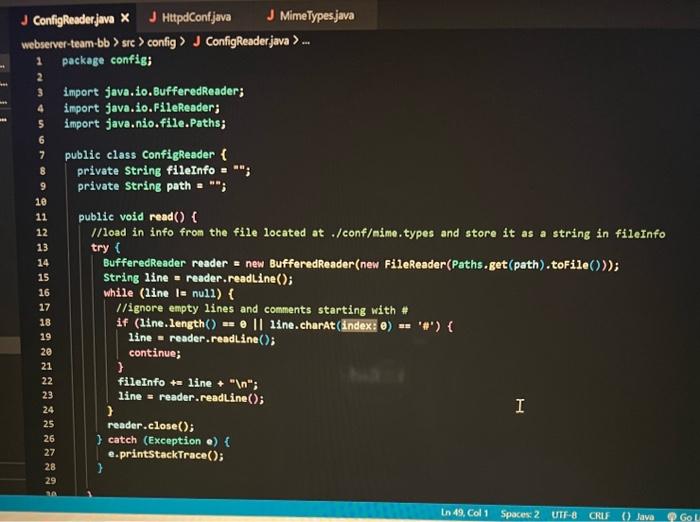
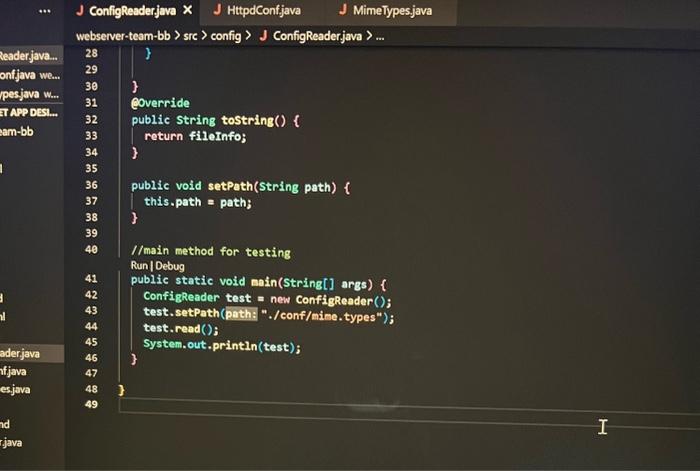
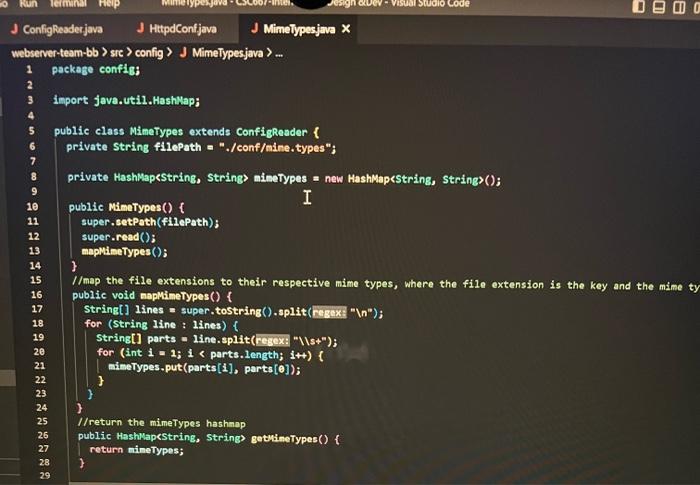
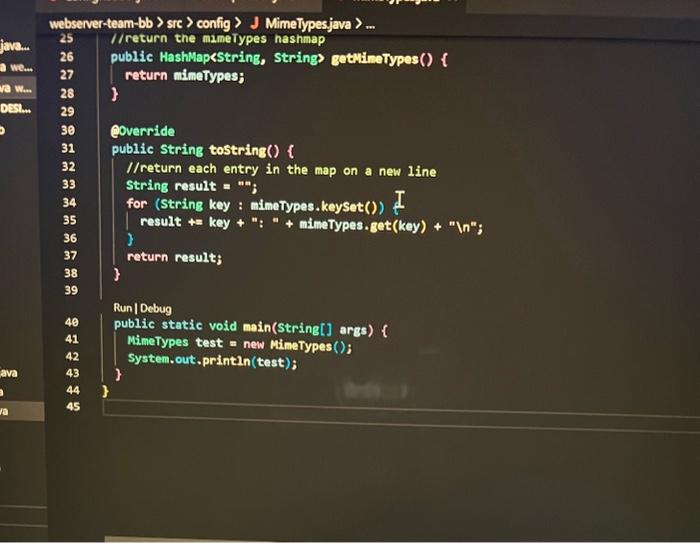
1. Read Standard Server Configuration Web Servers typically read in a number of configuration files that define the behavior of the server, as well as the types of requests that the server can respond to. Your web server must read two common file formats (the files have been copied from an older Apache Web Server application): httpd. conf, and mime.types. These files must be located in a folder named conf, which will be in the server root directory (along with the main class for your server, which must be named WebServer). httpd.conf A file that provides configuration options for the server in a key value format, where the first entry on each line is the configuration option, and the second is the configuration value. The following table lists the httpd. conf keys your web server must support, along with a brief description of the value. Typically, the httpd. conf file would specify the name of the access file that would be used to protect a directory; for our server we will use . htaccess. When parsing either of these files, empty lines, and lines beginning with the comment character, \#, should be ignored. 2. Parse HTTP Requests Your server must appropriately respond to the following request methods: GET, HEAD, POST, PUT, and DELETE. The general format of an HTTP Request will be covered in class, and is well documented online. 3. Generate and Send HTTP Responses Your server must be able to generate all of the following response codes: 200, 201, 204, 304, 400,401,403,404,500. The following headers must be returned in every response: Date and Server. The value for the Server header should be the last names of both students on the team. Note that there are additional headers that must be returned according to the protocol for each of the possible responses (including Content-Type and Content-Length). The general format of an HTTP Response will be covered in class, and is well documented online. ConfigReaderjava J HttpdConfjava J Mimelypesjava bserver-team-bb > sre > config > J ConfigReaderjava > ... J MimeTypes.java //map the file extensions to their respective mime types, where the file extension is the key and the mime ty public void naplimetypes() \{ String[] 1 ines = super.tostring() .split( (Fegext " (n); for (String line : lines) f String[] parts =1 ine.split ( resex: "IIs ""); for (int 1=1;1 gethineTypes() f return mineTypes; ) webserver-team-bb > sre > config > J Mimelypesjava >
Step by Step Solution
There are 3 Steps involved in it

Get step-by-step solutions from verified subject matter experts
 Study Help