



Question: can someone please show me how to do this on excel and what to type in the goal seek part for each one and which
can someone please show me how to do this on excel and what to type in the goal seek part for each one and which cells i need to be clicking on
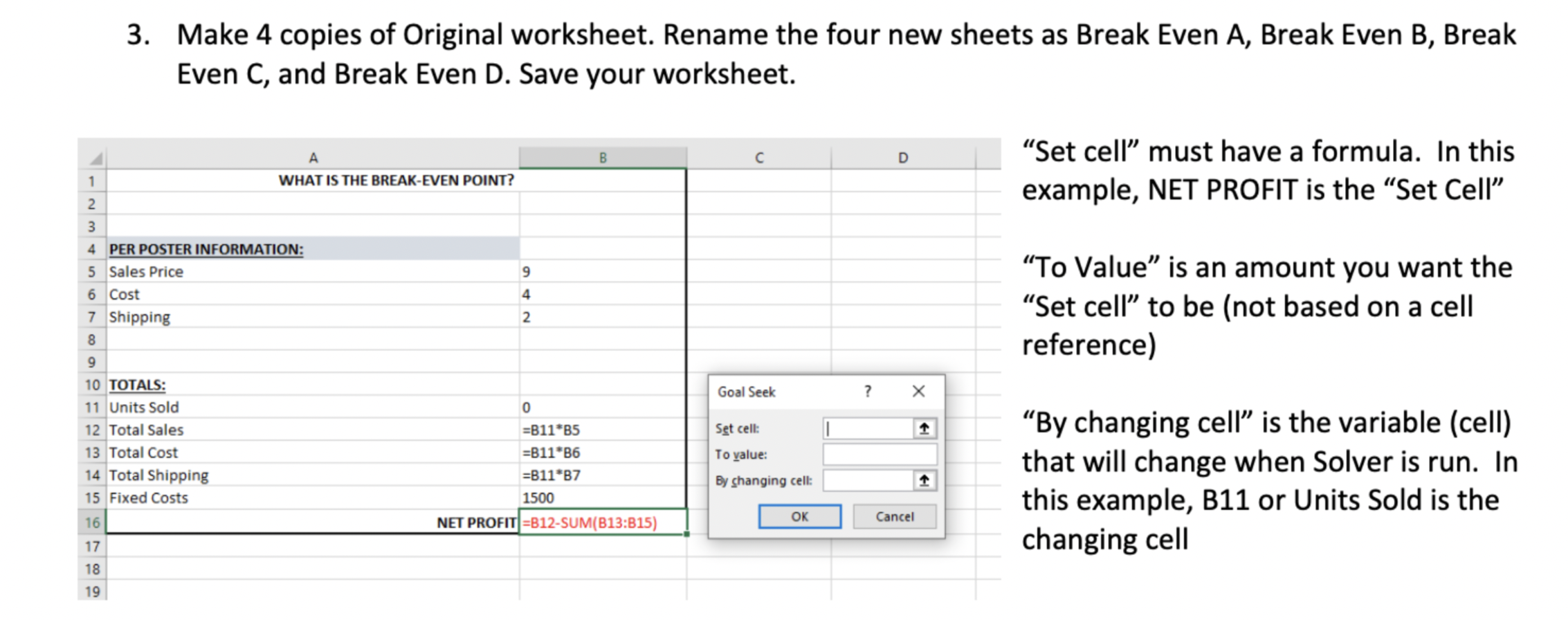
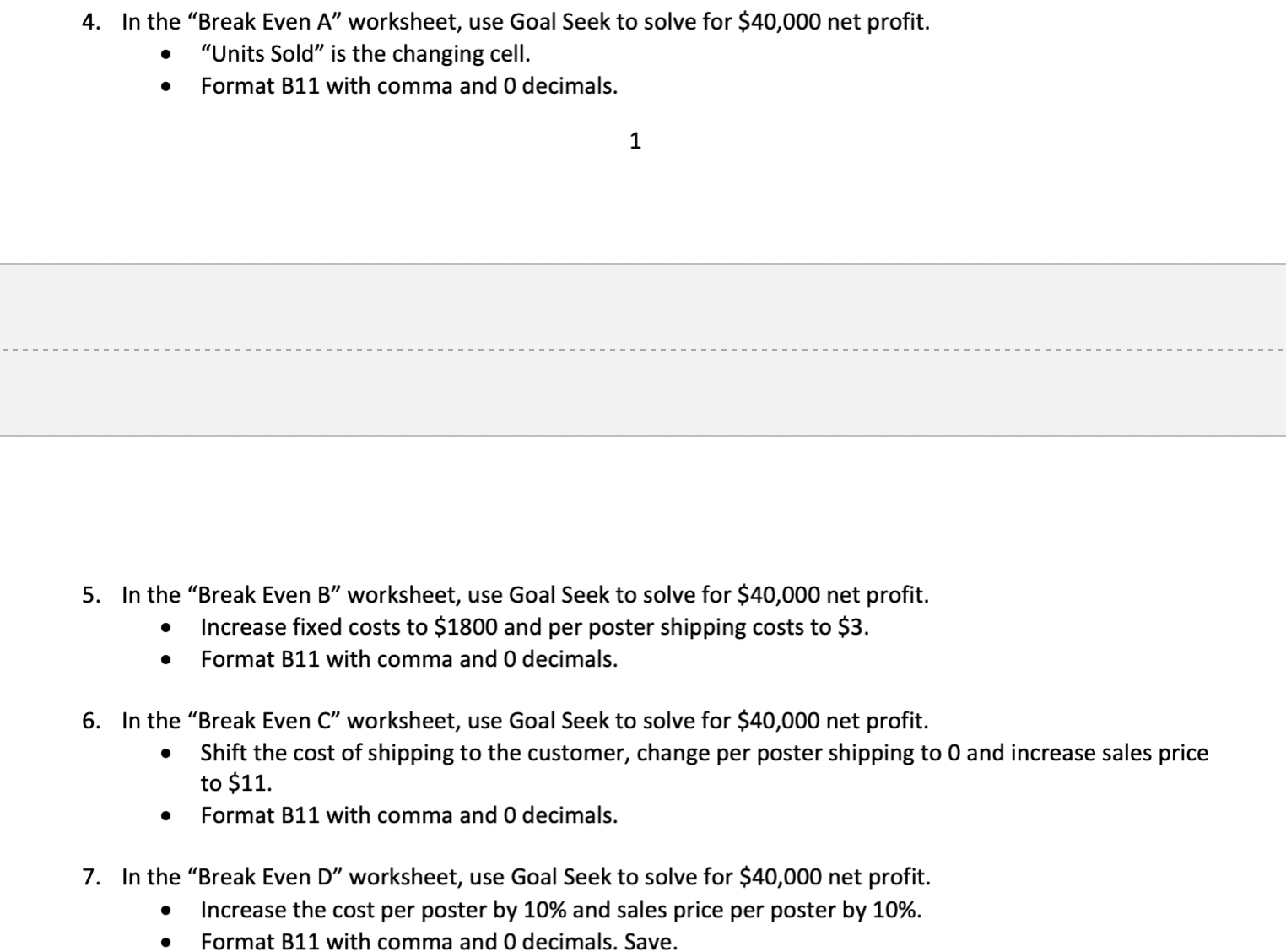
3. Make 4 copies of Original worksheet. Rename the four new sheets as Break Even A, Break Even B, Break Even C, and Break Even D. Save your worksheet. "Set cell" must have a formula. In this example, NET PROFIT is the "Set Cell" "To Value" is an amount you want the "Set cell" to be (not based on a cell reference) "By changing cell" is the variable (cell) that will change when Solver is run. In this example, B11 or Units Sold is the changing cell 4. In the "Break Even A" worksheet, use Goal Seek to solve for $40,000 net profit. - "Units Sold" is the changing cell. - Format B11 with comma and 0 decimals. 1 5. In the "Break Even B" worksheet, use Goal Seek to solve for $40,000 net profit. - Increase fixed costs to $1800 and per poster shipping costs to $3. - Format B11 with comma and 0 decimals. 6. In the "Break Even C" worksheet, use Goal Seek to solve for $40,000 net profit. - Shift the cost of shipping to the customer, change per poster shipping to 0 and increase sales price to $11. - Format B11 with comma and 0 decimals. 7. In the "Break Even D" worksheet, use Goal Seek to solve for $40,000 net profit. - Increase the cost per poster by 10% and sales price per poster by 10%. - Format B11 with comma and 0 decimals. Save. 3. Make 4 copies of Original worksheet. Rename the four new sheets as Break Even A, Break Even B, Break Even C, and Break Even D. Save your worksheet. "Set cell" must have a formula. In this example, NET PROFIT is the "Set Cell" "To Value" is an amount you want the "Set cell" to be (not based on a cell reference) "By changing cell" is the variable (cell) that will change when Solver is run. In this example, B11 or Units Sold is the changing cell 4. In the "Break Even A" worksheet, use Goal Seek to solve for $40,000 net profit. - "Units Sold" is the changing cell. - Format B11 with comma and 0 decimals. 1 5. In the "Break Even B" worksheet, use Goal Seek to solve for $40,000 net profit. - Increase fixed costs to $1800 and per poster shipping costs to $3. - Format B11 with comma and 0 decimals. 6. In the "Break Even C" worksheet, use Goal Seek to solve for $40,000 net profit. - Shift the cost of shipping to the customer, change per poster shipping to 0 and increase sales price to $11. - Format B11 with comma and 0 decimals. 7. In the "Break Even D" worksheet, use Goal Seek to solve for $40,000 net profit. - Increase the cost per poster by 10% and sales price per poster by 10%. - Format B11 with comma and 0 decimals. Save
Step by Step Solution
There are 3 Steps involved in it

Get step-by-step solutions from verified subject matter experts