







Question: Can someone solve this begginner programming practice question, I would like to have it as a review for an upcoming test Preamble: The user enters
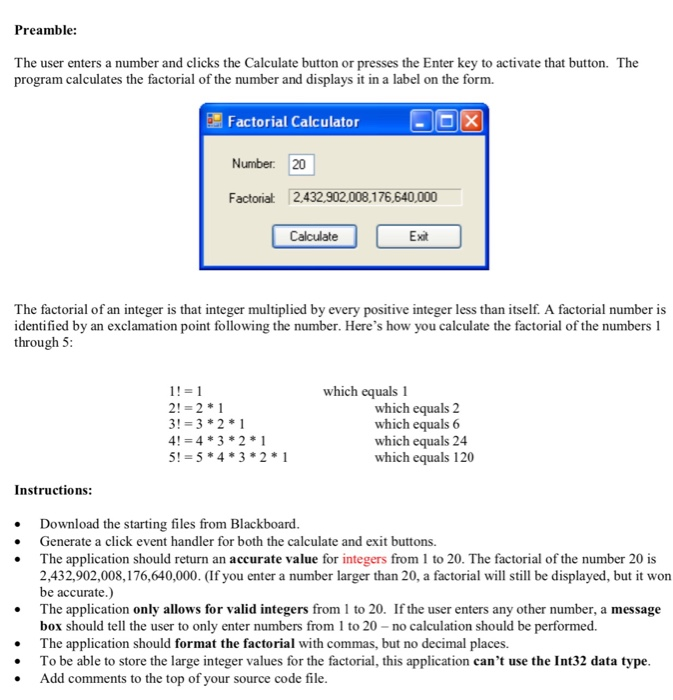
Preamble: The user enters a number and clicks the Calculate button or presses the Enter key to activate that button. The program calculates the factorial of the number and displays it in a label on the form. Factorial Calculator DOX Number: 20 Factorial 2,432,902,008,176,640,000 Calculate Exit The factorial of an integer is that integer multiplied by every positive integer less than itself. A factorial number is identified by an exclamation point following the number. Here's how you calculate the factorial of the numbers 1 through 5: 1!= 1 2!= 2*1 3!= 3*2*1 4! = 4*3*2*1 5!= 5*4*3*2*1 which equals 1 which equals 2 which equals 6 which equals 24 which equals 120 Instructions: Download the starting files from Blackboard. Generate a click event handler for both the calculate and exit buttons. The application should return an accurate value for integers from 1 to 20. The factorial of the number 20 is 2,432,902,008,176,640,000. (If you enter a number larger than 20, a factorial will still be displayed, but it won be accurate.) The application only allows for valid integers from 1 to 20. If the user enters any other number, a message box should tell the user to only enter numbers from 1 to 20 -no calculation should be performed. The application should format the factorial with commas, but no decimal places. To be able to store the large integer values for the factorial, this application can't use the Int32 data type. Add comments to the top of your source code file
Step by Step Solution
There are 3 Steps involved in it

Get step-by-step solutions from verified subject matter experts
 Study Help