







Question: Can somone help me write this code in c++ Part 1 - Read a file line by line In this part, you will read in
Can somone help me write this code in c++
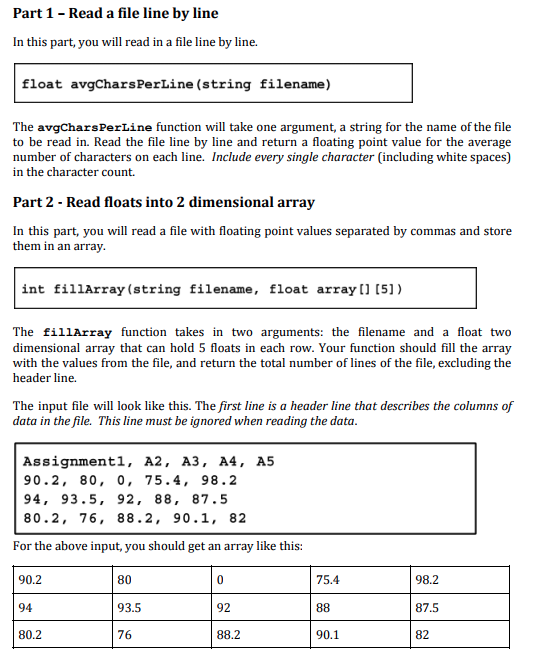
Part 1 - Read a file line by line In this part, you will read in a file line by line. float avgCharsPerLine (string filename) The avgCharsPerLine function will take one argument, a string for the name of the file to be read in. Read the file line by line and return a floating point value for the average number of characters on each line. Include every single character (including white spaces) in the character count. Part 2 - Read floats into 2 dimensional array In this part, you will read a file with floating point values separated by commas and store them in an array. int fil1Array (string filename, float array [ [5]) The fillArray function takes in two arguments: the filename and a float two dimensional array that can hold 5 floats in each row. Your function should fill the array with the values from the file, and return the total number of lines of the file, excluding the header line. The input file will look like this. The first line is a header line that describes the columns of data in the file. This line must be ignored when reading the data Assignmentl, A2, A3, A4, A5 90.2, 80, 0, 75.4, 98.2 94, 93.5, 92, 88, 87.5 80.2, 76, 88.2, 90.1, 82 For the above input, you should get an array like this: 80 93.5 76 98.2 87.5 82 75.4 90.2 94 80.2 92 88.2 90.1
Step by Step Solution
There are 3 Steps involved in it

Get step-by-step solutions from verified subject matter experts
 Study Help