







Question: Can yoi do it with c++ Project # 4 The objective of this project is to provide experience working with standard input, standard output, file
Can yoi do it with c++
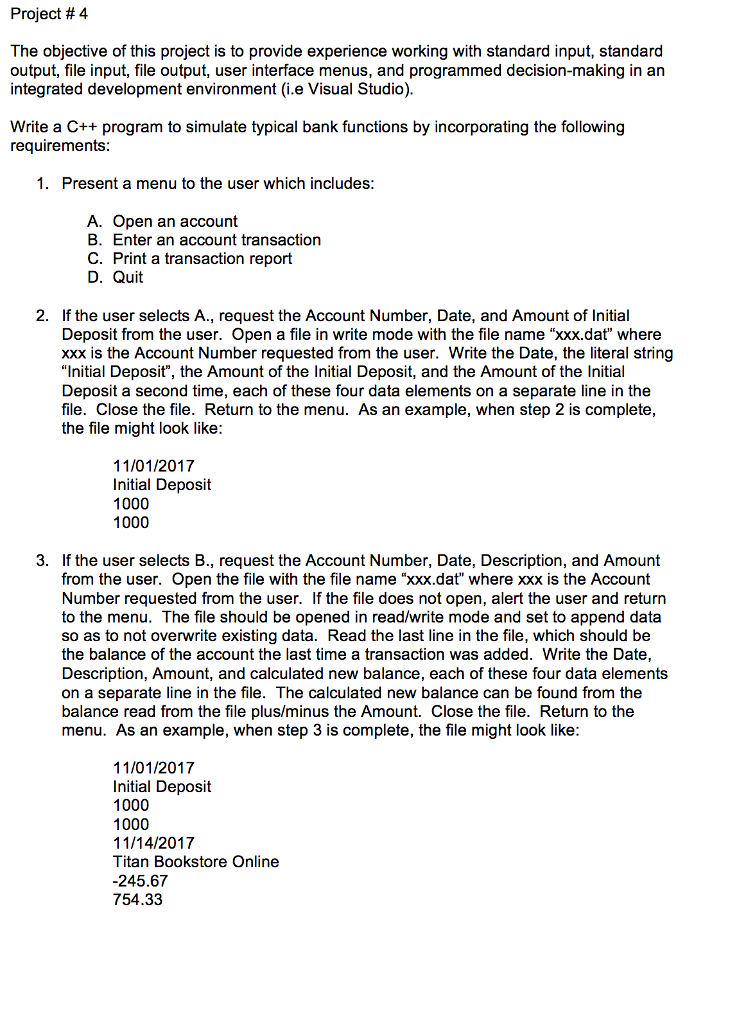
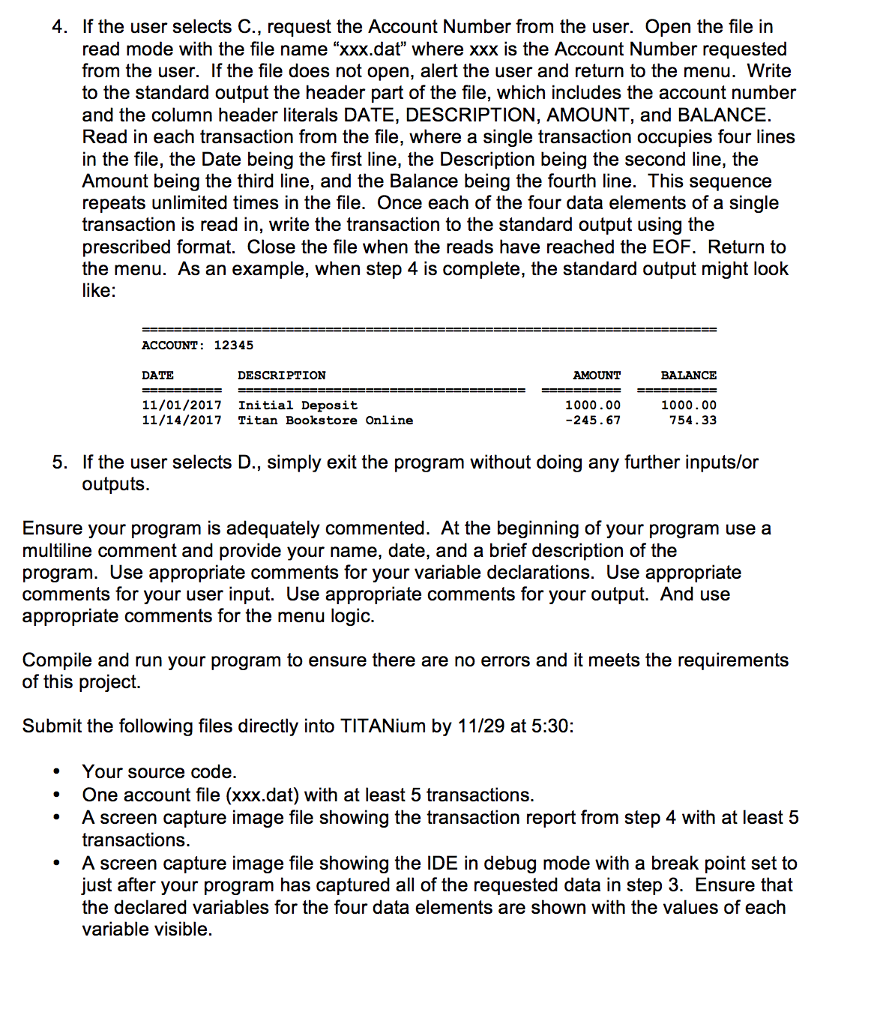
Project # 4 The objective of this project is to provide experience working with standard input, standard output, file input, file output, user interface menus, and programmed decision-making in an integrated development environment (i.e Visual Studio) Write a C++ program to simulate typical bank functions by incorporating the following requirements 1. Present a menu to the user which includes: A. Open an account B. Enter an account transaction C. Print a transaction report D. Quit 2. If the user selects A., request the Account Number, Date, and Amount of Initial Deposit from the user. Open a file in write mode with the file name "xxx.dat" where xxx is the Account Number requested from the user. Write the Date, the literal string "Initial Deposit", the Amount of the Initial Deposit, and the Amount of the Initial Deposit a second time, each of these four data elements on a separate line in the file. Close the file. Return to the menu. As an example, when step 2 is complete, the file might look like 11/01/2017 Initial Deposit 1000 1000 3. If the user selects B., request the Account Number, Date, Description, and Amount from the user. Open the file with the file name "xx.da" where xxx is the Account Number requested from the user. If the file does not open, alert the user and return to the menu. The file should be opened in read/write mode and set to append data so as to not overwrite existing data. Read the last line in the file, which should be the balance of the account the last time a transaction was added. Write the Date, Description, Amount, and calculated new balance, each of these four data elements on a separate line in the file. The calculated new balance can be found from the balance read from the file plus/minus the Amount. Close the file. Return to the menu. As an example, when step 3 is complete, the file might look like 11/01/2017 Initial Deposit 1000 1000 11/14/2017 Titan Bookstore Online -245.67 754.33
Step by Step Solution
There are 3 Steps involved in it

Get step-by-step solutions from verified subject matter experts
 Study Help