



Question: Can you help me to find what is the error? Jungkook is a dataframe by using panda liberary. Please solve the question by using panda.
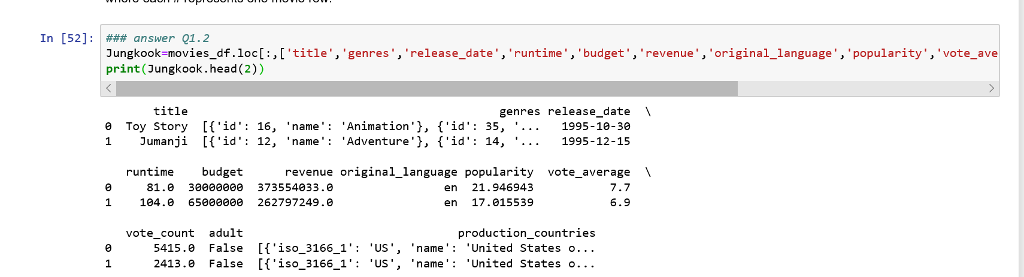
Can you help me to find what is the error? Jungkook is a dataframe by using panda liberary. Please solve the question by using panda. Beacause Jungkook is very large (more than 40000 rows) I'll only show you the first two row by using head function.
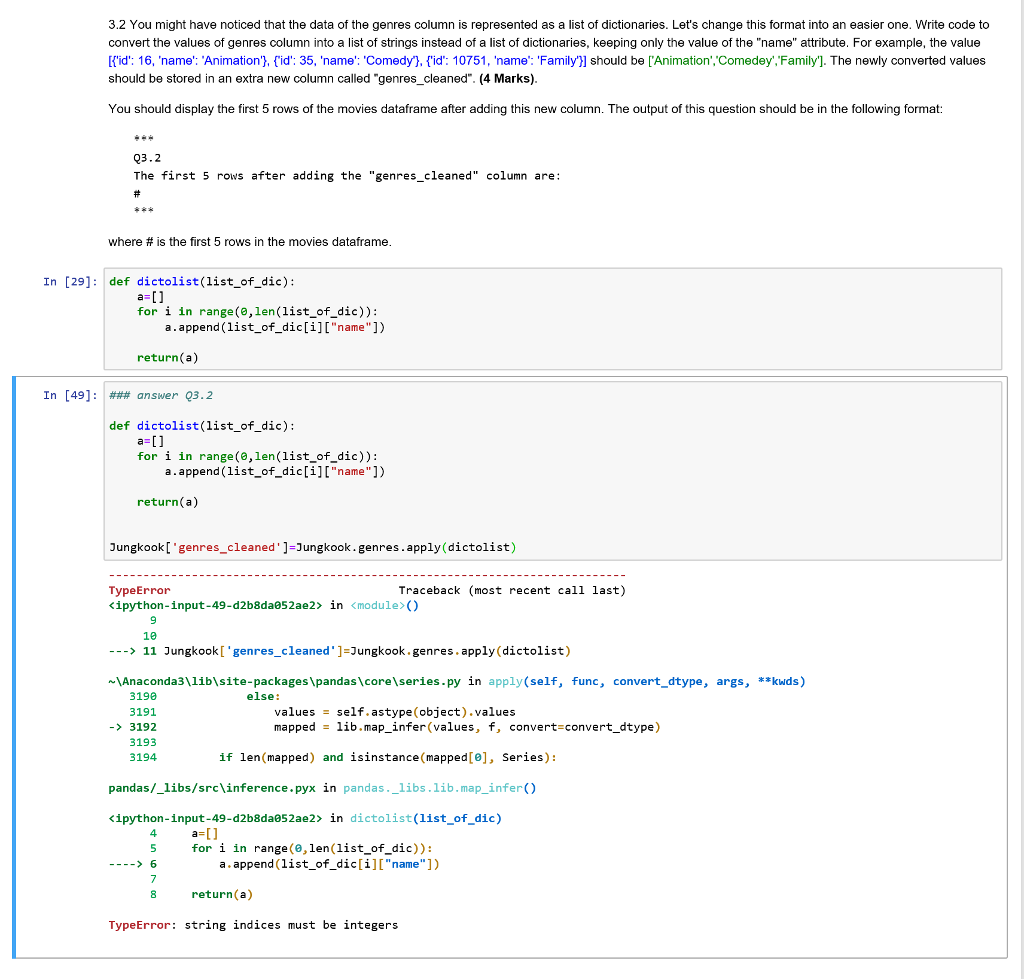
3.2 You might have noticed that the data of the genres column is represented as a list of dictionaries. Let's change this format into an easier one. Write code to convert the values of genres column into a list of strings instead of a list of dictionaries, keeping only the value of the "name" attribute. For example, the value Fid': 16, 'name': 'Animation', [id: 35, 'name': 'Comedy1, tid: 10751, 'name: 'Family')l should be ['Animation', Comedey,Family]. The newly converted values should be stored in an extra new column called "genres_cleaned". (4 Marks) You should display the first 5 rows of the movies dataframe after adding this new column. The output of this question should be in the following format: Q3.2 The first 5 rows after adding the "genres_cleaned" column are: where # is the first 5 rows in the movies dataframe In [29]: def dictolist(list_of_dic): for i in range (,len(list_of_dic)): a.append(list_of_dic[i]["name"]) return (a) In [49]: ### answer 03.2 def dictolist (list_of_dic): for i in range(e,len(list_of_dic)): a.append(list_of dic[i]["name"]) return(a) Jungkook[ genres_cleaned'-Jungkook.genres.apply(dictolist) Traceback (most recent call last) TypeError
Step by Step Solution
There are 3 Steps involved in it

Get step-by-step solutions from verified subject matter experts