







Question: Can You Help Me with this Excel VBA problem ? On D2L there is a file named Boulder Climate Data.xlsx, which has high temperature (column
Can You Help Me with this Excel VBA problem ?
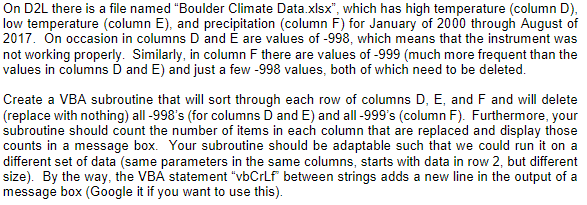
On D2L there is a file named "Boulder Climate Data.xlsx", which has high temperature (column D) low temperature (column E), and precipitation (column F) for January of 2000 through August of 2017. On occasion in columns D and E are values of -998, which means that the instrument was not working properly. Similarly, in column F there are values of -999 (much more frequent than the values in columns D and E) and just a few -998 values, both of which need to be deleted Create a VBA subroutine that will sort through each row of columns D, E, and F and will delete (replace with nothing) all -998's (for columns D and E) and all -999's (column F). Furthermore, your subroutine should count the number of items in each column that are replaced and display those counts in a message box. Your subroutine should be adaptable such that we could run it on a different set of data (same parameters in the same columns, starts with data in row 2, but different size). By the way, the VBA statement "vbCrLf between strings adds a new line in the output of a message box (Google it if you want to use this)
Step by Step Solution
There are 3 Steps involved in it

Get step-by-step solutions from verified subject matter experts
 Study Help