







Question: Case Problem 1 ata Files needed for this Case Problem: membership.css, membership.txt N Baseball Fan Club The MSN Baseball Fan Club is an online fan
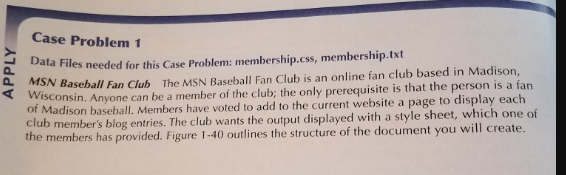
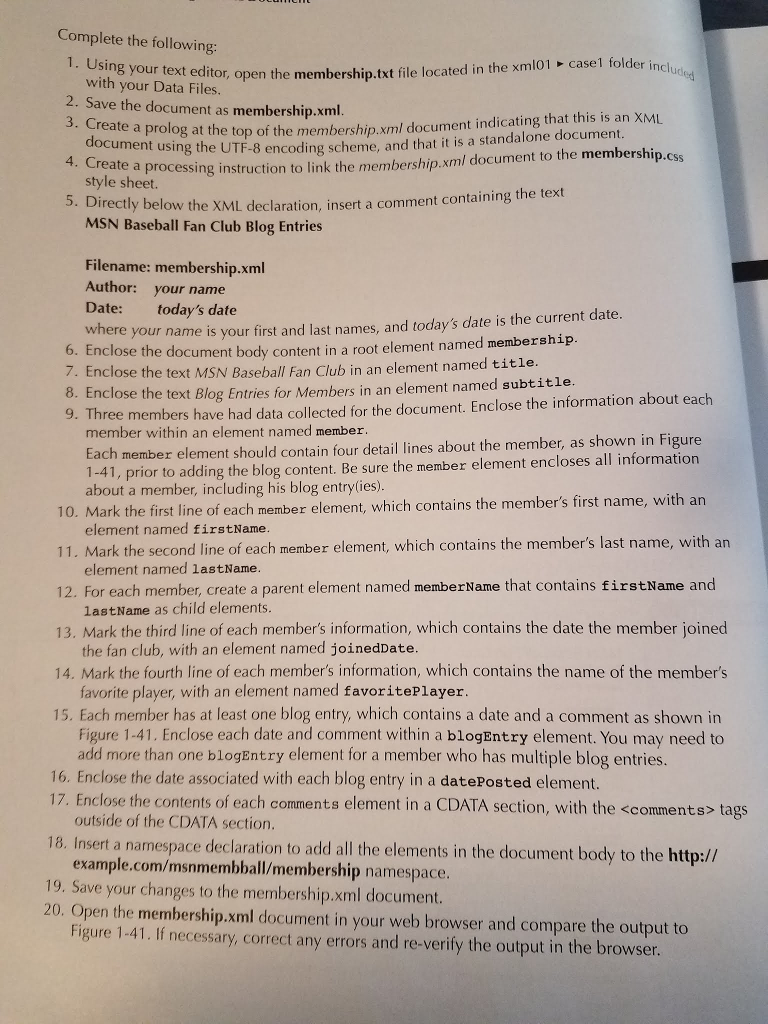
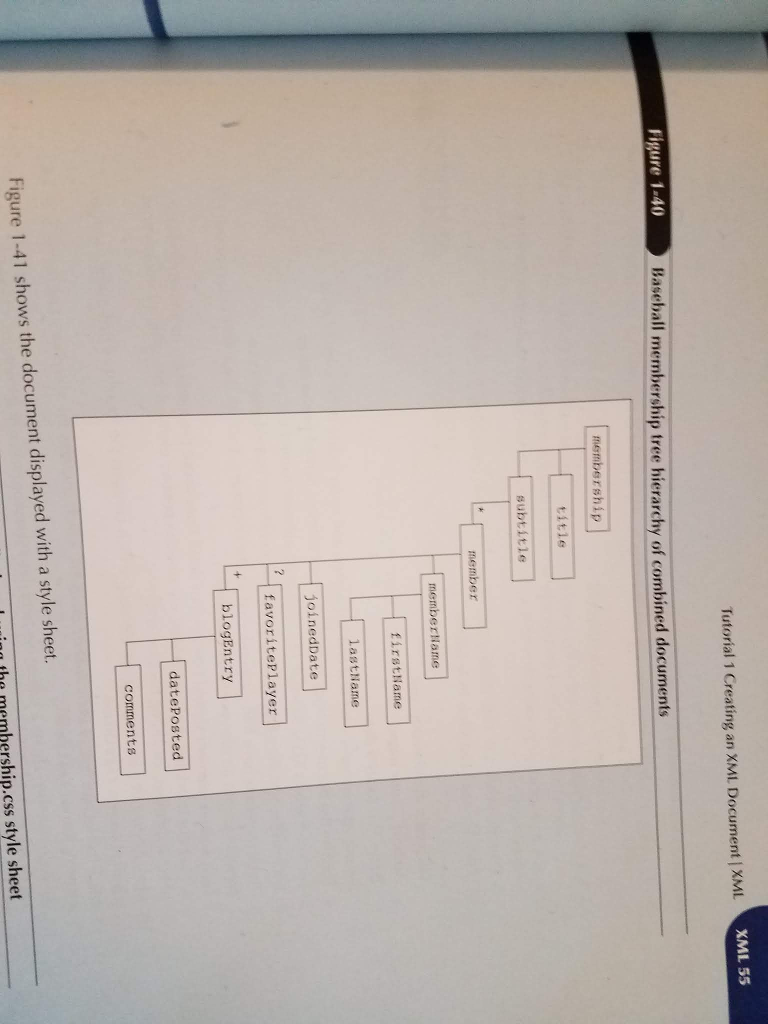
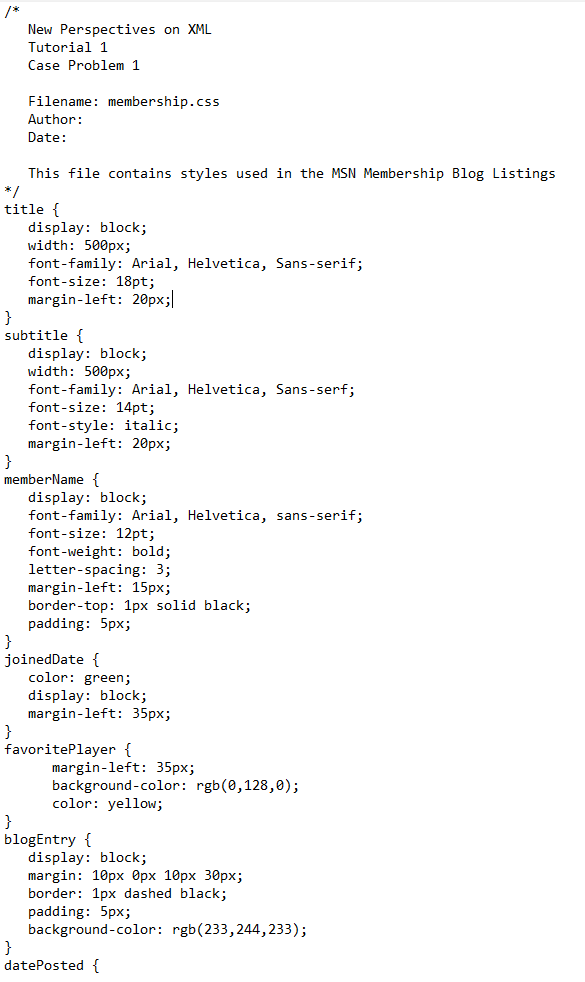
Case Problem 1 ata Files needed for this Case Problem: membership.css, membership.txt N Baseball Fan Club The MSN Baseball Fan Club is an online fan club based in Madison, onsin. Anyone can be a member of the club; the only prerequisite is that the person is a fan adison baseball. Members have voted to add to the current website a page to display each b member's blog entries. The club wants the output displayed with a style sheet, which one of members has provided. Figure 1-40 outlines the structure of the document you will create W the Complete the following 1. Using your text editor, or open the membership.txt file located in the xmlo1 casel folder incl me with your Data Files Save the document as membership.xml g at the top of the membership.xml document indicating that this is an XM using the UTF-8 encoding scheme, and that it is a standalone document 4. Create a processing instruction to link the membership.xml document to the membership.css style sheet. irectly bel MSN Baseball Fan Club Blog Entries ow the XML declaration, insert a comment containing the text Filename: membership.xml Author: your name Date: today's date ere your name is your first and last names, and today's date is the current date the document body content in a root element named membership. 6. Enclose 7. Enclose the text MSN Baseball Fan Club in an element named title 8. Enclose the text Blog Entries for Members in an element named subtitle hree members have had data collected for the document. Enclose the information about each member within an element named member h member element should contain four detail lines about the member, as shown in Figure prior to adding the blog content. Be sure the member element encloses all information about a member, including his blog entrylies) 10, Mark t he first line of each member element, which contains the member's first name, with an element named firstName 11. Mark the second line of each member element, which contains the member's last name, with arn 12. For each member, create a parent element named memberName that contains firstName and ement named lastName lastName as child elements Mark the third line of each member's information, which contains the date the member joined the fan club, with an element named joinedDate 14. Mark the fourth line of each member's information, which contains the name of the member's favorite player, with an element named favoritePlayer 15. Each member has at least one blog entry, which contains a date and a comment as shown in Figure 1-41. Enclose each date and comment within a blogEntry element. You may need to d more than one blogEntry element for a member who has multiple blog entries 16. Enclose the date associated with each blog entry in a datePosted element 17. Enclose the contents of each comments element in a CDATA section, with the
Step by Step Solution
There are 3 Steps involved in it

Get step-by-step solutions from verified subject matter experts
 Study Help