







Question: Case Problem 3 w Data File needed for this Caie Frollem: Reunion-2mpp If locks to graduates to keep the endowiment fund powing and enhance schocl
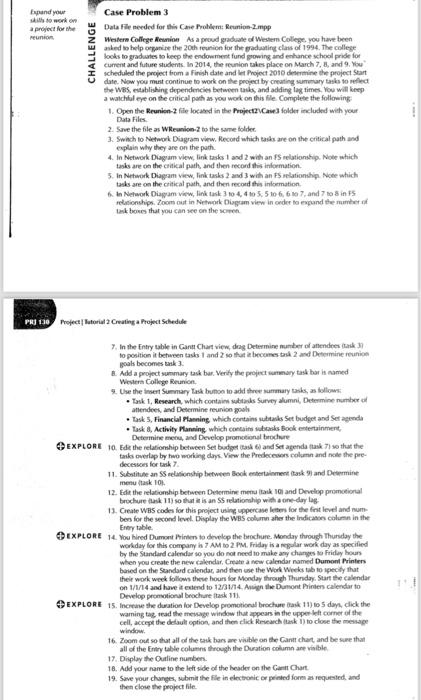
Case Problem 3 w Data File needed for this Caie Frollem: Reunion-2mpp If locks to graduates to keep the endowiment fund powing and enhance schocl pride for I. current and future studems. In 2014, the reunion tales place on March 7, 8, and 9, Koy I scheduled the propect form a Finvis date and les Phoiect 2010 desermine the project Seart date. Now you mut continue to work on the project by creating sumwary task to nefect the WB5, esublishing dependencies between task, and adding lag times, Fou will heep a walchlal ege on the critical poth an you wod on this file Complete the following 1. Open the Reunion-2 filie locased in the Froiect2vCane3 folder included with your Data Files. 2. Save the file as Wreunion-2 to the same folder. 3. Swhich to Networ Diagram virw, Recond which easks are on the critical path and explais why they are on the parh. 4. In Network Dugam view, link tasks 1 and 2 with an fS relationship. Note which task are on the critical path, and then recond ithis inlormation. task are on the critical path, and then recond this information. 6. in Netwonk Diapam virw, link task 3 to 4,4 to 5.5 10 6,6 is 7 , and 7 to 8 in FS retisionchips. Zoom out in Nethork Disgam view in onder fo expand the mumber of tak boves that you can see on the scren. Froject | laturial 2 Crwating a Froject Silkedile to position it between task 1 and 2 so that a becemes bal 2 and Determine reunion goals becomes tank? 1. Add a projoct summary takk bar. Verify the propict wimary tast har is named Westera College Reunice. 9. Use the insen Summary Task bunoo in add three summary tasks, as bollows: - Task 1, Research, which contain wibls Survey alumni, Determine number od atlendech, and Determine reurion pouls - Task 5, Financlal Planning which contains uthanks Set budget and Ser agenda - Task 8, Activity Vlanning, which concaits idsorks Bock entertainment, Determife mena, and Develop promotional bechare decessoes for tack 7 . menu task 10 . bes for the second level. Diyplay the WBS column ahes the lindicason column in the Enory table. wonday for this compamy in 7 AM to 2 PM. Friday is a nogular work day as specified by the Standard calendar so you do nor need to make any changes to fridey hour When you create the new calkndar, Create a new calendar nomed Dumont Printen baried on the Seandard calendas, and then use the Work Wels tob lo specify that their work werk follows these hour ior Monday throuch Dhurnday. Start the calendar on 1/1/4 and have if extend to 12/31/14. Antign the Dumont Pinten calendar to Develog promotional brochare task 111 . waming taz, tead the mescege wifdow that appeans in the upper left corner of the cell, accepe the detault option, and then click. Rresearch (lask i) to close the mesage window. 16. Zoom oul so that all od the tak bars are vivible on the Cant chant and be sure that all of the Entry table colutins through the Duration column ane vialble. 17. Display the Dutine numben. 18. Add you name io the left side of the keader on the Gament Chart. 19. Save your chaness, wibmit the fle in electronic or peineted form an requested, and then close the project file. Case Problem 3 w Data File needed for this Caie Frollem: Reunion-2mpp If locks to graduates to keep the endowiment fund powing and enhance schocl pride for I. current and future studems. In 2014, the reunion tales place on March 7, 8, and 9, Koy I scheduled the propect form a Finvis date and les Phoiect 2010 desermine the project Seart date. Now you mut continue to work on the project by creating sumwary task to nefect the WB5, esublishing dependencies between task, and adding lag times, Fou will heep a walchlal ege on the critical poth an you wod on this file Complete the following 1. Open the Reunion-2 filie locased in the Froiect2vCane3 folder included with your Data Files. 2. Save the file as Wreunion-2 to the same folder. 3. Swhich to Networ Diagram virw, Recond which easks are on the critical path and explais why they are on the parh. 4. In Network Dugam view, link tasks 1 and 2 with an fS relationship. Note which task are on the critical path, and then recond ithis inlormation. task are on the critical path, and then recond this information. 6. in Netwonk Diapam virw, link task 3 to 4,4 to 5.5 10 6,6 is 7 , and 7 to 8 in FS retisionchips. Zoom out in Nethork Disgam view in onder fo expand the mumber of tak boves that you can see on the scren. Froject | laturial 2 Crwating a Froject Silkedile to position it between task 1 and 2 so that a becemes bal 2 and Determine reunion goals becomes tank? 1. Add a projoct summary takk bar. Verify the propict wimary tast har is named Westera College Reunice. 9. Use the insen Summary Task bunoo in add three summary tasks, as bollows: - Task 1, Research, which contain wibls Survey alumni, Determine number od atlendech, and Determine reurion pouls - Task 5, Financlal Planning which contains uthanks Set budget and Ser agenda - Task 8, Activity Vlanning, which concaits idsorks Bock entertainment, Determife mena, and Develop promotional bechare decessoes for tack 7 . menu task 10 . bes for the second level. Diyplay the WBS column ahes the lindicason column in the Enory table. wonday for this compamy in 7 AM to 2 PM. Friday is a nogular work day as specified by the Standard calendar so you do nor need to make any changes to fridey hour When you create the new calkndar, Create a new calendar nomed Dumont Printen baried on the Seandard calendas, and then use the Work Wels tob lo specify that their work werk follows these hour ior Monday throuch Dhurnday. Start the calendar on 1/1/4 and have if extend to 12/31/14. Antign the Dumont Pinten calendar to Develog promotional brochare task 111 . waming taz, tead the mescege wifdow that appeans in the upper left corner of the cell, accepe the detault option, and then click. Rresearch (lask i) to close the mesage window. 16. Zoom oul so that all od the tak bars are vivible on the Cant chant and be sure that all of the Entry table colutins through the Duration column ane vialble. 17. Display the Dutine numben. 18. Add you name io the left side of the keader on the Gament Chart. 19. Save your chaness, wibmit the fle in electronic or peineted form an requested, and then close the project file
Step by Step Solution
There are 3 Steps involved in it

Get step-by-step solutions from verified subject matter experts
 Study Help