







Question: CCNA 1 - Final Project Part IA - IPv 4 Network Design ( 3 0 points ) On page 2 , you will find an
CCNA Final Project
Part IA IPv Network Design points
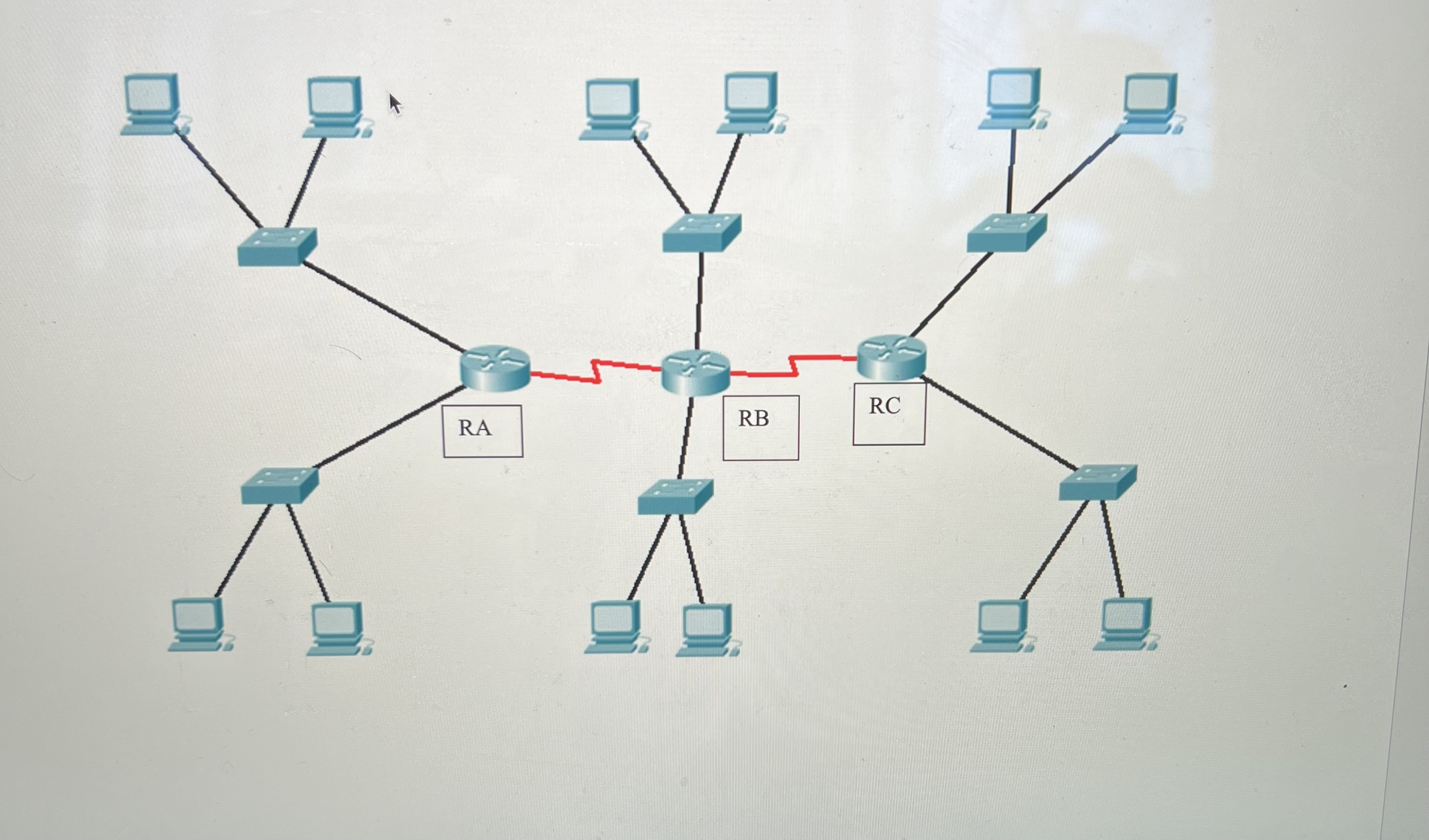
On page you will find an overall network address and the number of hosts for each subnet. Each group's will be different. Create
the network in Packet Tracer, and then design an IPv subnet system that meets those requirements, with a minimal waste of IP
addresses. There may be more than one possible solution. Document all addressing on a Word document. Including Network, valid
range and broadcast. You must also have a table documenting all the hosts assigned on your network.
Part IB IPv Network Design points
You will be assigned an IPv network to subnet. Subnet it according to the requirement provided. Since we no longer have to worry
about wasting addresses, we will not need to borrow from host bits. List the first through tenth host addresses for each subnet. You
must also document the addresses that will be assigned on your network on a Word document.
Part II Configure and Test points
In Packet Tracer, create the topology that represents the router you are assigned. You only need to show one router the one assigned
to your group. Configure the Ethernet ports of your router using the IP address system designed in Part IA and IB Configure two
hosts per LAN, test by confirming that your PCs can ping each other.
Also, configure the router with console, enable secret, and vty passwords. Use "cisco" and "class" as passwords. Please DO NOT
use any other passwords. Create a message of the day. Configure a hostname that represents your team name.
Configure the switches with console, enable secret, and vty passwords as above. Configure a separate hostname for each switch, this
should be the name of the team member who configured the specific switch. Configure all addressing and configuration needed so
that any host can telnet into any switch.
Network: RC LAN ; Host Requirement: ; IP Address:
IPv: :DBB::: ; Enter fifth subnet
Step by Step Solution
There are 3 Steps involved in it
1 Expert Approved Answer
Step: 1 Unlock

Question Has Been Solved by an Expert!
Get step-by-step solutions from verified subject matter experts
Step: 2 Unlock
Step: 3 Unlock
 Study Help