







Question: CentOS 7,Linux,Ubuntu(64-bit) on MacOS Sierra I downloaded virtualbox,run the software and created virtual machine. I downloaded CentOS 7 and installed it on virtualbox(1.configuration-set password &
CentOS 7,Linux,Ubuntu(64-bit) on MacOS Sierra 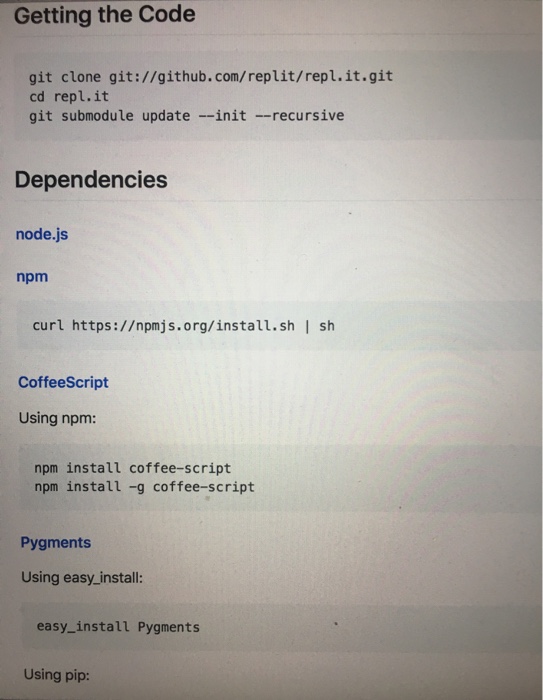
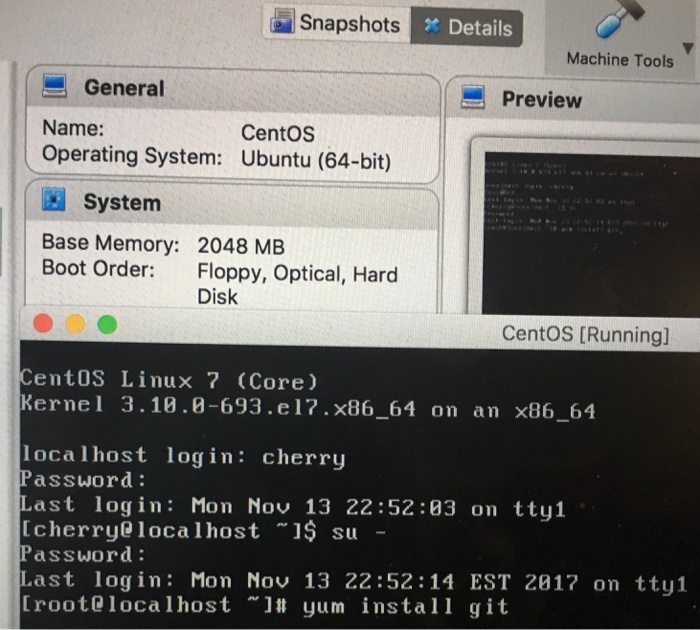
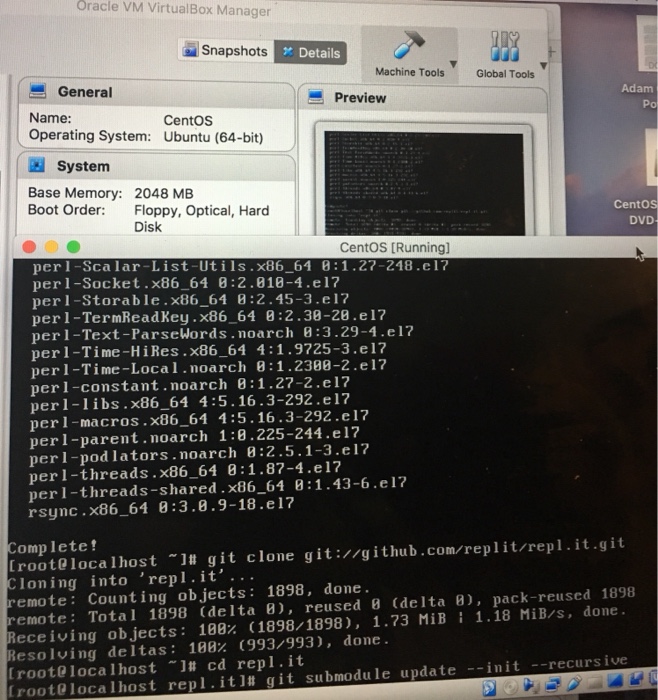
I downloaded virtualbox,run the software and created virtual machine. I downloaded CentOS 7 and installed it on virtualbox(1.configuration-set password & creat user 2.reboot)
Im new in Linux using CentOS 7. I need to do these step by step. Im stuck at installing node.js and npm. Could you please help me? From Github.com,type in repl.it
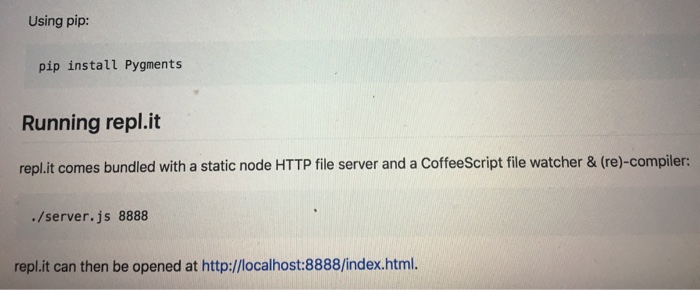
Getting the Code git clone git://github.com/replit/repl.it.git cd repl.it git submodule update -init -recursive Dependencies node.js npm curl https:/pmjs.org/install.sh | sh CoffeeScript Using npm npm install coffee-script npm install -g coffee-script Pygments Using easy_install: easy_install Pygments Using pip
Step by Step Solution
There are 3 Steps involved in it
1 Expert Approved Answer
Step: 1 Unlock

Question Has Been Solved by an Expert!
Get step-by-step solutions from verified subject matter experts
Step: 2 Unlock
Step: 3 Unlock
 Study Help