







Question: Ch 5 Lab Instructions (Protected View) - Word (Product Activation Failed) ences Mailings Review View Help Grammarly Tell me what you want to do contain
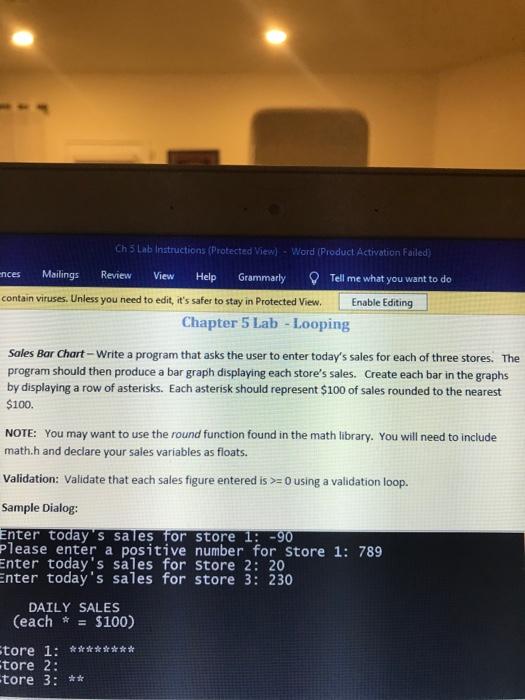
Ch 5 Lab Instructions (Protected View) - Word (Product Activation Failed) ences Mailings Review View Help Grammarly Tell me what you want to do contain viruses. Unless you need to edit, it's safer to stay in Protected View Enable Editing Chapter 5 Lab - Looping Sales Bar Chart - Write a program that asks the user to enter today's sales for each of three stores. The program should then produce a bar graph displaying each store's sales. Create each bar in the graphs by displaying a row of asterisks. Each asterisk should represent $100 of sales rounded to the nearest $100. NOTE: You may want to use the round function found in the math library. You will need to include math.h and declare your sales variables as floats. Validation: Validate that each sales figure entered is >= 0 using a validation loop. Sample Dialog: Enter today's sales for store 1: -90 Please enter a positive number for store 1: 789 Enter today's sales for store 2: 20 Enter today's sales for store 3: 230 DAILY SALES (each * $100) Store 1: ******** tore 2: tore 3: **
Step by Step Solution
There are 3 Steps involved in it

Get step-by-step solutions from verified subject matter experts
 Study Help