







Question: Challenge Changing file permissions So far, we've learned that the is - l command option returns details for files and directories regarding its type, mode
Challenge
Changing file permissions
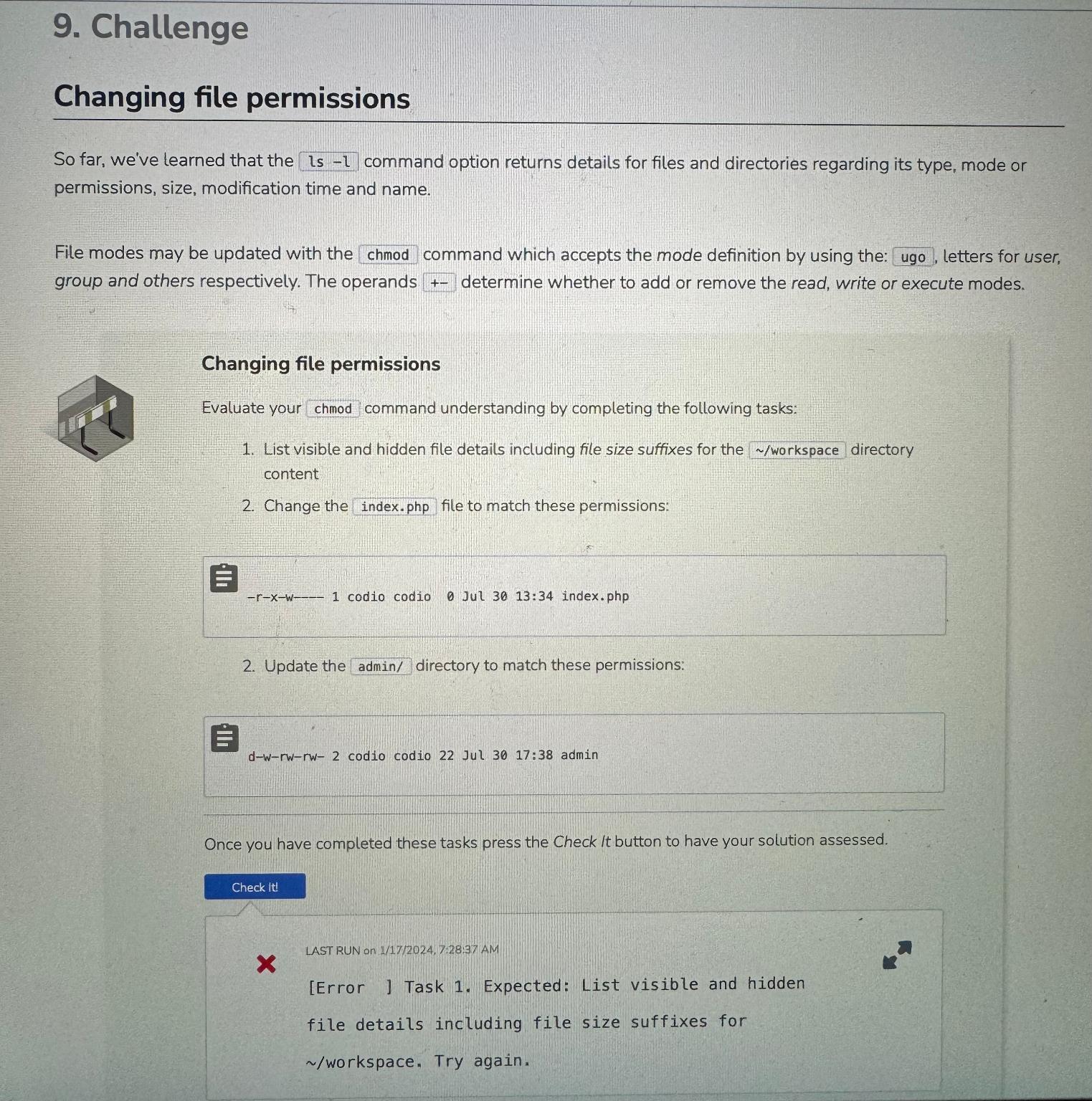
So far, we've learned that the is command option returns details for files and directories regarding its type, mode or permissions, size, modification time and name.
File modes may be updated with the chmod command which accepts the mode definition by using the: ugo, letters for user, group and others respectively. The operands determine whether to add or remove the read, write or execute modes.
Changing file permissions
Evaluate your chmod command understanding by completing the following tasks:
List visible and hidden file details including file size suffixes for the workspace directory content
Change the index.php file to match these permissions:
Update the admin directory to match these permissions:
dwrwrw codio codio Jul : admin
Once you have completed these tasks press the Check It button to have your solution assessed.
LAST RUN on :: AM
Error Task Expected: List visible and hidden
file details including file size suffixes for
workspace Try again.
Step by Step Solution
There are 3 Steps involved in it
1 Expert Approved Answer
Step: 1 Unlock

Question Has Been Solved by an Expert!
Get step-by-step solutions from verified subject matter experts
Step: 2 Unlock
Step: 3 Unlock
 Study Help