







Question: Chapter 1 4 : Object Oriented Program to Create a Class and Program. Counts 1 0 points. table [ [ Employee ] , [
Chapter : Object Oriented Program to Create a Class and Program. Counts points.
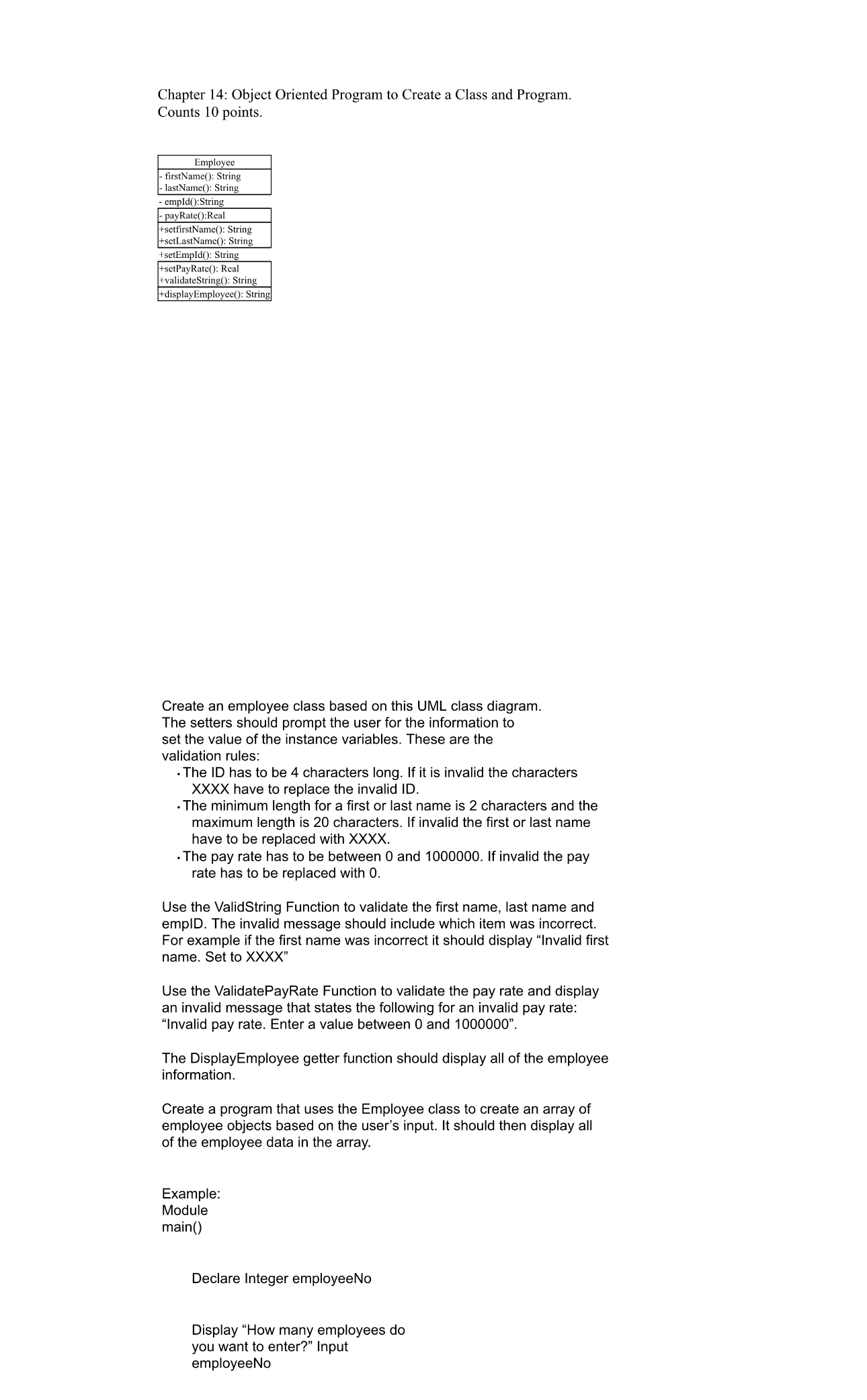
tableEmployeetable firstName: String lastName: String empId:String payRate:RealtablesetfirstName: StringsetLastName: StringsetEmpId: StringtablesetPayRate: RealvalidateString: StringdisplayEmployee: Strin
Create an employee class based on this UML class diagram. The setters should prompt the user for the information to set the value of the instance variables. These are the validation rules:
The ID has to be characters long. If it is invalid the characters XXXX have to replace the invalid ID
The minimum length for a first or last name is characters and the maximum length is characters. If invalid the first or last name have to be replaced with XXXX
The pay rate has to be between and If invalid the pay rate has to be replaced with
Use the ValidString Function to validate the first name, last name and empID. The invalid message should include which item was incorrect. For example if the first name was incorrect it should display "Invalid first name. Set to XXXX
Use the ValidatePayRate Function to validate the pay rate and display an invalid message that states the following for an invalid pay rate: Invalid pay rate. Enter a value between and
The DisplayEmployee getter function should display all of the employee information.
Create a program that uses the Employee class to create an array of employee objects based on the user's input. It should then display all of the employee data in the array.
Example:
Module
main
Declare Integer employeeNo
Display "How many employees do
you want to enter?" Input employeeNo
Step by Step Solution
There are 3 Steps involved in it
1 Expert Approved Answer
Step: 1 Unlock

Question Has Been Solved by an Expert!
Get step-by-step solutions from verified subject matter experts
Step: 2 Unlock
Step: 3 Unlock
 Study Help