







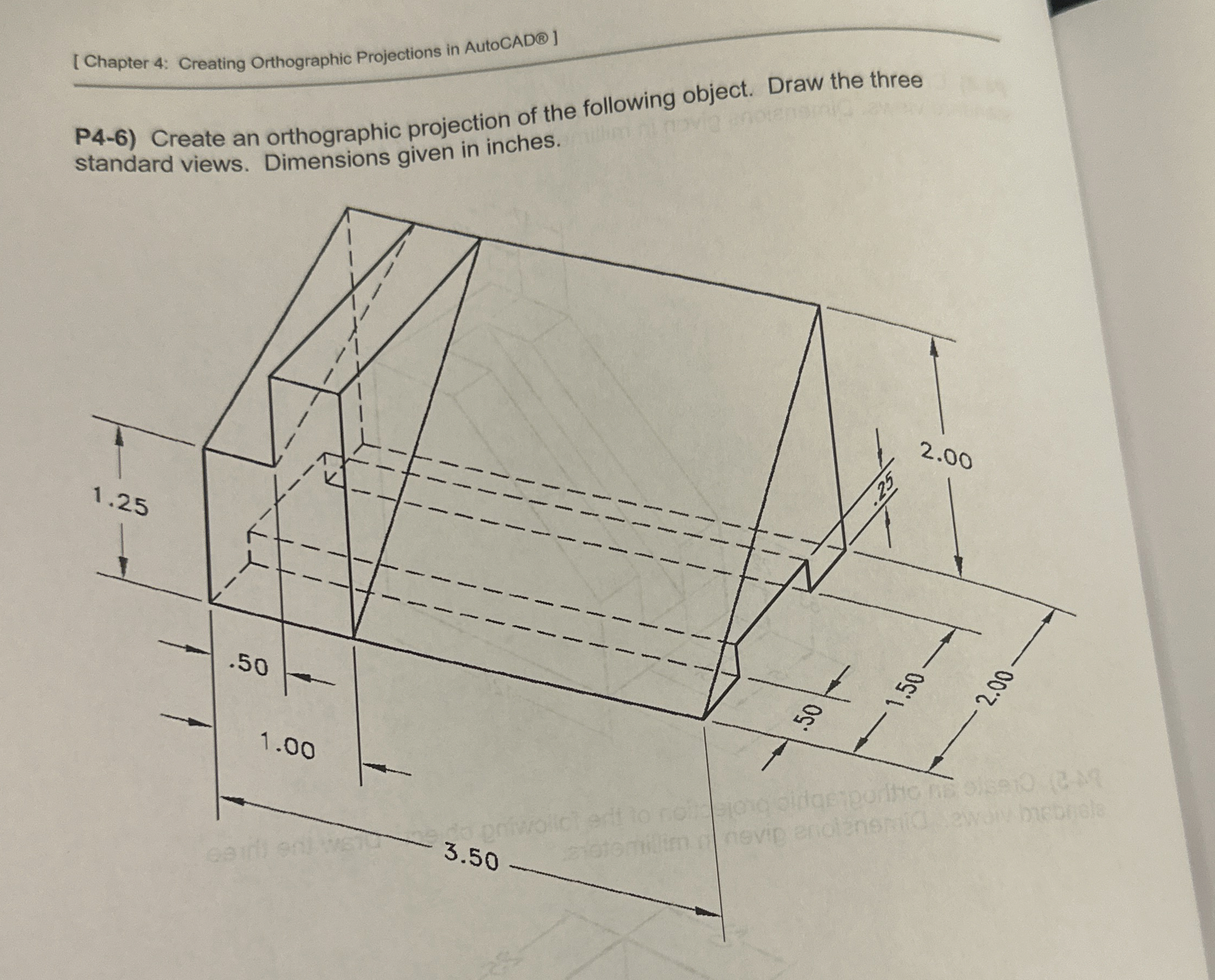
Question: [ Chapter 4 : Creating Orthographic Projections in AutoCAD ] P 4 - 6 ) Create an orthographic projection of the following object. Draw the
Chapter : Creating Orthographic Projections in AutoCAD
P Create an orthographic projection of the following object. Draw the three
standard views. Dimensions given in inches.
Step by Step Solution
There are 3 Steps involved in it
1 Expert Approved Answer
Step: 1 Unlock

Question Has Been Solved by an Expert!
Get step-by-step solutions from verified subject matter experts
Step: 2 Unlock
Step: 3 Unlock
 Study Help