







Question: Chapter 8 , Lab 2 : Shell Parameters and Variables ( 1 5 Minutes ) Learning Objectives and Outcomes In this lab you will learn
Chapter Lab : Shell Parameters and Variables
Minutes
Learning Objectives and Outcomes
In this lab you will learn about userereated variables and keyword variables.
Reading
Read "Paramesers and Variables" oe page of Sobell up to "Pultantue expansion in assigements" en page
Procedure
Although variables are mostly wed in scripts and read by poograms, you cale experiment witl them on the command line.
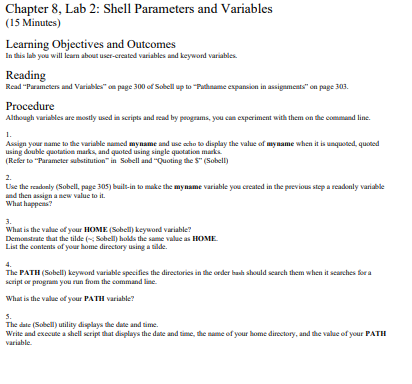
Assign your mame to the variable samed myname and we acho bo display the value of my name when it is uaquosed, quoted
using double quotabioe marks, and quoted using single quotiatice maiks.
Refer to "Parameter sabstitution" in Sobell and "Quoting the $ Sobell
Use the readonly Sobell page builtin to make the myname variable you crealed in the pecvious step a readonly variable
and then assign a atew value to it
What happens?
What is the value of your HOMF. Sobell keyword variable?
Demoestrate that the tilde ; Sobelli holds the same value as HOME.
List the conients of your lome directory using a tilde.
The PATH Sobell beyword variable specifies the directories in the order bach should search them when it searches bor a
script of program you run from the command line.
What is the value of your PATH variable?
The date Sobell utility displays the dane and time.
Write asd execule a shell scrips that doplays the dase and time, the antse of your bome directory, and the value of your PATH
variable.
Step by Step Solution
There are 3 Steps involved in it
1 Expert Approved Answer
Step: 1 Unlock

Question Has Been Solved by an Expert!
Get step-by-step solutions from verified subject matter experts
Step: 2 Unlock
Step: 3 Unlock
 Study Help