





Question: Chrome File Edit View History Bookmarks Profiles Tab Window Help Q 9 Sat Feb 17 9:00 ..O Week 6: Writing - Using Turnl x *Course
Chrome File Edit View History Bookmarks Profiles
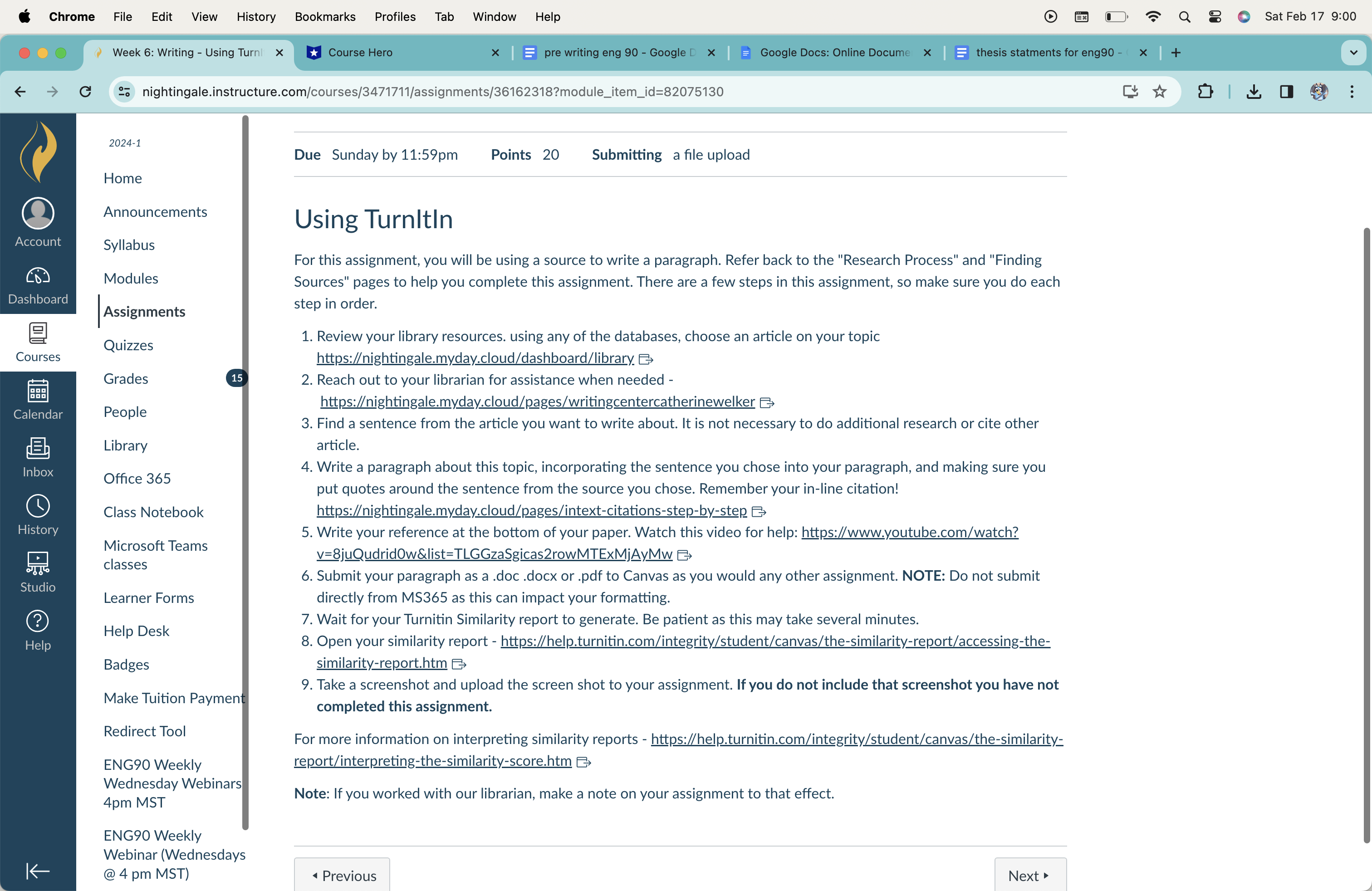
Chrome File Edit View History Bookmarks Profiles Tab Window Help Q 9 Sat Feb 17 9:00 ..O Week 6: Writing - Using Turnl x *Course Hero x | E pre writing eng 90 - Google D x | ) Google Docs: Online Docume x | thesis statments for eng90 - ( x | + G go nightingale.instructure.com/courses/3471711/assignments/36162318?module_item_id=82075130 : 2024-1 Due Sunday by 11:59pm Points 20 Submitting a file upload Home Announcements Using Turnitin Account Syllabus For this assignment, you will be using a source to write a paragraph. Refer back to the "Research Process" and "Finding Modules Sources" pages to help you complete this assignment. There are a few steps in this assignment, so make sure you do each Dashboard Assignments step in order. Quizzes 1. Review your library resources. using any of the databases, choose an article on your topic Courses https:/ightingale.myday.cloud/dashboard/library. E Grades 15 2. Reach out to your librarian for assistance when needed - Calendar People https:ightingale.myday.cloud/pages/writingcentercatherinewelker 3. Find a sentence from the article you want to write about. It is not necessary to do additional research or cite other Library article. Inbox 4. Write a paragraph about this topic, incorporating the sentence you chose into your paragraph, and making sure you Office 365 put quotes around the sentence from the source you chose. Remember your in-line citation! Class Notebook https:/ightingale.myday.cloud/pages/intext-citations-step-by-step History 5. Write your reference at the bottom of your paper. Watch this video for help: https://www.youtube.com/watch? Microsoft Teams V=8juQudridOw&list=TLGGzaSgicas2rowMTExMjAyMW E classes 6. Submit your paragraph as a .doc .docx or .pdf to Canvas as you would any other assignment. NOTE: Do not submit Studi Learner Forms directly from MS365 as this can impact your formatting. ? 7. Wait for your Turnitin Similarity report to generate. Be patient as this may take several minutes. Help Desk Help 8. Open your similarity report - https://help.turnitin.com/integrity/student/canvas/the-similarity-report/accessing-the- Badges similarity-report.htm 9. Take a screenshot and upload the screen shot to your assignment. If you do not include that screenshot you have not Make Tuition Payment completed this assignment. Redirect Tool For more information on interpreting similarity reports - https://help.turnitin.com/integrity/student/canvas/the-similarity= ENG90 Weekly report/interpreting-the-similarity-score.htm E Wednesday Webinars 4pm MST Note: If you worked with our librarian, make a note on your assignment to that effect. ENG90 Weekly Webinar (Wednesdays K @ 4 pm MST) Previous Next

Step by Step Solution

There are 3 Steps involved in it

1 Expert Approved Answer
Step: 1 Unlock blur-text-image

Question Has Been Solved by an Expert!

Get step-by-step solutions from verified subject matter experts

Step: 2 Unlock
Step: 3 Unlock

Students Have Also Explored These Related Business Writing Questions!