







Question: cisco. Cisco Networking Academy Mind Wide Open Lab 6.5.1.2 - Building a Switch and Router Network Topology PCA F0/6 PC-B S1 F0/5 R1 Go/0 Addressing
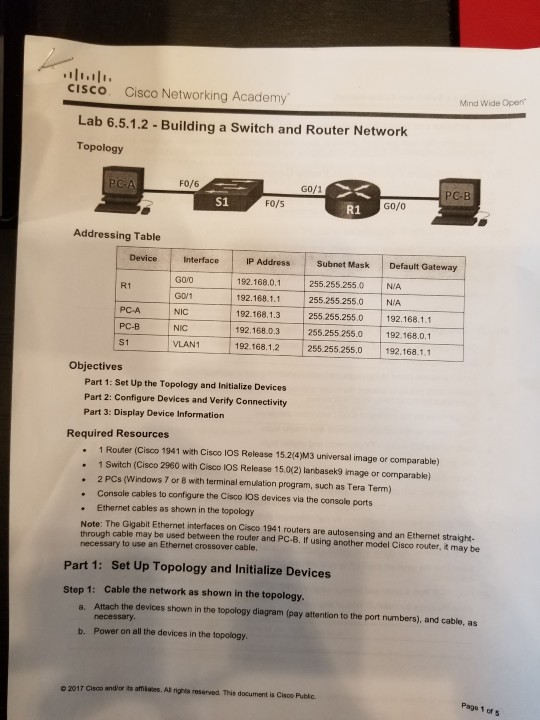
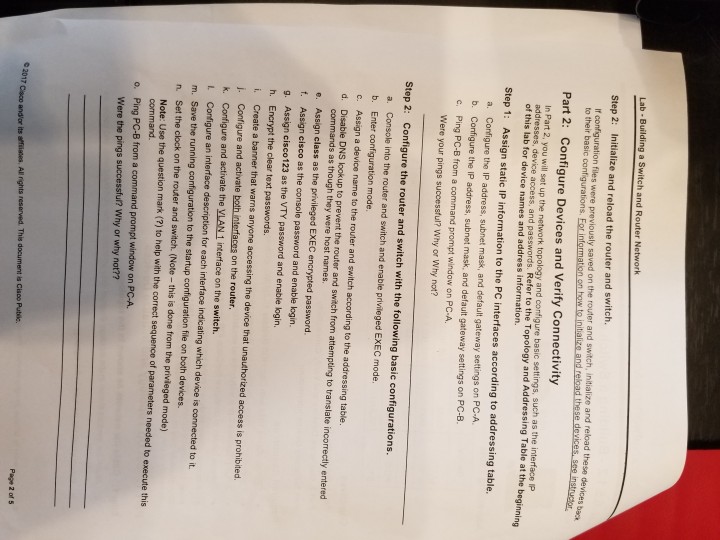
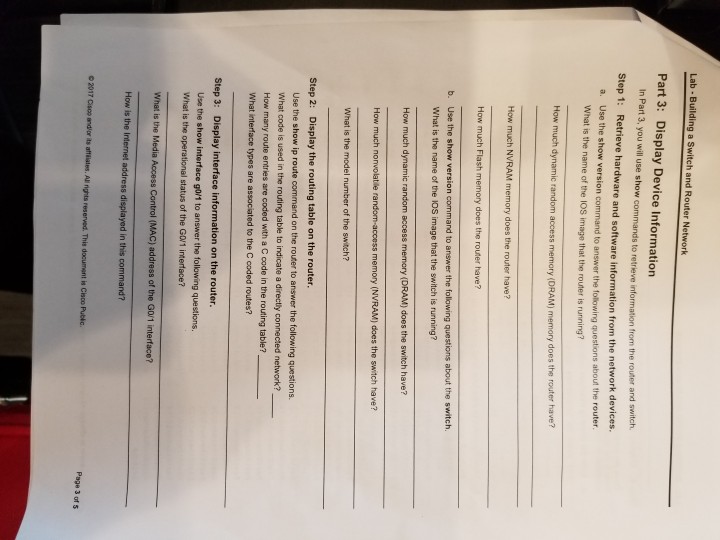
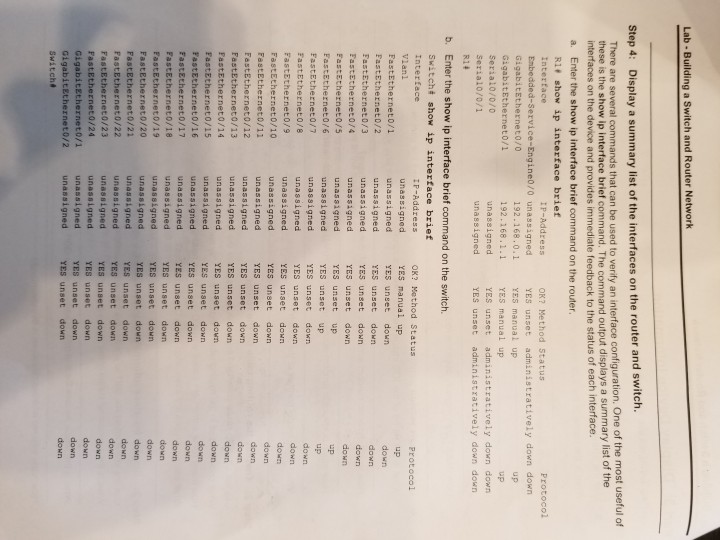
cisco. Cisco Networking Academy Mind Wide Open Lab 6.5.1.2 - Building a Switch and Router Network Topology PCA F0/6 PC-B S1 F0/5 R1 Go/0 Addressing Table Subnet Mask Default Gateway 255.255.2550 N/A 255.255.255.0 NIA Device InterfaceIP R1 PC-A PC-B S1 G0O GOV1 NIC NIC VLAN1 192.168.0.1 192.168.11 192.168.1.3 255.255.255.0 192.168.1.1 192,168.0.3 192.168.1.2 255.255.255.0 192.168.1.1 255.255 255.0 192.168.0.1 Objectives Part 1: Set Up the Topology and Initialize Devices Part 2: Configure Devices and Verity Connectivity Part 3: Display Device Information Required Resources . 1 Router (Cisco 1941 with Cisco IOS Release 15.2(4)M3 universal image or comparable) 1 Switch (Cisco 2960 with Cisco IOS Release 15.0(2) lanbasek9 image or comparable) 2 PCs (Windows 7 or 8 with terminal emulation program, such as Tera Term) Console cables to configure the Cisco KOS devices via the console ports Ethernet cables as shown in the topology Note: The Ggabit Ethernet interfaces on Cisco 1941 routers are autosensing and an Ethernet straight- through cable may be used between the router and PC-B. If using another model Cisco router, it may be necessary to use an Ethernet crossover cable Part 1: Set Up Topology and Initialize Devices Step 1: Cable the network as shown in the topology. a. Attach the devices shown in the topology diagram (pay attention to the port numbers), and cable, as necessary Power on all the devices in the topology b. o 2017 Cisco andior its amlaes.All igh reserved. This document is Cisco Publc. Page 1 of 5
Step by Step Solution
There are 3 Steps involved in it

Get step-by-step solutions from verified subject matter experts
 Study Help