







Question: Class Relationships: Inheritance LAB In this lab you will derive a new class called Employee from the Person class. The Employee class will have an
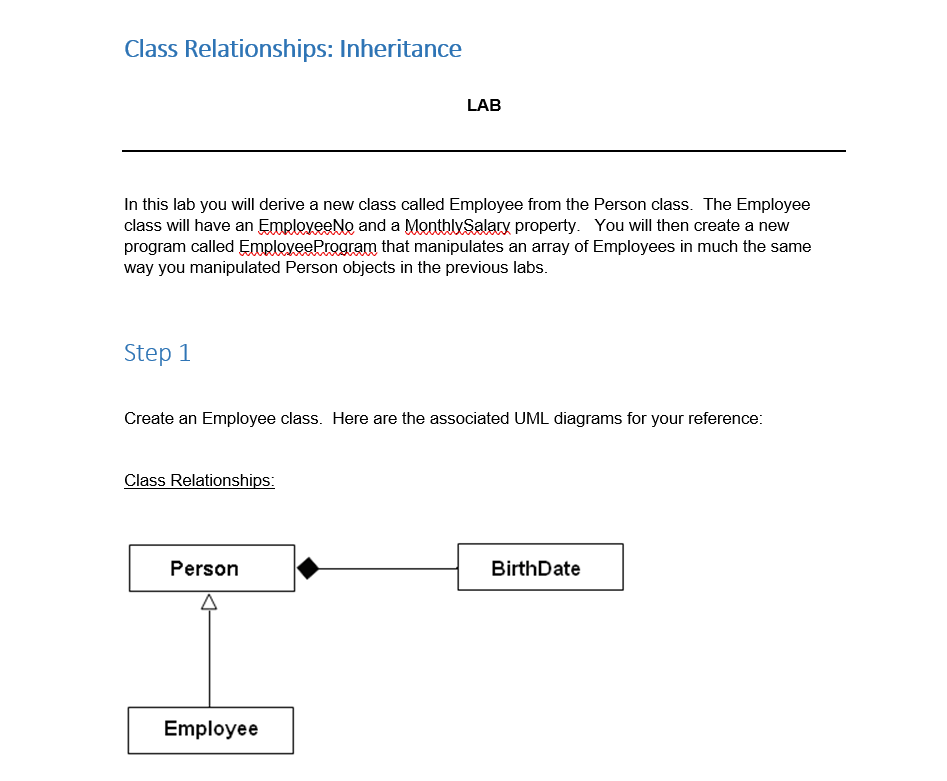
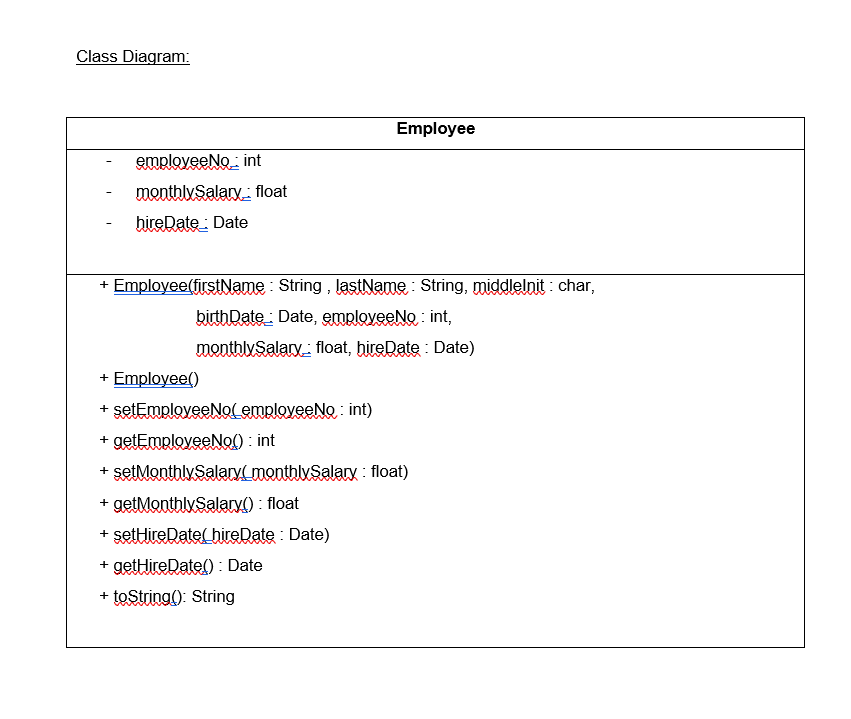
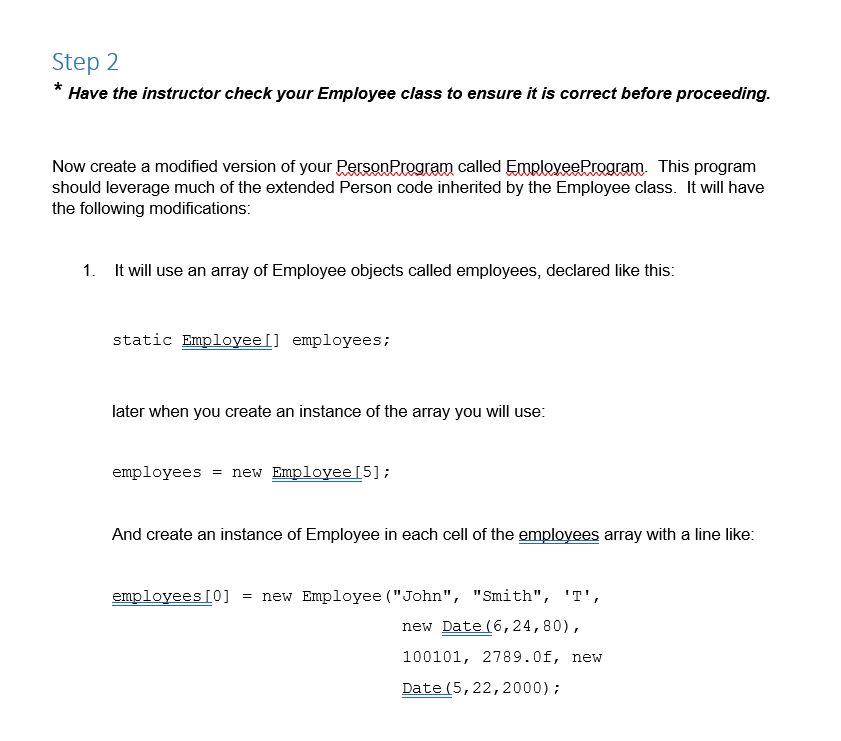
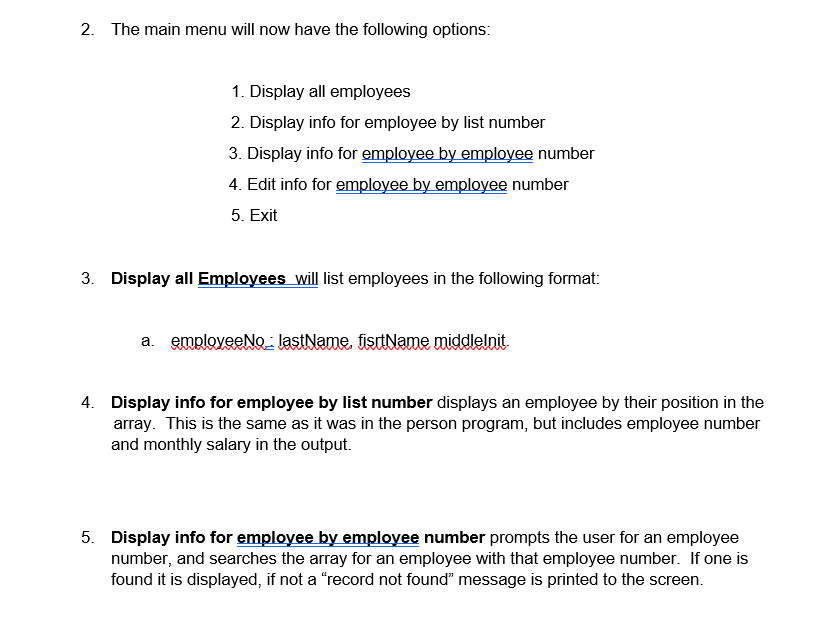
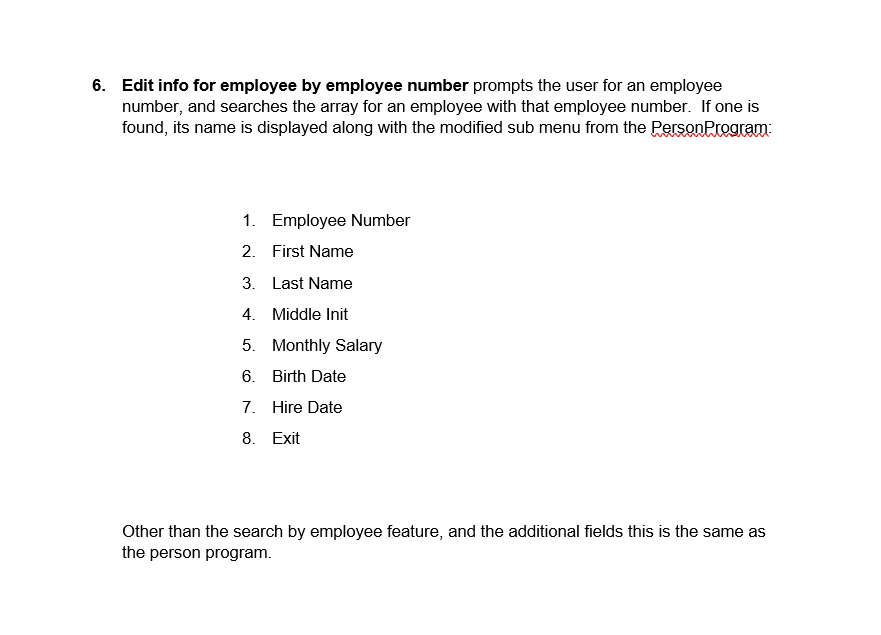
Class Relationships: Inheritance LAB In this lab you will derive a new class called Employee from the Person class. The Employee class will have an EmployeeNo and a MonthlySalary property. You will then create a new program called Employee Program that manipulates an array of Employees in much the same way you manipulated Person objects in the previous labs. Step 1 Create an Employee class. Here are the associated UML diagrams for your reference: Class Relationships: Person Birth Date Employee Class Diagram: Employee employeeNo: int monthly Salaryfloat hire Date : Date + Employee(firstName : String , lastName : String, middlelnit : char, birth Date: Date, employeeNo: int, monthlySalary: float, bireDate : Date) + Employeel) + setEmployeeNo employeeNe: int) +getEmployeeNod) :int + setMonthly Salary_monthlySalary: float) + getMenthlySalary(): float + set Hire RatelbireDate : Date) + get Hire Datel): Date + toString(): String Step 2 * Have the instructor check your Employee class to ensure it is correct before proceeding. Now create a modified version of your Person Program called Employee Program. This program should leverage much of the extended Person code inherited by the Employee class. It will have the following modifications: 1. It will use an array of Employee objects called employees, declared like this: static Employee'] employees; later when you create an instance of the array you will use: employees = new Employee[5]; And create an instance of Employee in each cell of the employees array with a line like: employees [0] = new Employee ("John", "Smith", 'T', new Date (6,24,80), 100101, 2789.0f, new Date (5, 22, 2000); 2. The main menu will now have the following options: 1. Display all employees 2. Display info for employee by list number 3. Display info for employee by employee number 4. Edit info for employee by employee number 5. Exit 3. Display all Employees will list employees in the following format: a. employeeNo: lastName, fisitName middlelnit. 4. Display info for employee by list number displays an employee by their position in the array. This is the same as it was in the person program, but includes employee number and monthly salary in the output. 5. Display info for employee by employee number prompts the user for an employee number, and searches the array for an employee with that employee number. If one is found it is displayed, if not a record not found message is printed to the screen. 6. Edit info for employee by employee number prompts the user for an employee number, and searches the array for an employee with that employee number. If one is found, its name is displayed along with the modified sub menu from the Person Program: 1. Employee Number 2. First Name 3. Last Name 4. Middle Init 5. Monthly Salary 6. Birth Date 7. Hire Date 8. Exit Other than the search by employee feature, and the additional fields this is the same as the person program
Step by Step Solution
There are 3 Steps involved in it

Get step-by-step solutions from verified subject matter experts
 Study Help