







Question: CLASS RightTriangle import java.awt.*; // Class that defines a hollow right triangle class RightTriangle extends HollowPolygon { // Constructor that initializes the vertices of the
CLASS RightTriangle import java.awt.*; // Class that defines a hollow right triangle class RightTriangle extends HollowPolygon { // Constructor that initializes the vertices of the right triangle public RightTriangle(Color color, Point upperLeft, int height, int width) { super(color, 3); int[] x_points = {upperLeft.x, upperLeft.x, upperLeft.x + width}; int[] y_points = {upperLeft.y, upperLeft.y + height, upperLeft.y + height}; createPolygon(x_points, y_points); } } CLASS Scene import javax.swing.*; // Class that defines a scene class Scene { private JFrame window; private DrawingPanel drawing; // Constructor that must be supplied the height and width of the drawing window for the scene public Scene(String name, int height, int width) { window = new JFrame(name); window.setSize(width, height); window.setDefaultCloseOperation(JFrame.EXIT_ON_CLOSE); drawing = new DrawingPanel(); window.add(drawing); }// Adds a graphic object to the scene's drawing panel public void addImage(Image image) { drawing.addImage(image); } // Causes the drawing panel to be repainted public void draw() { window.setVisible(true); drawing.repaint(); } }
CLASS SyntaxError // Class that defines a syntax error class SyntaxError extends Exception { // Constructor that creates a syntax error object given the line number and error public SyntaxError(int line, String description) { super("Syntax Error on Line: " + line + " " + description); } } CLASS Token // Enumerated type that defines the list of tokens enum Token {AT, COLOR, END, HEIGHT, RECTANGLE, RIGHT_TRIANGLE, SCENE, WIDTH, COMMA, SEMICOLON, PERIOD, LEFT_PAREN, RIGHT_PAREN, IDENTIFIER, NUMBER, EOF}
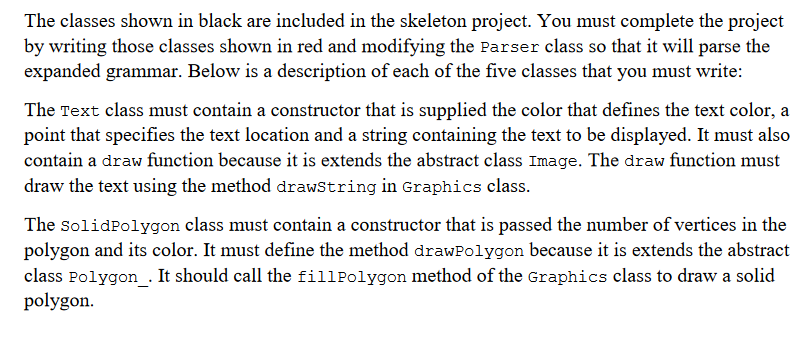
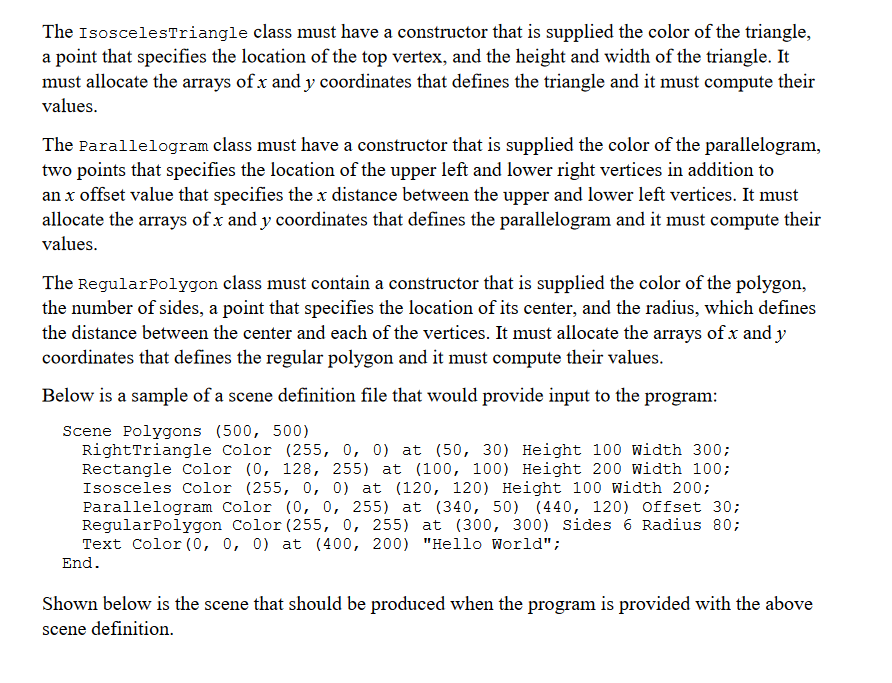
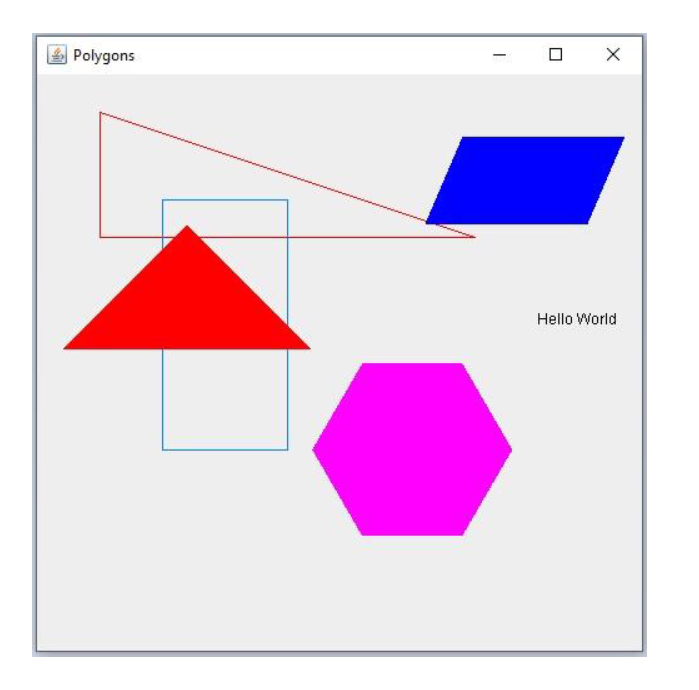
The classes shown in black are included in the skeleton project. You must complete the project by writing those classes shown in red and modifying the Parser class so that it will parse the expanded grammar. Below is a description of each of the five classes that you must write: The Text class must contain a constructor that is supplied the color that defines the text color, a point that specifies the text location and a string containing the text to be displayed. It must also contain a draw function because it is extends the abstract class Image. The draw function must draw the text using the method drawstring in Graphics class. The Solidpolygon class must contain a constructor that is passed the number of vertices in the polygon and its color. It must define the method drawPolygon because it is extends the abstract class Polygon_. It should call the fillpolygon method of the Graphics class to draw a solid polygon. The Isoscelestriangle class must have a constructor that is supplied the color of the triangle, a point that specifies the location of the top vertex, and the height and width of the triangle. It must allocate the arrays of x and y coordinates that defines the triangle and it must compute their values. The Parallelogram class must have a constructor that is supplied the color of the parallelogram, two points that specifies the location of the upper left and lower right vertices in addition to an x offset value that specifies the x distance between the upper and lower left vertices. It must allocate the arrays of x and y coordinates that defines the parallelogram and it must compute their values. The Regularpolygon class must contain a constructor that is supplied the color of the polygon, the number of sides, a point that specifies the location of its center, and the radius, which defines the distance between the center and each of the vertices. It must allocate the arrays of x and y coordinates that defines the regular polygon and it must compute their values. Below is a sample of a scene definition file that would provide input to the program: Scene Polygons (500,500) Rightrriangle Color (255, 0, 0) at (50,30) Height 100 width 300; Rectangle Color (0, 128, 255) at (100,100) Height 200 Width 100; Isosceles Color (255, 0, 0) at (120, 120) Height 100 Width 200; Parallelogram Color (0, 0, 255) at (340, 50) (440, 120) offset 30; Regularpolygon Color (255,0,255) at (300,300) Sides 6 Radius 80; Text Color (0, 0, 0) at (400,200) "Hello World"; End. Shown below is the scene that should be produced when the program is provided with the above scene definition. A
Step by Step Solution
There are 3 Steps involved in it

Get step-by-step solutions from verified subject matter experts
 Study Help