







Question: Click on 'Develop mode', change the program to use * rather than + , and try running with input 2 (output is 4) and 3
Click on 'Develop mode', change the program to use * rather than + , and try running with input 2 (output is 4) and 3 (output is now 9 . not 6 as before).\ Click on "Submit mode" again, and click 'Submit for grading". Observe that all test cases are passed, and you've earned 3 of 3 points.\ LAB\ ACTIVITY\ 1.12.1: zyLab training: Basics\
(0)/(3)\ \ main.py\ Load default template...\ user num
=int (input ()
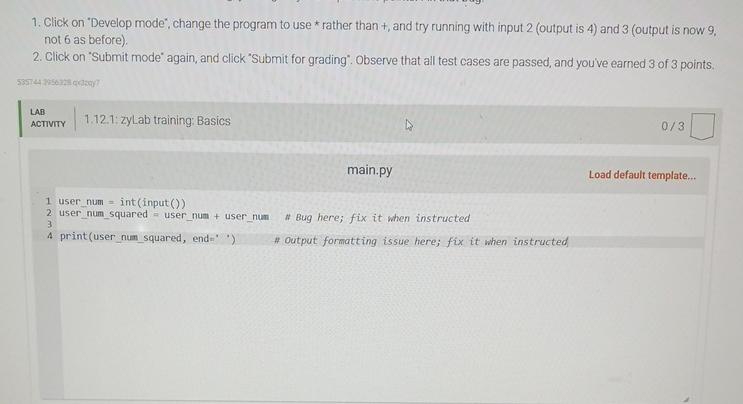
1. Click on "Develop mode", change the program to use * rather than + , and try running with input 2 (output is 4) and 3 (output is now 9. not 6 as before). 2. Click on "Submit mode" again, and click "Submit for grading". Observe that all test cases are passed, and you've earned 3 of 3 points. LAB ACTIVTTY 1.12.1: zyLab training: Basics 0/3
Step by Step Solution
There are 3 Steps involved in it

Get step-by-step solutions from verified subject matter experts
 Study Help