







Question: CMPSC 200 Programming for Engineers with MATLAB Lab? Instructions: Create a single script (.m file) to solve this problem. Unless directed otherwise, use meaningful variable
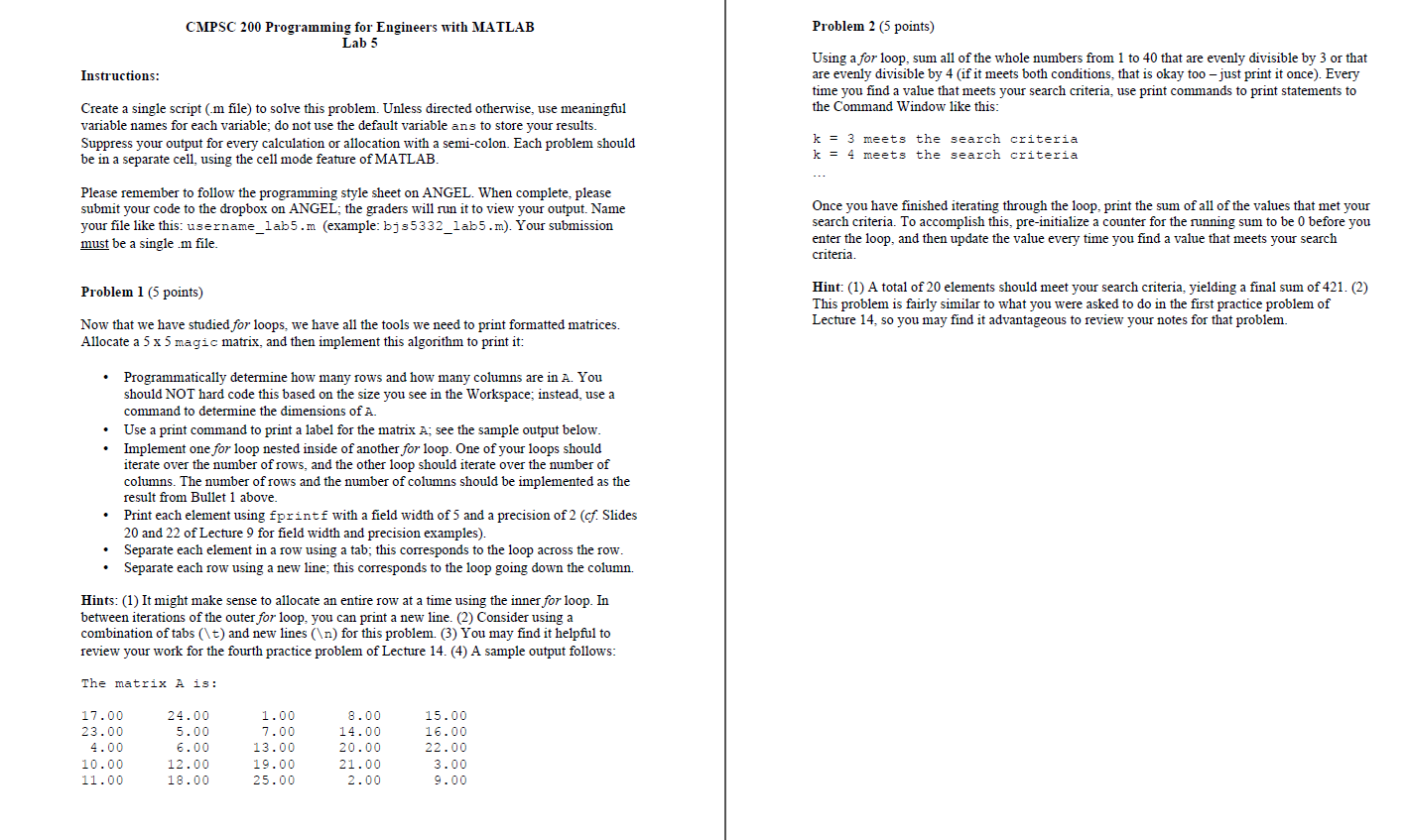
CMPSC 200 Programming for Engineers with MATLAB Lab? Instructions: Create a single script (.m file) to solve this problem. Unless directed otherwise, use meaningful variable names for each variable; do not use the default variable and to store your results. Suppress your output for every calculation or allocation with a semi-colon. Each problem should be in a separate cell, using the cell mode feature of MATLAB. Please remember to follow the programming style sheet on ANGEL. When complete, please submit your code to the dropbox on ANGEL; the graders will run it to view your output. Name your file like this: username_lab5.m (example: bjs5332_lab5 m). Your submission must be a single.in file. Now that we have studied for loops, we have all the tools we need to print formatted matrices. Allocate a 5 times 5 magic matrix, and then implement this algorithm to print it: Programmatically determine how many rows and how many columns are in A. You should NOT hard code this based on the size you see in the Workspace; instead, use a command to determine the dimensions of A. Use a print command to print a label for the matrix A; see the sample output below. Implement one for loop nested inside of another for loop. One of your loops should iterate over the number of rows, and the other loop should iterate over the number of columns. The number of rows and the number of columns should be implemented as the result from Bullet 1 above. Print each element using fprintf with a field width of 5 and a precision of 2 (cf Slides 20 and 22 of Lecture 9 for field width and precision examples). Separate each element in a row using a tab; this corresponds to the loop across the row. Separate each row using a new line; this corresponds to the loop going down the column. In between iterations of the outer for loop, you can print a new line. (2) Consider using a combination of tabs (\t) and new lines ( ) for this problem. (3) You may find it helpful to review your work for the fourth practice problem of Lecture 14. (4) A sample output follows: Using a for loop, sum all of the whole numbers from 1 to 40 that are evenly divisible by 3 or that are evenly divisible by 4 (if it meets both conditions, that is okay too - just print it once). Every time you find a value that meets your search criteria, use print commands to print statements to the Command Window like this: k = 3 meets the search criteria k = 4 meets the search criteria Once you have finished iterating through the loop, print the sum of all of the values that met your search criteria. To accomplish this, pre-initialize a counter for the running sum to be 0 before you enter the loop, and then update the value every time you find a value that meets your search criteria. (1) A total of 20 elements should meet your search criteria, yielding a final sum of 421. (2) This problem is fairly similar to what you were asked to do in the first practice problem of Lecture 14.so you may find it advantageous to review your notes for that
Step by Step Solution
There are 3 Steps involved in it

Get step-by-step solutions from verified subject matter experts
 Study Help