







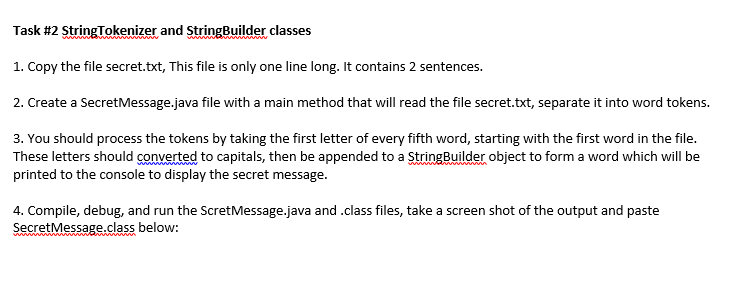
Question: code and screenshot of output. Task #2 StringTokenizer and StringBuilder classes 1. Copy the file secret.txt, This file is only one line long. It contains
code and screenshot of output.
Task #2 StringTokenizer and StringBuilder classes 1. Copy the file secret.txt, This file is only one line long. It contains 2 sentences 2. Create a SecretMessage.java file with a main method that will read the file secret.txt, separate it into word tokens. 3. You should process the tokens by taking the first letter of every fifth word, starting with the first word in the file. These letters should converted to capitals, then be appended to a tingBilder object to form a word which will be printed to the console to display the secret message. 4. Compile, debug, and run the ScretMessage.java and.class files, take a screen shot of the output and paste SecretMessage.class below: Task #2 StringTokenizer and StringBuilder classes 1. Copy the file secret.txt, This file is only one line long. It contains 2 sentences 2. Create a SecretMessage.java file with a main method that will read the file secret.txt, separate it into word tokens. 3. You should process the tokens by taking the first letter of every fifth word, starting with the first word in the file. These letters should converted to capitals, then be appended to a tingBilder object to form a word which will be printed to the console to display the secret message. 4. Compile, debug, and run the ScretMessage.java and.class files, take a screen shot of the output and paste SecretMessage.class below
Step by Step Solution
There are 3 Steps involved in it

Get step-by-step solutions from verified subject matter experts
 Study Help