







Question: Code below was given. Need for it to be able to print out the following examples below. Show output after done. Thanks #include #include #include
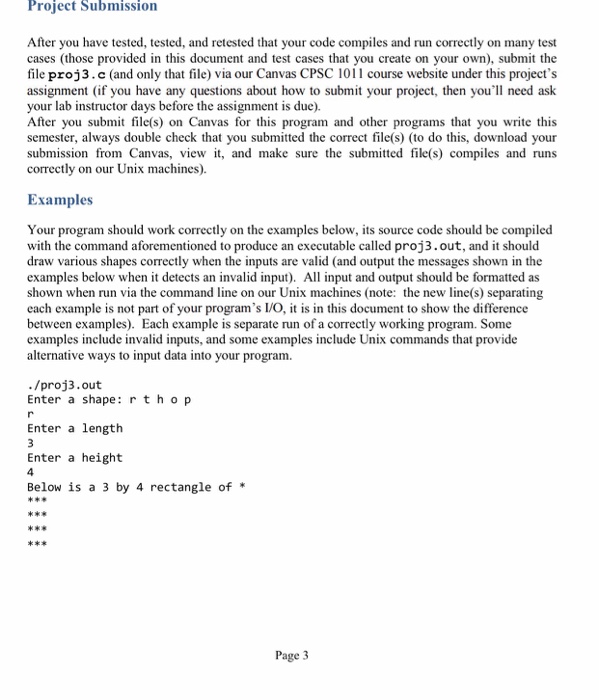
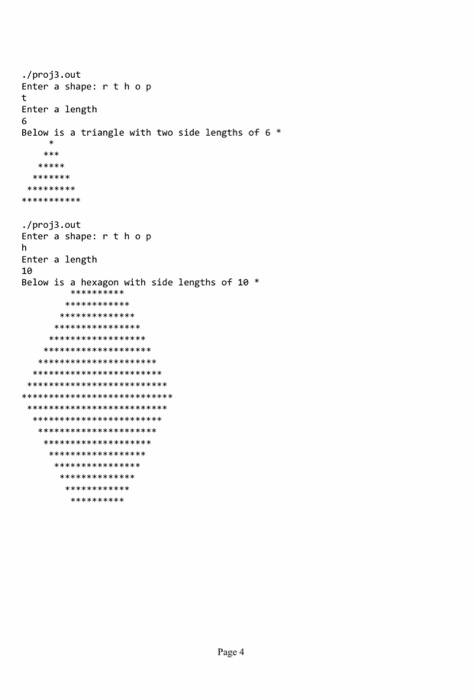
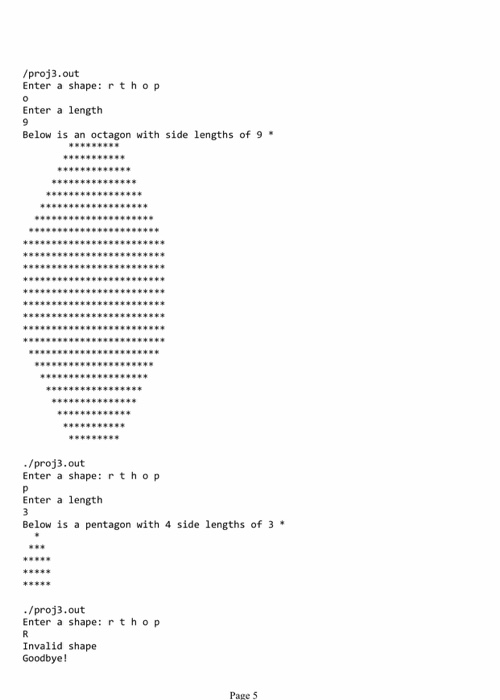
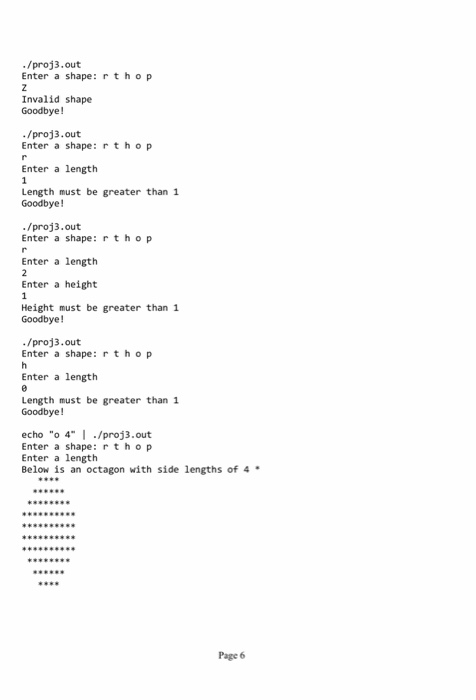
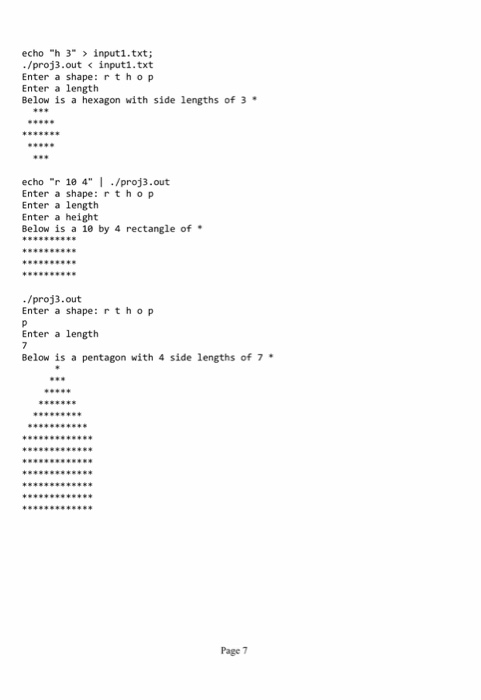
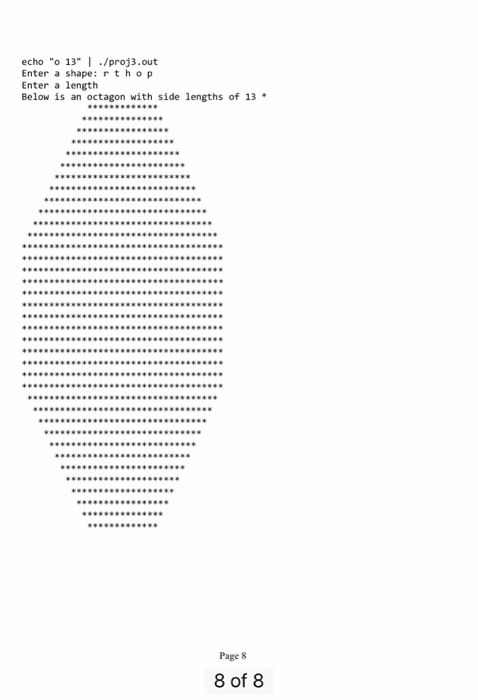
Project Submission After you have tested, tested, and retested that your code compiles and run correctly on many test cases (those provided in this document and test cases that you create on your own), submit the file proj3.c (and only that file) via our Canvas CPSC 101 l course website under this project's assignment (if you have any questions about how to submit your project, then you'll need ask your lab instructor days before the assignment is due). After you submit file(s) on Canvas for this program and other programs that you write this semester, always double check that you submitted the correct file(s) (to do this, download your submission from Canvas, view it, and make sure the submitted file(s) compiles and runs correctly on our Unix machines). Examples Your program should work correctly on the examples below, its source code should be compiled with the command aforementioned to produce an executable called proj3.out, and it should draw various shapes correctly when the inputs are valid (and output the messages shown in the examples below when it detects an invalid input). All input and output should be formatted as shown when run via the command line on our Unix machines (note: the new line(s) separating each example is not part of your program's I/O, it is in this document to show the difference between examples). Each example is separate run of a correctly working program. Some examples include invalid inputs, and some examples include Unix commands that provide alternative ways to input data into your program. ./proj out Enter a shape r t h o p Enter a length Enter a height Below is a 3 by 4 rectangle of Page 3
Step by Step Solution
There are 3 Steps involved in it

Get step-by-step solutions from verified subject matter experts
 Study Help