







Question: Code for android studio For this homework you should design Bigger Number Game App (see the attachment HW1.pdf) The suggested Ul should be simple but
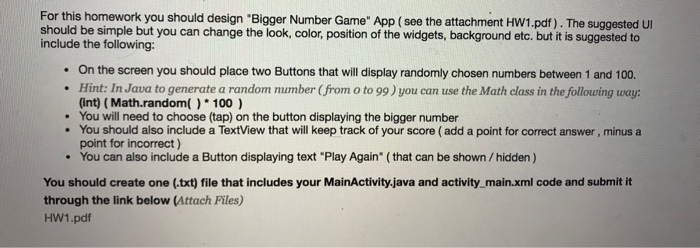
For this homework you should design "Bigger Number Game" App (see the attachment HW1.pdf) The suggested Ul should be simple but you can change the look, color, position of the widgets, background etc. but it is suggested to include the following: On the screen you should place two Buttons that will display randomly chosen numbers between 1 and 100 Hint: In Java to generate a random number (from o to 99) you can use the Math class in the following way: (int) (Math.random(100) You will need to choose (tap) on the button displaying the bigger number You should also include a TextView that will keep track of your score ( add a point for correct answer, minus a point for incorrect) . . You can also include a Button displaying text "Play Again" (that can be shown /hidden ) You should create one (txt) file that includes your MainActivity.java and activity main.xml code and submit it through the link below (Attach Files) HW1.pdf For this homework you should design "Bigger Number Game" App (see the attachment HW1.pdf) The suggested Ul should be simple but you can change the look, color, position of the widgets, background etc. but it is suggested to include the following: On the screen you should place two Buttons that will display randomly chosen numbers between 1 and 100 Hint: In Java to generate a random number (from o to 99) you can use the Math class in the following way: (int) (Math.random(100) You will need to choose (tap) on the button displaying the bigger number You should also include a TextView that will keep track of your score ( add a point for correct answer, minus a point for incorrect) . . You can also include a Button displaying text "Play Again" (that can be shown /hidden ) You should create one (txt) file that includes your MainActivity.java and activity main.xml code and submit it through the link below (Attach Files) HW1.pdf
Step by Step Solution
There are 3 Steps involved in it

Get step-by-step solutions from verified subject matter experts
 Study Help