







Question: Code in C# Enter Server address Enter Server Port Number Get a text file and display to screen (using the GET method) Get a text
 Code in C#
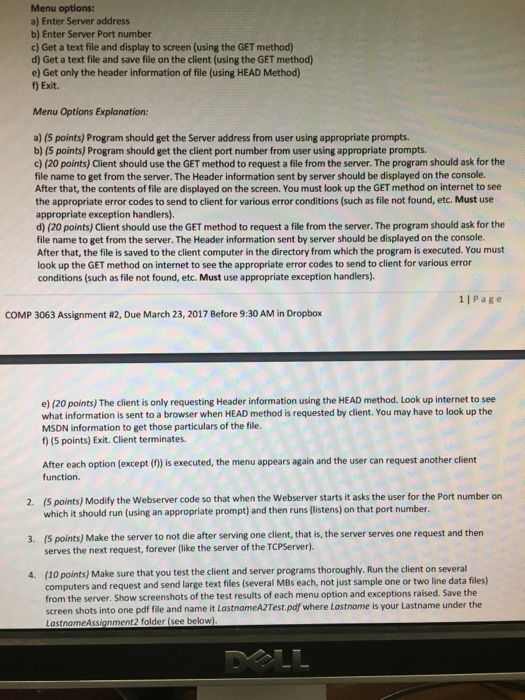
 Enter Server address Enter Server Port Number Get a text file and display to screen (using the GET method) Get a text file and save file on the client (using the GET method) Get only the header information of file (using HEAD Method Exit. Menu Options explanation: Program should get the Server address from user using appropriate prompts. Program should get the client port number from user using appropriate prompts. Client should use the GET method to request a file from the server. the program should ask for the file name to get from the server. the Header information sent by server should be displayed on the console. After that, the contents of file are displayed on the screen. You must look up the GET method on Internet to see the appropriate error codes to send to client for various error conditions (such as file not found, etc. Must use appropriate exception handlers). Client should use the GET method to request a file from the server. the program should ask for the file name to get from the server. the Header information sent by server should be displayed on the console. After that, the file is saved to the client computer in the directory from which the program is executed. You must look up the GET method on internet to see the appropriate error codes to send to client for various error conditions (such as file not found, etc. Must use appropriate exception handlers). the client is only requesting Header information using the HEAD method, look up internet to see what information is sent to a browser when HEAD method is requested by client. You may have to look up the MSON information to get those particulars of the file. Exit. Client terminates. After each option (except (f) is executed, the menu appears again and the user can request another client function. Modify the Webserver code so that when the Webserver starts it asks the user for the Port number on which it should run (using an appropriate prompt) and then runs (listens) on that port number. Make the server to not die after serving one client, that is, the server serves one request and then serves the next request, forever (like the server of the TCP Server) Make sure that you test the client and server programs thoroughly. Run the client on several computers and request and send large text files (several MBs each, not just sample one or two-line data files) from the server. Show screenshots of the test results of each menu option and exceptions raised Save the screen shots into one pdf fie and name it lostnomrA2Tesr pdf where Lost Nome is your last name under the LostnameAsstanment2 folder (see below)
Step by Step Solution
There are 3 Steps involved in it

Get step-by-step solutions from verified subject matter experts
 Study Help