







Question: code in c++ Payroll Program Write a Payroll Program in C++ that will perform the functions specified below. 1. Print the heading NAME RATE HOURS
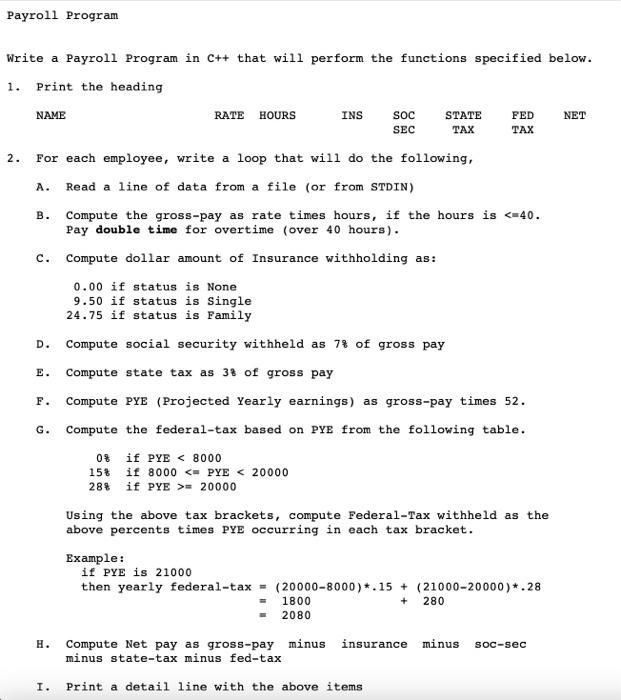
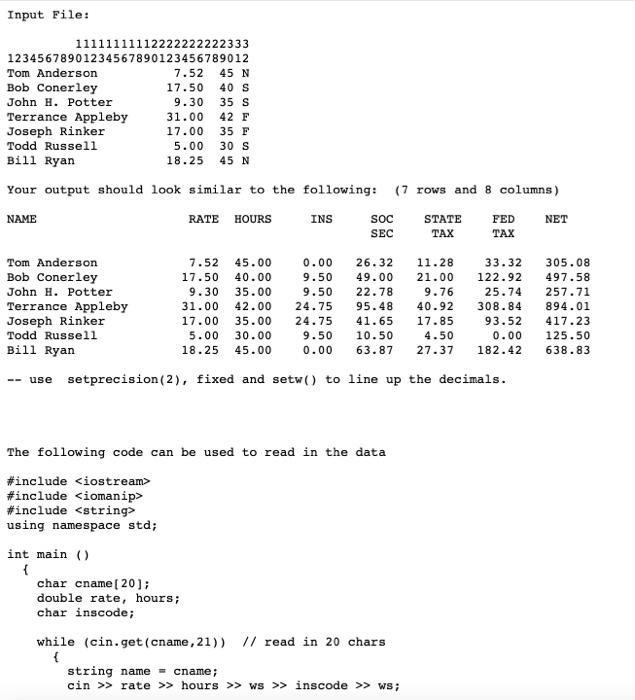
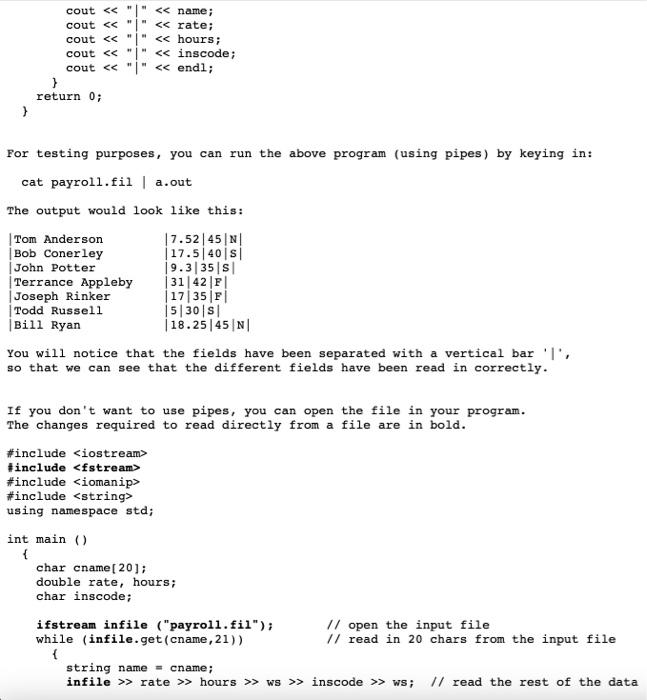
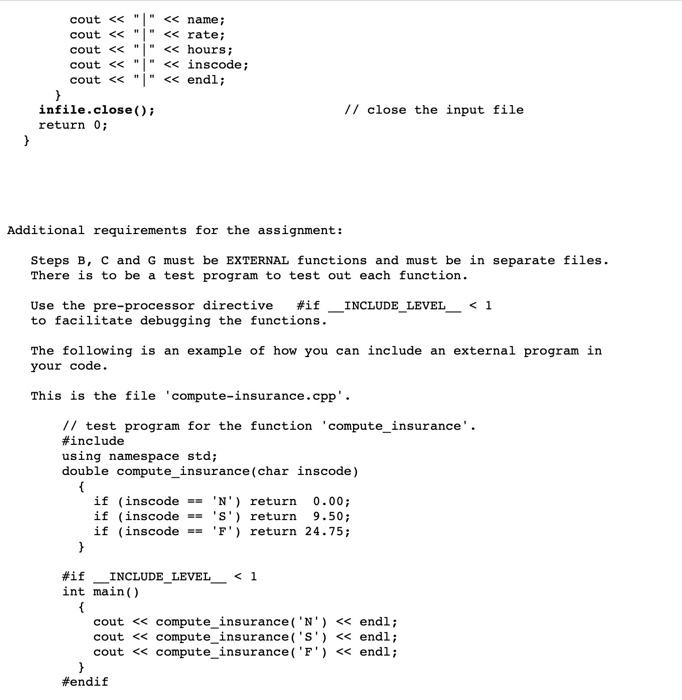
Payroll Program Write a Payroll Program in C++ that will perform the functions specified below. 1. Print the heading NAME RATE HOURS INS NET SOC SEC STATE TAX FED TAX 2. A. B. E. For each employee, write a loop that will do the following, Read a line of data from a file (or from STDIN) Compute the gross-pay as rate times hours, if the hours is = 20000 Using the above tax brackets, compute Federal-Tax withheld as the above percents times PYE occurring in each tax bracket. Example: if PYE is 21000 then yearly federal-tax = (20000-8000)*.15 + (21000-20000)*.28 1800 280 2080 F. + minus SOC-sec Compute Net pay as gross-pay minus insurance minus state-tax minus fed-tax I. Print a detail line with the above items Input File: 11111111112222222222333 12345678901234567890123456789012 Tom Anderson 7.52 45 N Bob Conerley 17.50 40 S John H. Potter 9.30 35 S Terrance Appleby 31.00 42 F Joseph Rinker 17.00 35 F Todd Russell 5.00 30 S Bill Ryan 18.25 45 N Your output should look similar to the following: (7 rows and 8 columns) NAME RATE HOURS INS SOC STATE FED NET SEC TAX TAX Tom Anderson Bob Conerley John H. Potter Terrance Appleby Joseph Rinker Todd Russell Bill Ryan 7.52 17.50 9.30 31.00 17.00 5.00 18.25 45.00 40.00 35.00 42.00 35.00 30.00 45.00 0.00 9.50 9.50 24.75 24.75 9.50 0.00 26.32 49.00 22.78 95.48 41.65 10.50 63.87 11.28 21.00 9.76 40.92 17.85 4.50 27.37 33.32 122.92 25.74 308.84 93.52 0.00 182.42 305.08 497.58 257.71 894.01 417.23 125.50 638.83 -- use setprecision(2), fixed and setw() to line up the decimals. The following code can be used to read in the data #include
Step by Step Solution
There are 3 Steps involved in it

Get step-by-step solutions from verified subject matter experts
 Study Help